Introduction • 11
Names of buttons and switches other than the
joystick are indicated within a
“button” frame
(for example ).
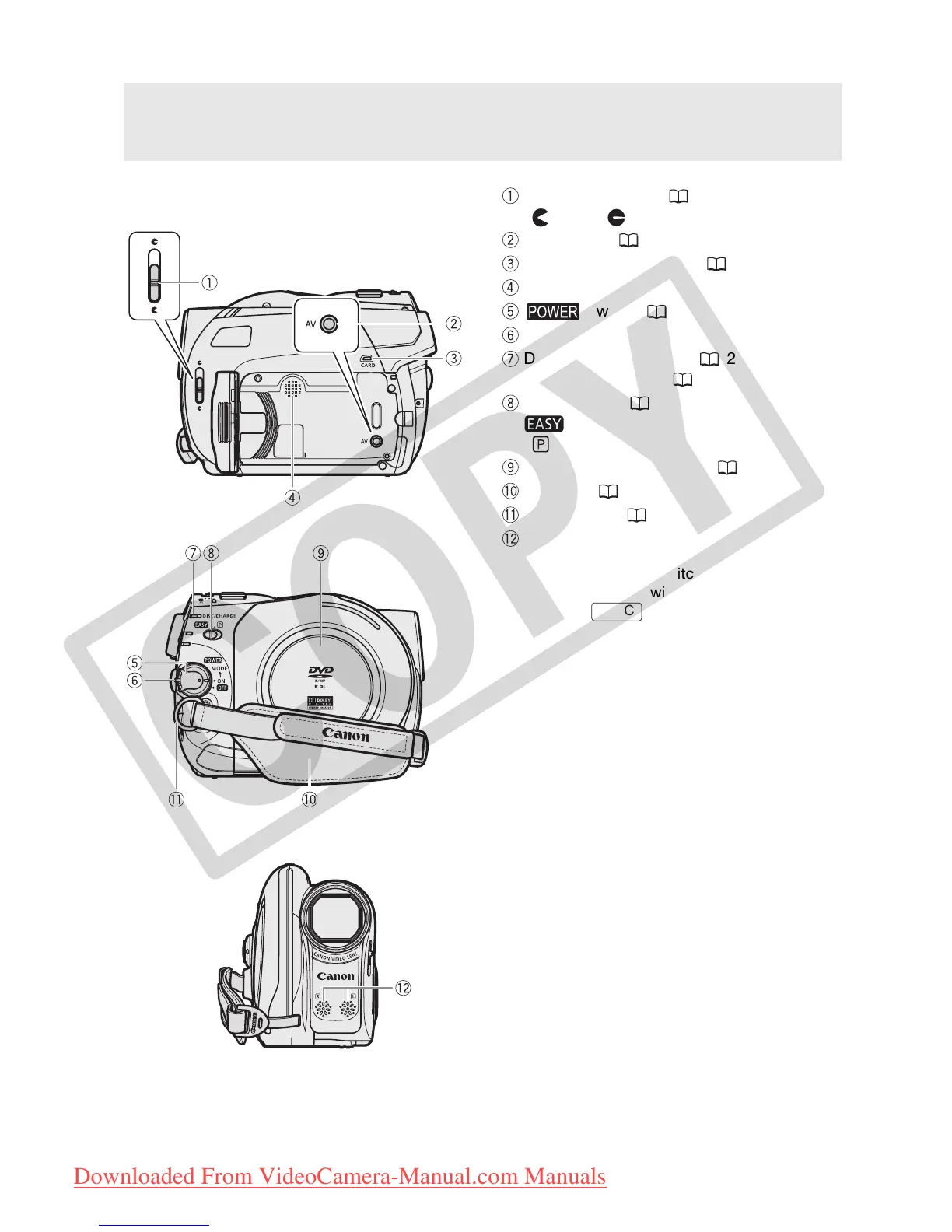
Components Guide
Left side view
Front view
Right side view
Lens cover switch ( 26, 48)
( open,
closed)
AV terminal ( 58)
CARD access indicator ( 48)
Speaker
switch ( 18)
Lock button
DISC access indicator ( 26) /
CHARGE indicator ( 16)
Mode switch ( 27)
Easy recording
Recording programs
Disc compartment cover ( 23)
Grip belt ( 17)
Strap mount ( 81)
Stereo microphone
FUNC.
COPY
Downloaded From VideoCamera-Manual.com Manuals



 To Next Page