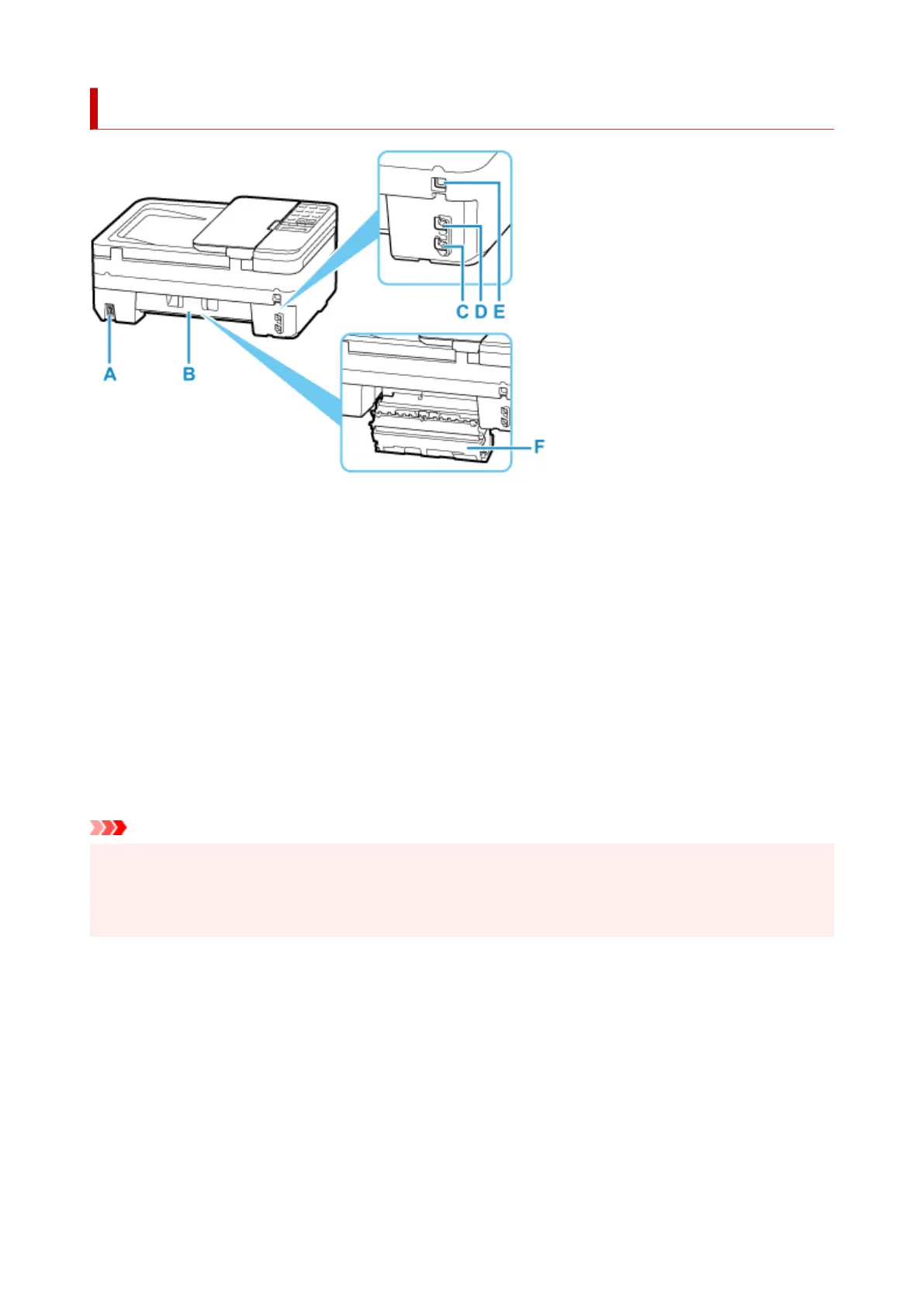
Rear View
A: Power Cord Connector
Plug in the supplied power cord.
B: Rear Cover
Open when removing jammed paper.
C: Telephone Line Jack
Connect the telephone line.
D: External Device Jack
Connect an external device such as telephone or answering device.
E: USB Port
Plug in the USB cable to connect the printer with a computer.
F: Transport Unit Cover
Detach when removing jammed paper.
Important
• Do not touch the metal casing.
• Do not plug in or unplug the USB cable while the printer is printing or scanning with the computer. This
can cause trouble.
161



 To Next Page