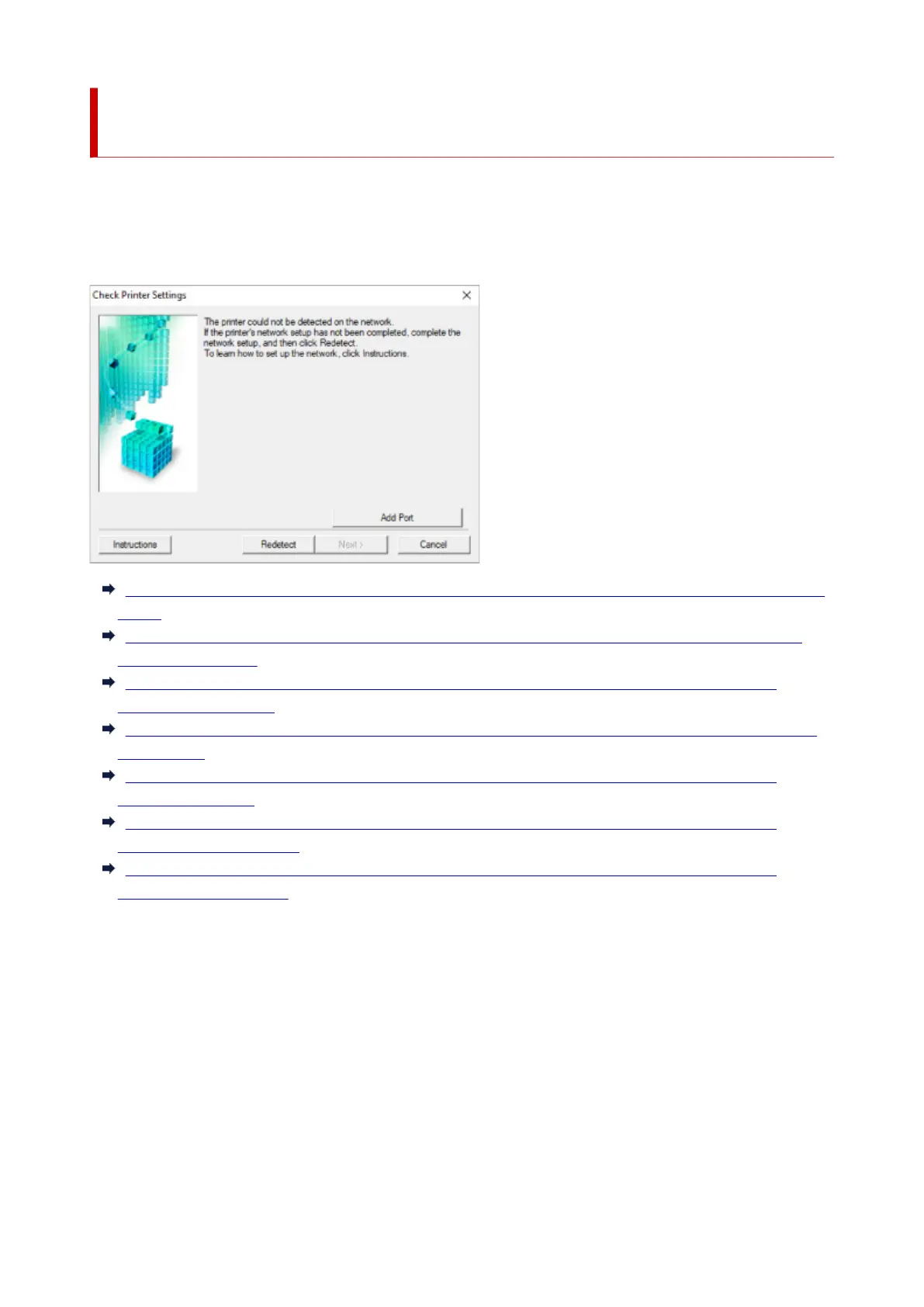
Cannot Find Printer on Check Printer Settings Screen During
Setup (Windows)
If the printer cannot be found and the Check Printer Settings screen appears after searching the printer by
Automatic search on the Search for Printers screen, click Redetect and search for the printer again by
the IP address on the Search for Printers screen.
If the printer has not been found after searching it by the IP address, check network settings.
Cannot Find Printer on Check Printer Settings Screen During Wi-Fi Setup (Windows)-Checking Power
Status
Cannot Find Printer on Check Printer Settings Screen During Wi-Fi Setup (Windows)-Checking PC
Network Connection
Cannot Find Printer on Check Printer Settings Screen During Wi-Fi Setup (Windows)-Checking
Printer's Wi-Fi Settings
Cannot Find Printer on Check Printer Settings Screen During Wi-Fi Setup (Windows)-Checking Wi-Fi
Environment
Cannot Find Printer on Check Printer Settings Screen During Wi-Fi Setup (Windows)-Checking
Printer's IP Address
Cannot Find Printer on Check Printer Settings Screen During Wi-Fi Setup (Windows)-Checking
Security Software Settings
Cannot Find Printer on Check Printer Settings Screen During Wi-Fi Setup (Windows)-Checking
Wireless Router Settings
443







 To Next Page