Copying
This section describes how to load originals and copy them to plain paper loaded.
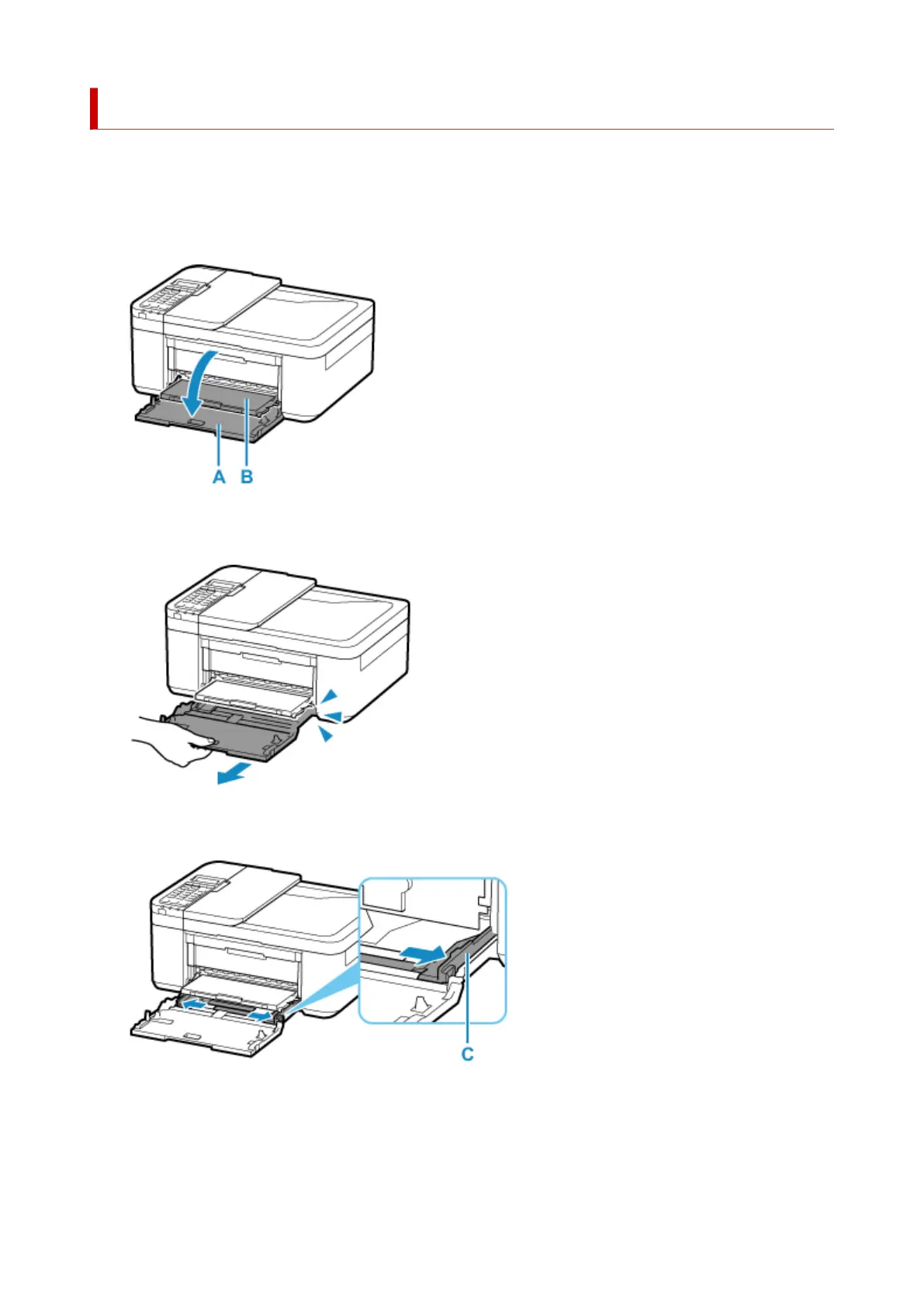
1. Open the front cover (A) gently.
The paper output tray (B) opens.
2.
Pull out the cassette until it stops.
3.
Use the right paper guide (C) to slide both paper guides all the way out.
4. Load plain paper in portrait orientation WITH PRINT SIDE FACING DOWN.
39



 To Next Page