Printing Photos from a Smartphone/Tablet
This section describes how to print photos with Canon PRINT Inkjet/SELPHY.
For details on how to download Canon PRINT Inkjet/SELPHY, see below.
Print Easily from a Smartphone or Tablet with Canon PRINT Inkjet/SELPHY
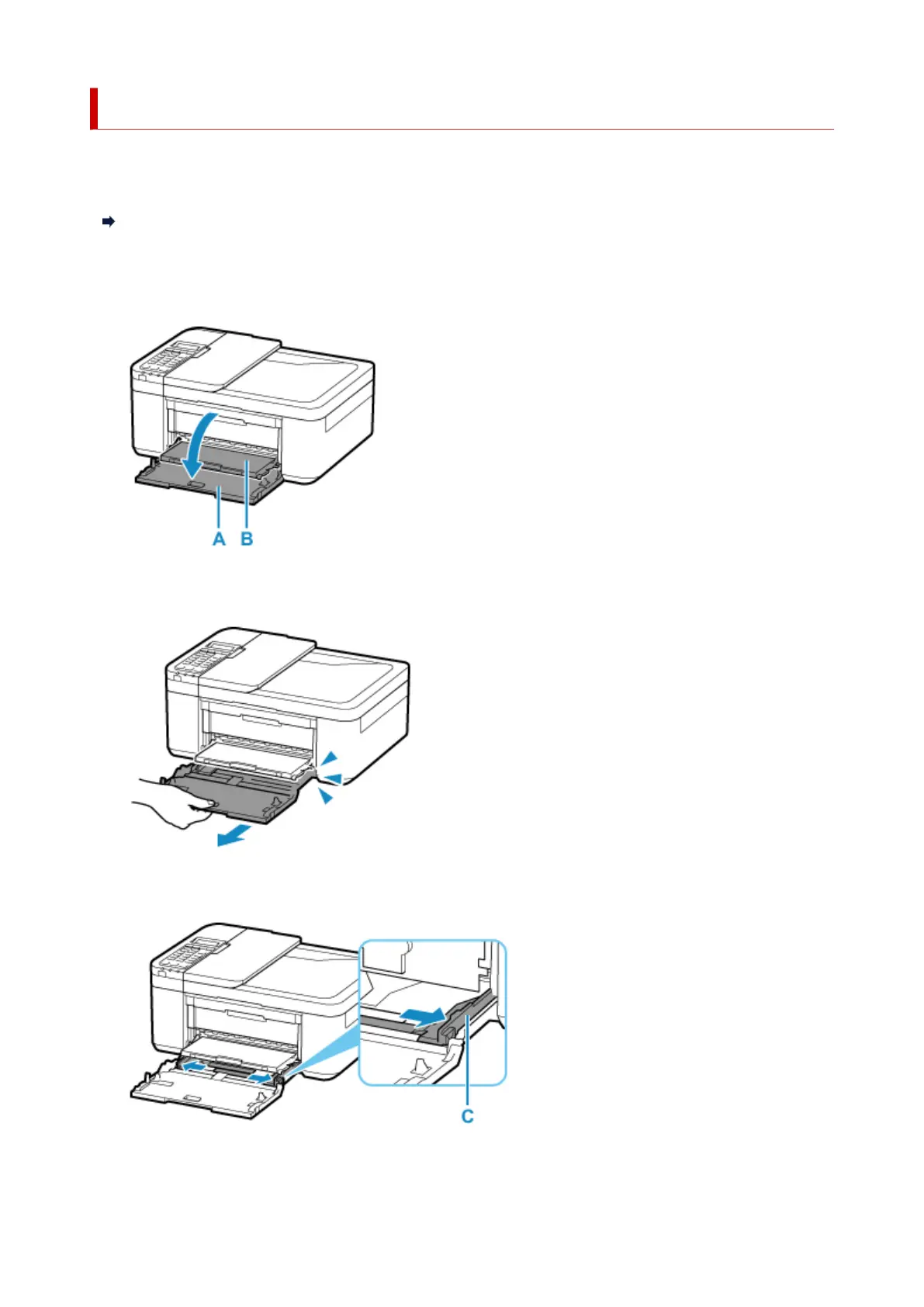
1.
Open the front cover (A) gently.
The paper output tray (B) opens.
2.
Pull out the cassette until it stops.
3.
Use the right paper guide (C) to slide both paper guides all the way out.
4. Load photo paper in portrait orientation WITH PRINT SIDE FACING DOWN.
35







 To Next Page