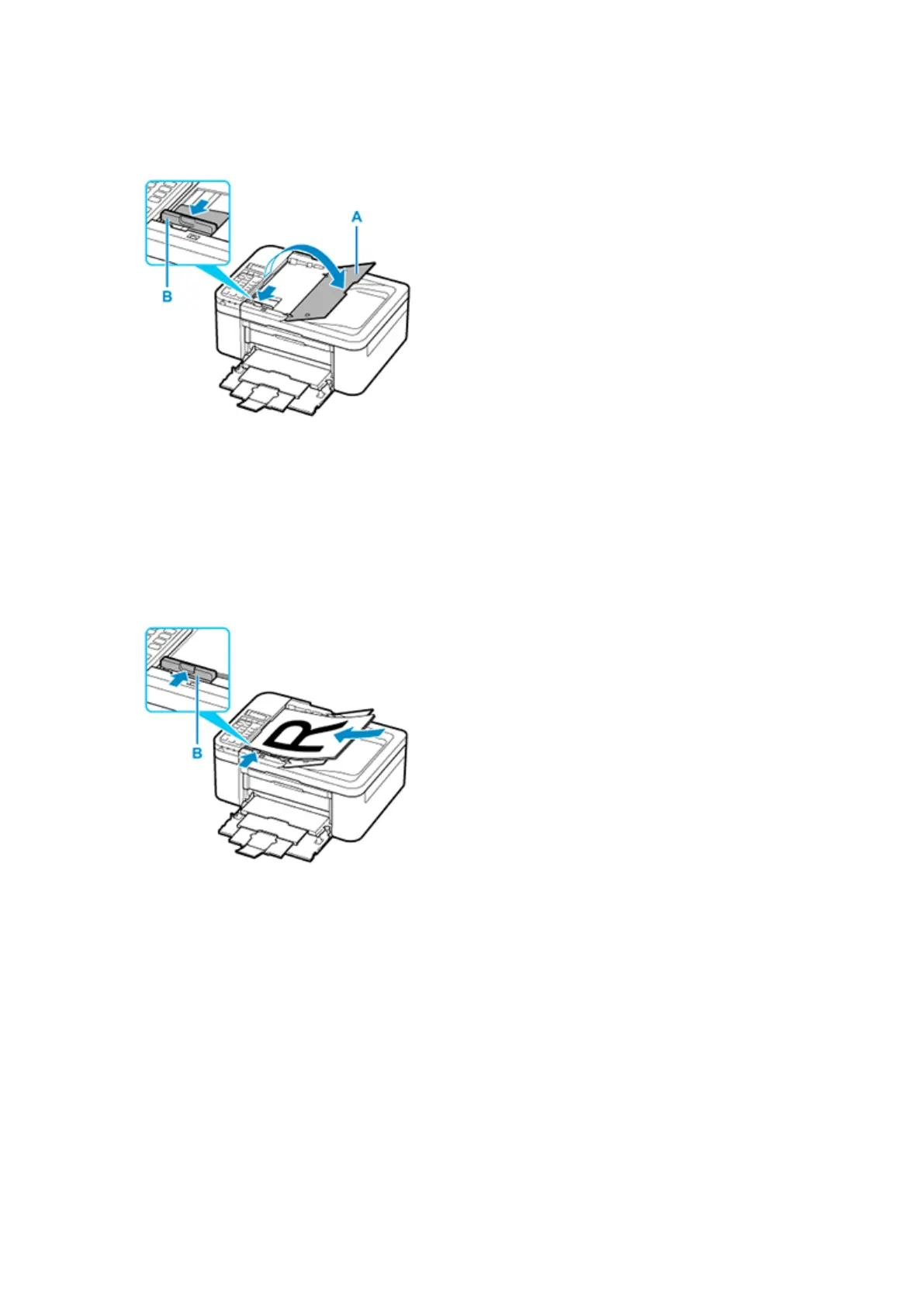
2. Open document tray (A).
3. Slide the paper guides (B) all the way out.
4.
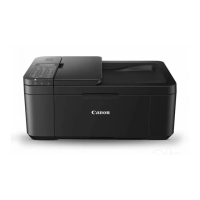
Load document with side to scan facing up in document tray.
Insert the document until it stops.
5.
Adjust document guide (B) to match width of document.
Do not slide the document guide too hard against the document. The document may not be fed
properly.
346



 To Next Page