Check5
Is the FINE cartridge installed properly?
If the FINE cartridge is not installed securely, ink may not be ejected correctly.
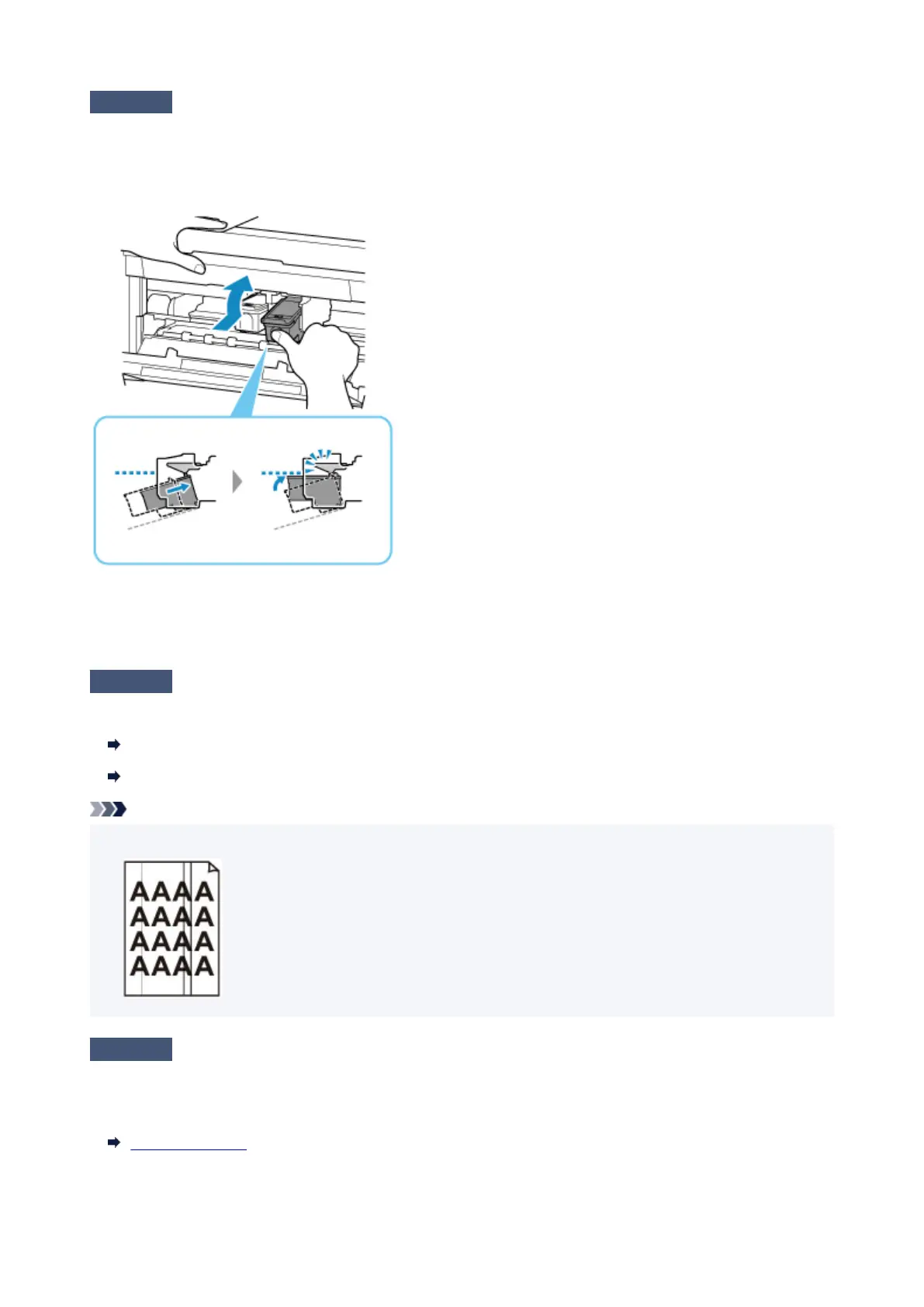
Open the paper output cover and remove the FINE cartridges.
Then install the FINE cartridges again. Push up the FINE cartridge until it clicks into place.
After confirming that the FINE cartridge is installed properly, close the paper output cover.
• When copying, see also the sections below:
Check6
Is platen glass or glass of ADF dirty?
Clean the platen glass or the glass of ADF.
Cleaning Platen and Document Cover
Cleaning the ADF (Auto Document Feeder)
Note
•
If the glass of ADF is dirty, black streaks appear on the paper as shown below.
Check7
Make sure original is properly loaded on platen or ADF.
When you load the original on the platen, load it with the side to be copied facing down.
When you load the original on the ADF, load it with the side to be copied facing up.
Loading Originals
489







 To Next Page