10-4
Maintenance
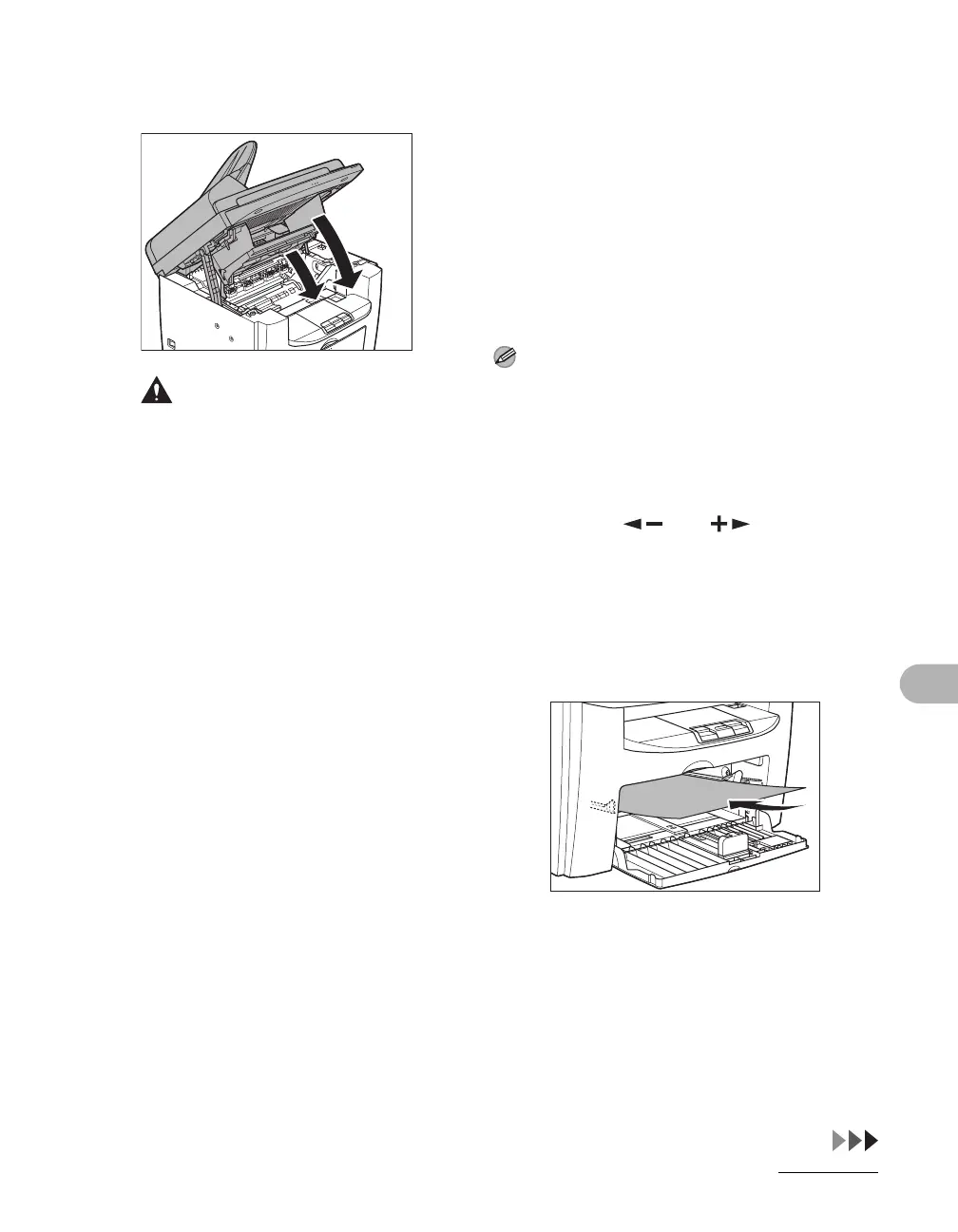
8 Close the printer cover and
lower the scanning platform.
CAUTION
Be careful not to get your fingers caught.
9 Reconnect the power cord and
turn on the main power switch.
Fuser Roller
If black streaks appear with printing, the
fuser roller in the main unit may be dirty.
Should this occur, clean the fusing roller
in the following procedure. The roller
should also be cleaned each time the
toner cartridge is replaced. Load a sheet
of blank LTR paper into the multi-purpose
tray and start cleaning.
NOTE
Cleaning the roller takes approximately 130
seconds.
1 Press [Additional Functions].
2 Press [ ] or [ ] to select
<ADJUST./CLEANING>, then
press [OK].
3 Load a sheet of blank LTR paper
in the multi-purpose tray.










 To Next Page