11-4
Troubleshooting
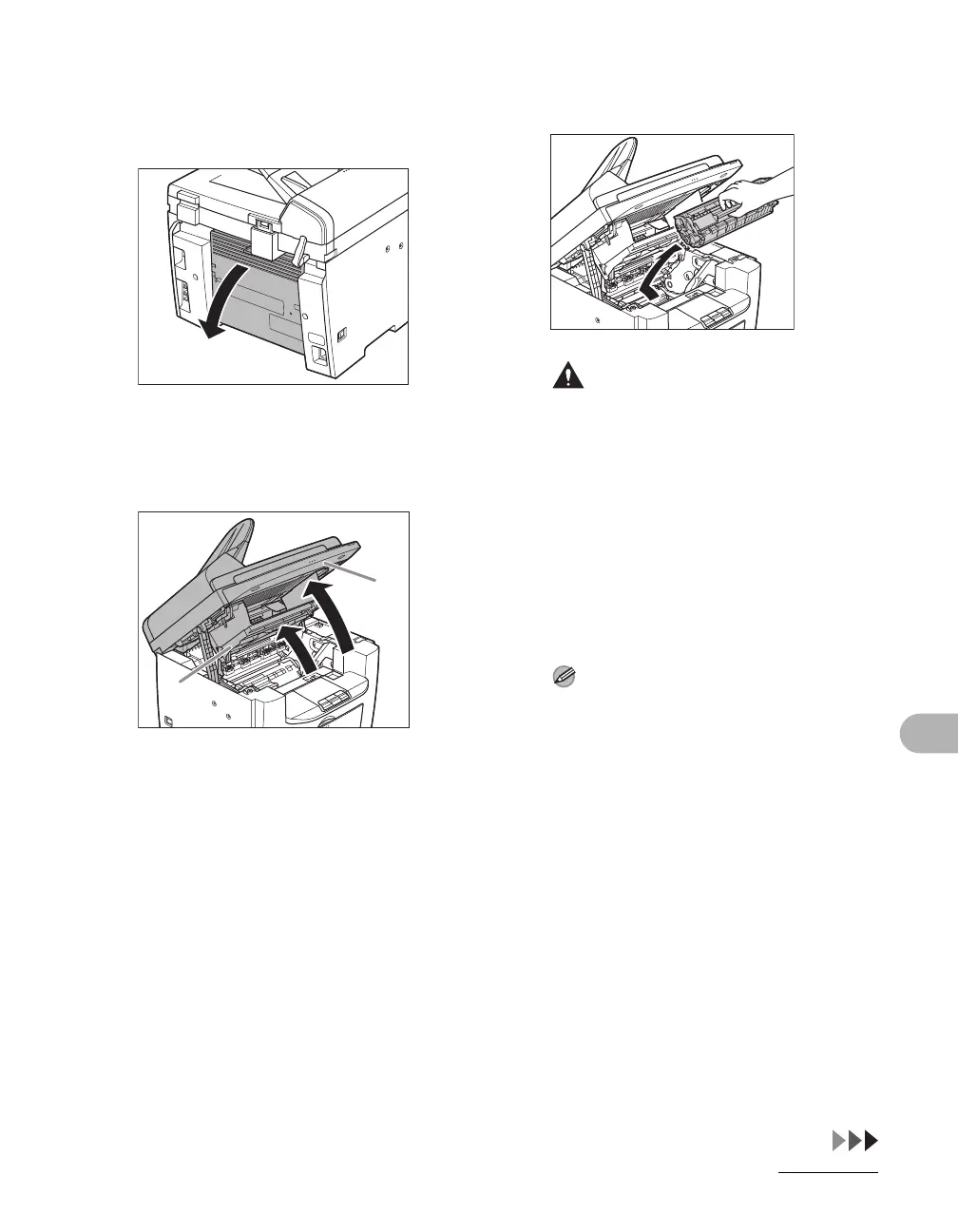
3 Open the rear cover.
This operation is required only when
<PAPER JAM/OPEN REAR COVER>
appears on the LCD display.
4 Lift the scanning platform until it
is locked (A), and open the
printer cover (B).
5 Remove the toner cartridge from
the machine.
CAUTION
– Remove watches and any bracelets or
rings when touching the inside of the
machine. These items might be
damaged if they come into contact with
the parts inside of the machine.
– To avoid exposing the toner cartridge to
light, place it in its protective bag or wrap
it in a thick cloth.
– Do not open the drum protective shutter
on the toner cartridge. Print quality may
deteriorate if the drum surface is
exposed to light or is damaged.
NOTE
Always hold the toner cartridge by its
handle.
A
B










 To Next Page