4-31
Sending Faxes
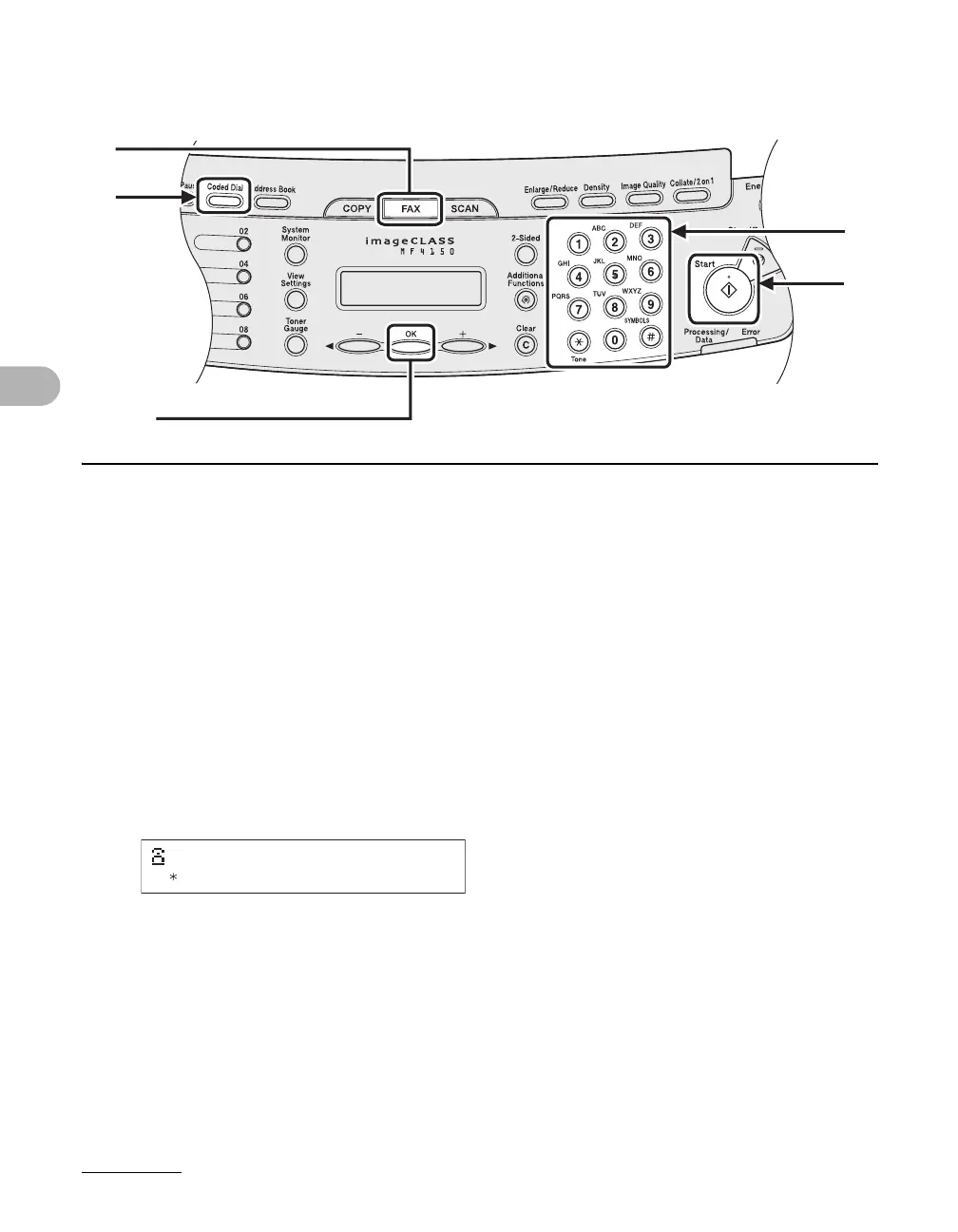
● Using Coded Dialing
1 Place the document on the platen glass or load it in the ADF.
2 Press [FAX].
3 Adjust any necessary settings for your document.
For details, see “Scan Settings,” on p. 4-3.
4 Press [Coded Dial].
5 Enter the desired two-digit code (00 to 99) with the numeric keys.
6 Press [Start].
When you set the document on the platen glass, press [Start] for each document. When scanning
is complete, press [OK].
2
4
5
6
[OK]
Ex.
=012XXXXXXX
[ 01]CANON










 To Next Page