1
2
3
4
5
6
7
8
9
10
11
Back
Previous
Next
TOP
xxi
Before Using the
Machine
Document and Paper
Copying
Sending and
Receiving
Printing and
Scanning
Network
Remote UI
System Manager
Settings
Maintenance
Troubleshooting
Appendix
Table of Contents
Index
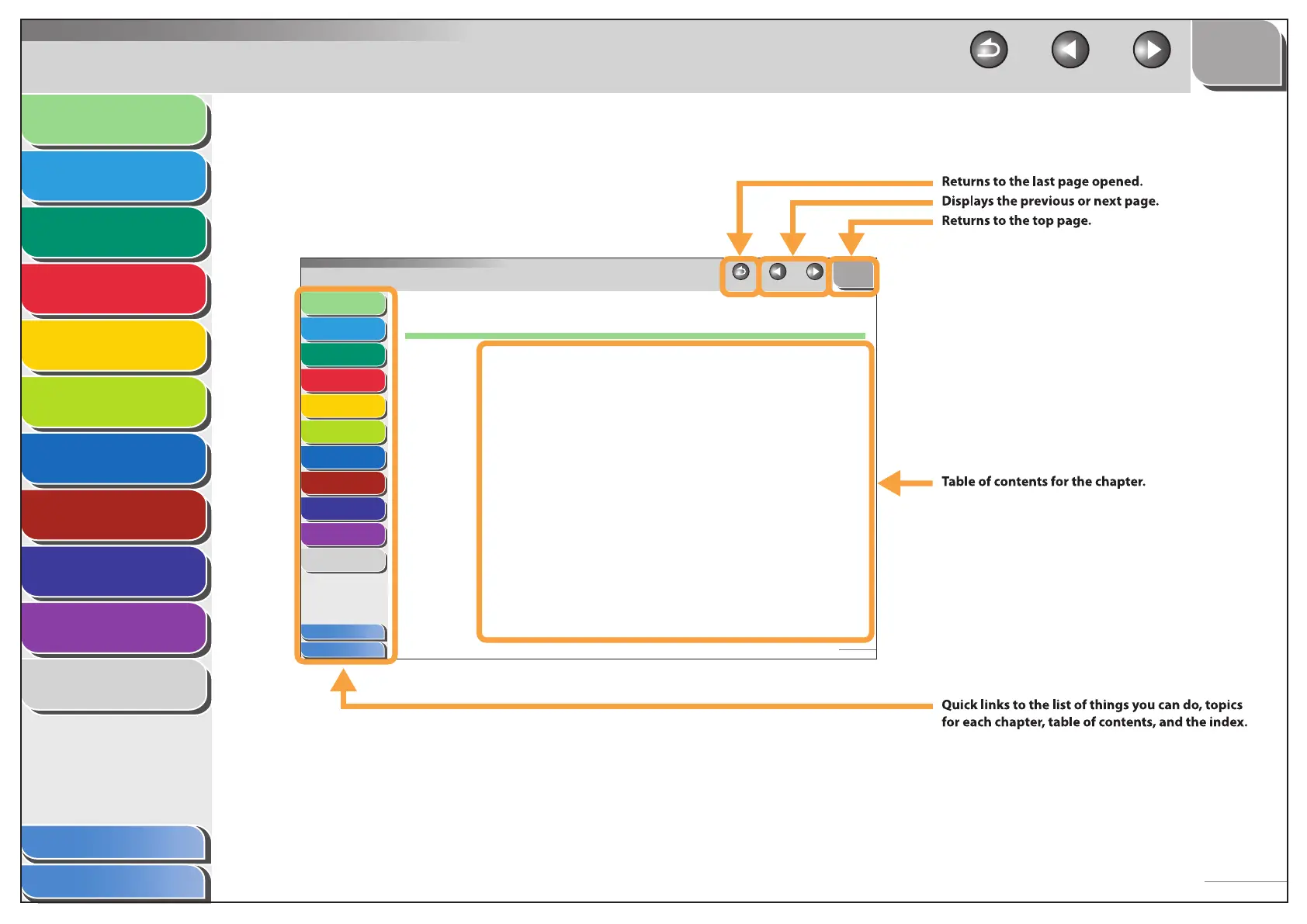
Using the Chapter Topic List
1
2
3
4
5
6
7
8
9
10
11
Back Previous Next
TOP
1-1
Before Using the
Machine
Document and Paper
Copying
Sending and
Receiving
Printing and
Scanning
Network
Remote UI
System Manager
Settings
Maintenance
Troubleshooting
Appendix
Table of Contents
Index
1 Before Using the Machine
Machine Components......................................................................................1-3
Operation Panel ...............................................................................................1-6
Main Operation Panel.................................................................1-6
Fax Operation Panel....................................................................1-9
LCD (Standby Mode) ......................................................................................1-10
Copy Mode.................................................................................. 1-10
Fax Mode ...................................................................................... 1-10
Scan Mode ................................................................................... 1-10
Toner Cartridge ..............................................................................................1-11
Maintaining the Toner Cartridge ......................................... 1-12
Checking the Toner Level....................................................... 1-13
■




 To Next Page