1
2
3
4
5
6
7
8
9
10
11
Back
Next
Previous
TOP
1-6
Before Using the
Machine
Document and Paper
Copying
Sending and
Receiving
Printing and
Scanning
Network
Remote UI
System Manager
Settings
Maintenance
Troubleshooting
Appendix
Index
Table of Contents
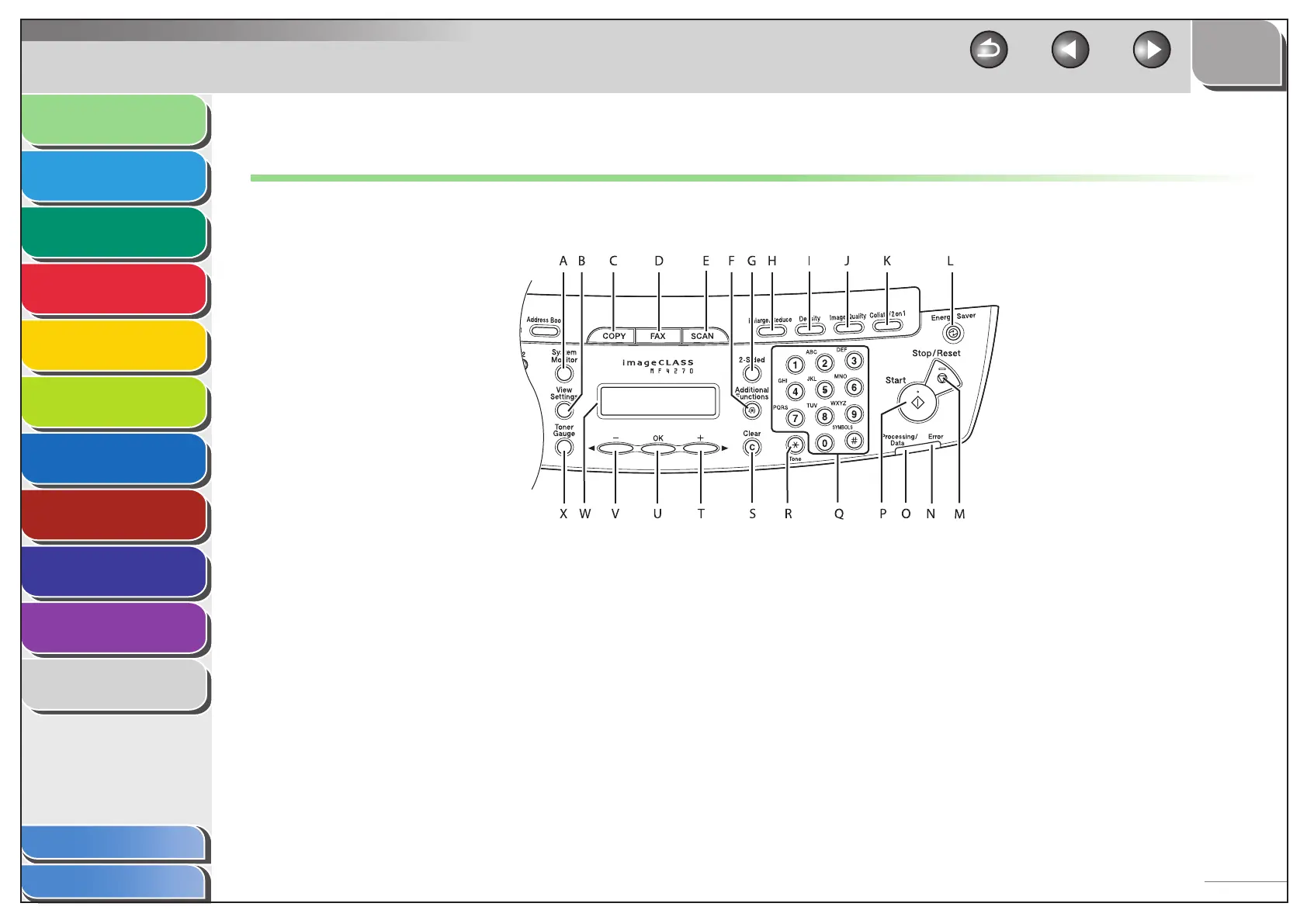
Operation Panel
Main Operation Panel
A [System Monitor] key
Press to check fax transmission, print, copy, or report output
status.
B [View Settings] key
Press to confirm settings of the copy function.
C [COPY] key
Press to switch to the Copy mode.
■
D [FAX] key
Press to switch to the Fax mode.
E [SCAN] key
Press to switch to the Scan mode.
F [Additional Functions] key
Press to select or cancel the modes in Additional Functions.
G [2-Sided] key
Press to set two-sided copying.












 To Next Page