1
2
3
4
5
6
7
8
9
10
11
Back
Next
Previous
TOP
2-5
Before Using the
Machine
Document and Paper
Copying
Sending and
Receiving
Printing and
Scanning
Network
Remote UI
System Manager
Settings
Maintenance
Troubleshooting
Appendix
Index
Table of Contents
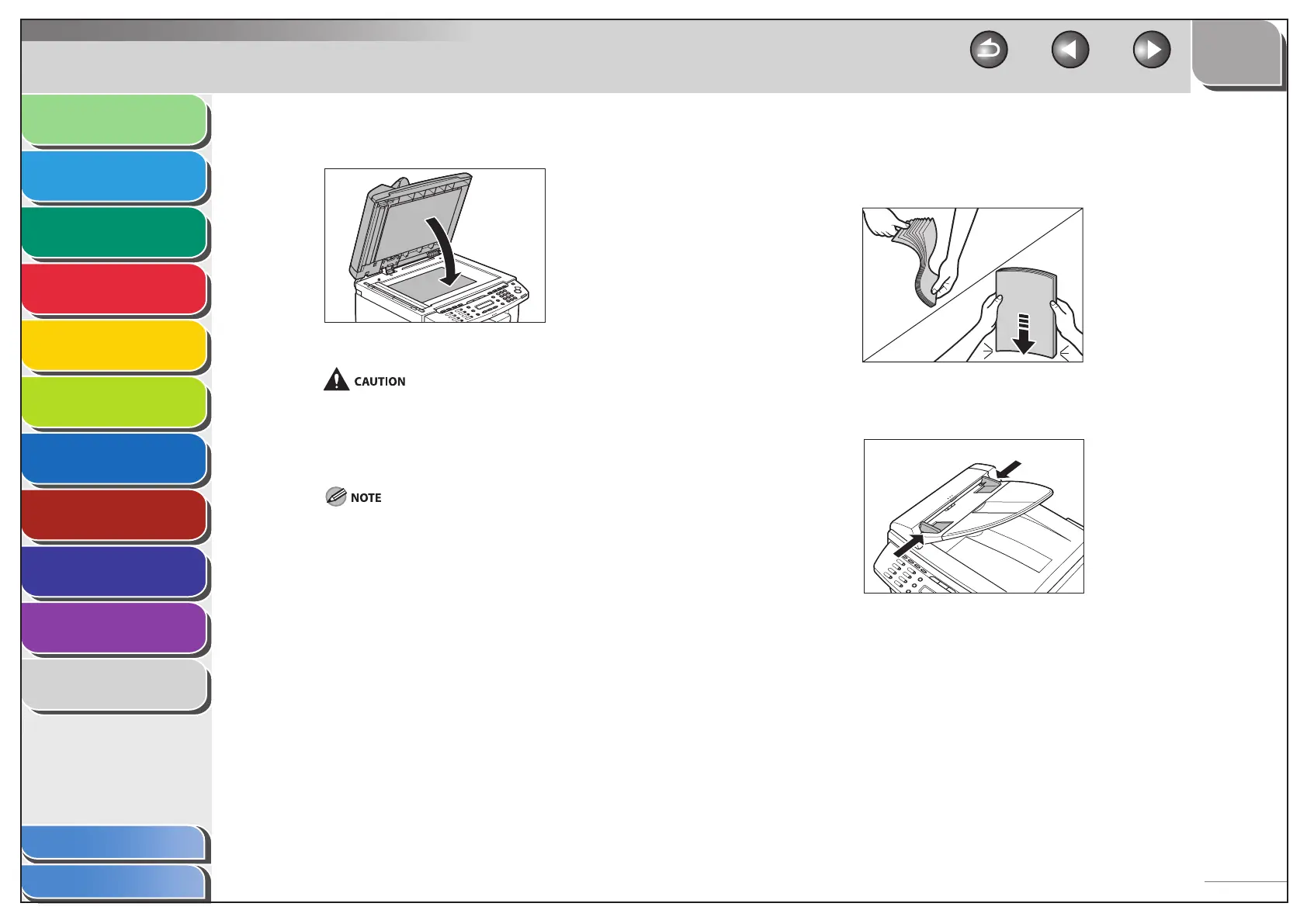
4. Gently close the ADF.
The document is ready for scanning.
When closing the ADF, be careful not to get your fingers caught,
as this may result in personal injury.
Do not press down the ADF forcefully, as this may damage the
platen glass and cause personal injury.
Remove the document from the platen glass when scanning is
complete.
–
–
In the ADF
1. Fan the document stack and even the edges.
2. Adjust the slide guides to the width of the
documents.
■




 To Next Page