1111
Checking the Information Required for the Setup
Checking the Information Required for the Setup
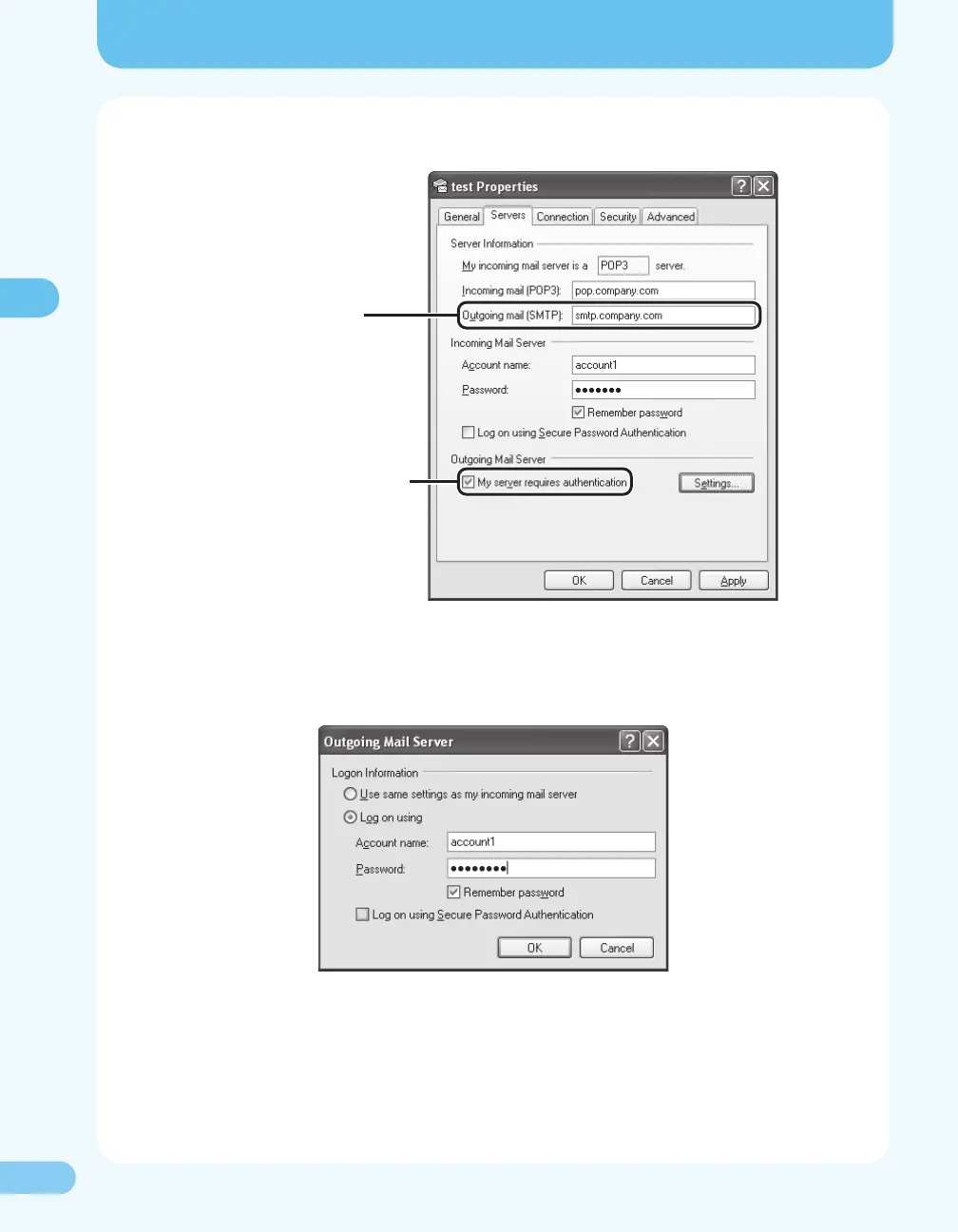
6. Conrm the server names for [Outgoing mail (SMTP)].
SMTP server address
When SMTP authentication
is used, this check box is
selected.
7. Click [Settings] of [Outgoing Mail Server].
8. Conrm [Account name] (user name authorized by SMTP server) and [Password].





 To Next Page