1010
Checking the Information Required for the Setup
Checking the Information Required for the Setup
Checking the E-Mail Account
You can check the details of your e-mail account you are using in your e-mail software.
Taking Outlook Express 6.x (e-mail software included in Windows XP) as an example, this document
explains how to check the e-mail account.
If you are using Windows Mail (e-mail software included in Windows Vista), you can check the e-mail account in
the same way as described below.
If you are using Outlook Express 6.x
1. Start Outlook Express 6.x.
2. From the [Tools] menu, select [Account].
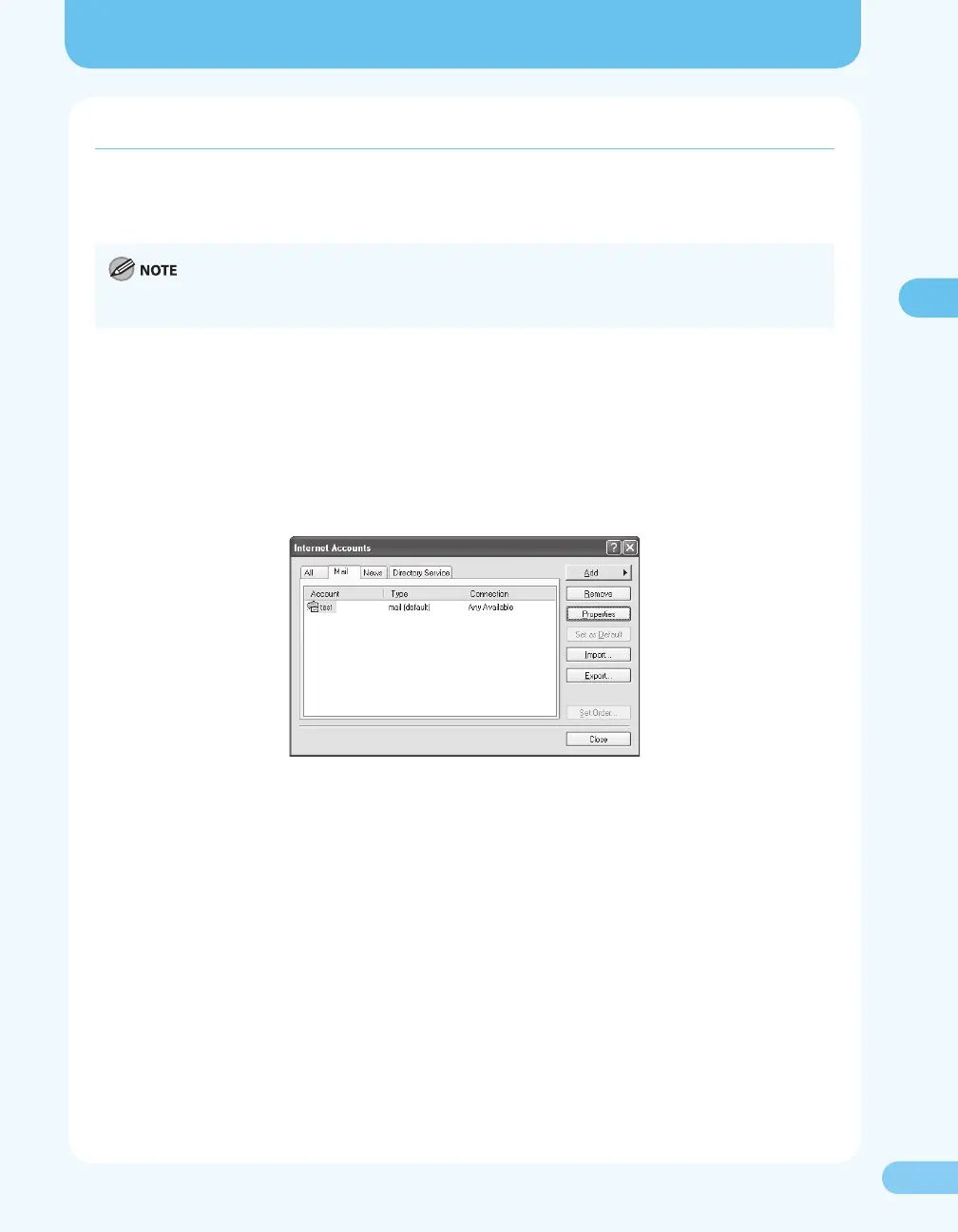
The [Internet Account] dialog box appears.
3. Click the [Mail] tab.
4. Select the account you are using. Click the [Properties] button.
The [Properties] dialog box appears.
5. Click the [Servers] tab.





 To Next Page