11
Installing the Software
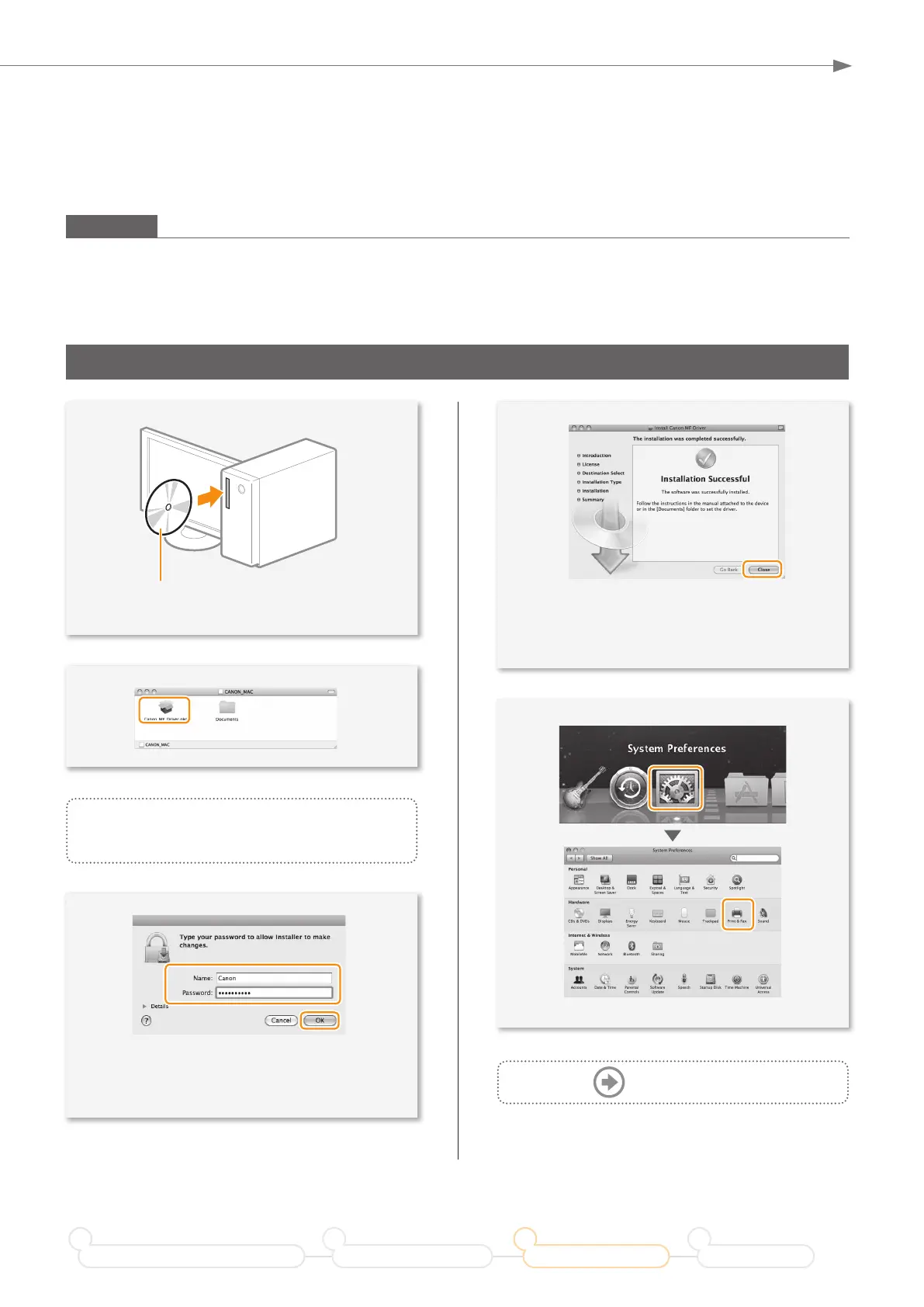
• Depending on the system environment, the
dialog box may not be displayed. In this case,
proceed to next step.
• Installing the drivers is now complete.
Continued with registratiion operations on the
desktop.
This operation is for Macintosh. If using Windows, proceed to P.10.
◀
Click!
◀
Enter
◀
Click!
Insert the User Software CD-ROM and
double-click the CD-ROM icon.
▲
◀
Double-click!
▼
▼
▼
▼
◀
Click!
◀
Click!
▼
▼
Follow the instructions
on the screen to continue.
Macintosh
Install the MF drivers for Macintosh. It requires Mac OS X 10.5.8 version or later. The installation screen varies
depending on the version of Mac OS X.
Prepare for Wireless LAN Connection
1
Setting the Wireless LAN
2
Installing the Software
3
Troubleshooting
4
Next Page










 To Next Page