13
Installing the Software
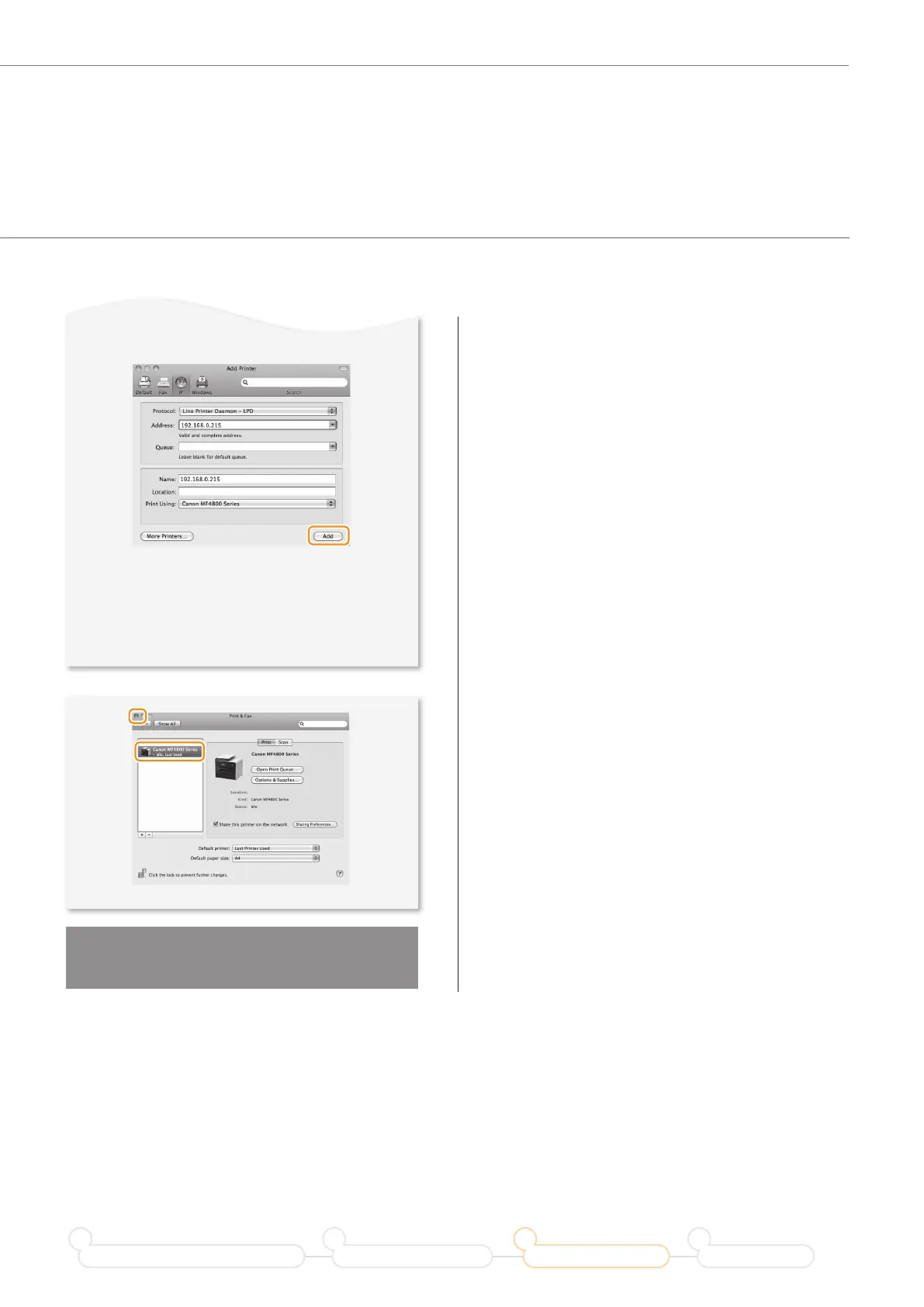
• If you are using Mac OS X 10.5.x,
select [Select a driver to use] and the
corresponding driver from [Print Using], and
then click [Add].
▼
◀
Click!
Computer connection via the
wireless LAN is now complete.
◀
Click!
◀
Check that this
machine is added.
Prepare for Wireless LAN Connection
1
Setting the Wireless LAN
2
Installing the Software
3
Troubleshooting
4










 To Next Page