4-27
Sending Faxes
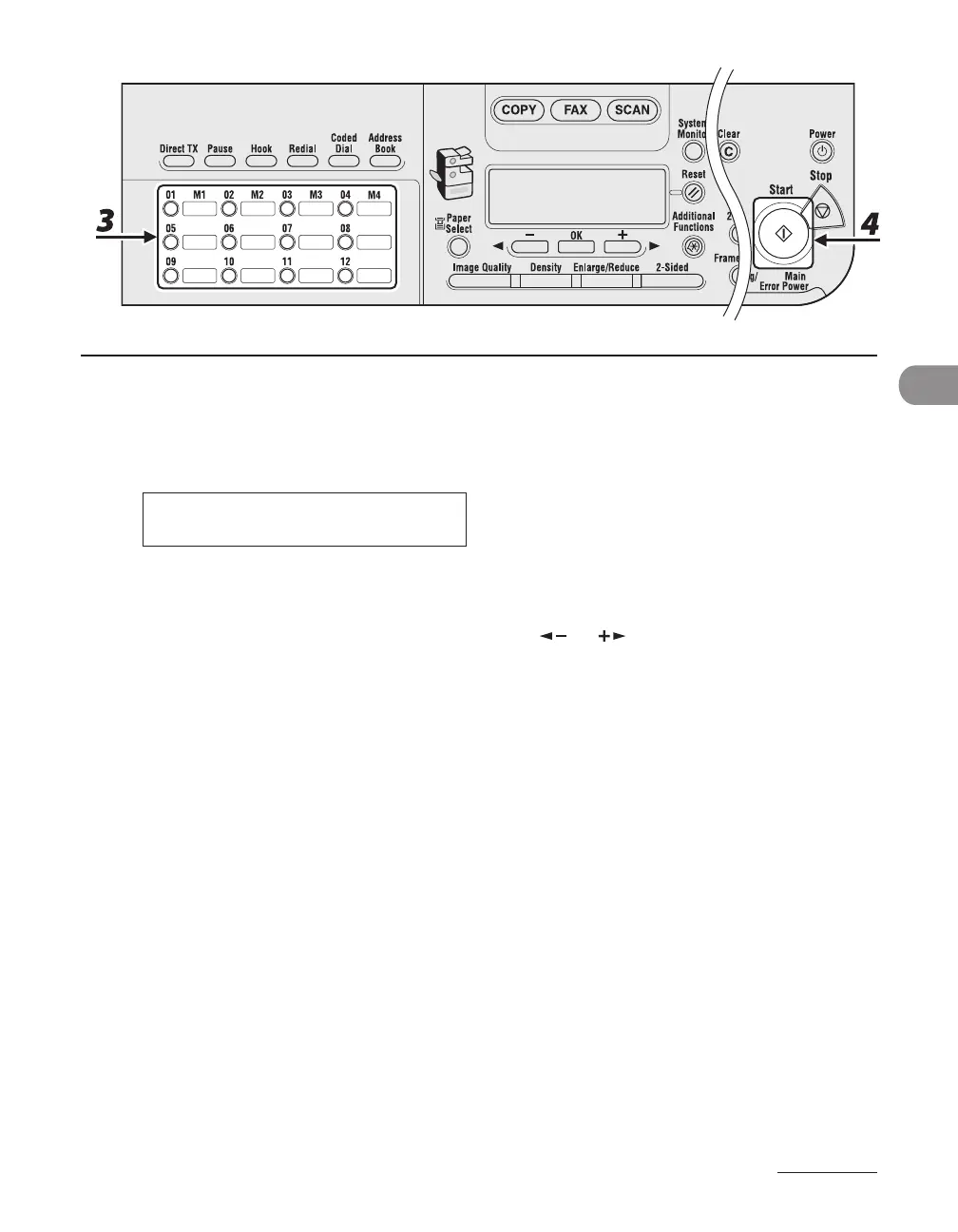
3 Press the desired one-touch speed dialing key (01 to 23).
If you pressed a wrong key, press [Clear] and try again.
[ 0 5 ] C A N O N U S A
Ex.
T E L = 0 1 2 3 X X X X X X
4 Press [Start].
When you set the documents on the platen glass, press [ ] or [ ] to select the document size, then
press [Start] for each document. When scanning is complete, press [OK] to start dialing.










 To Next Page