Machine Settings
12-26
ADJUST./CLEANING
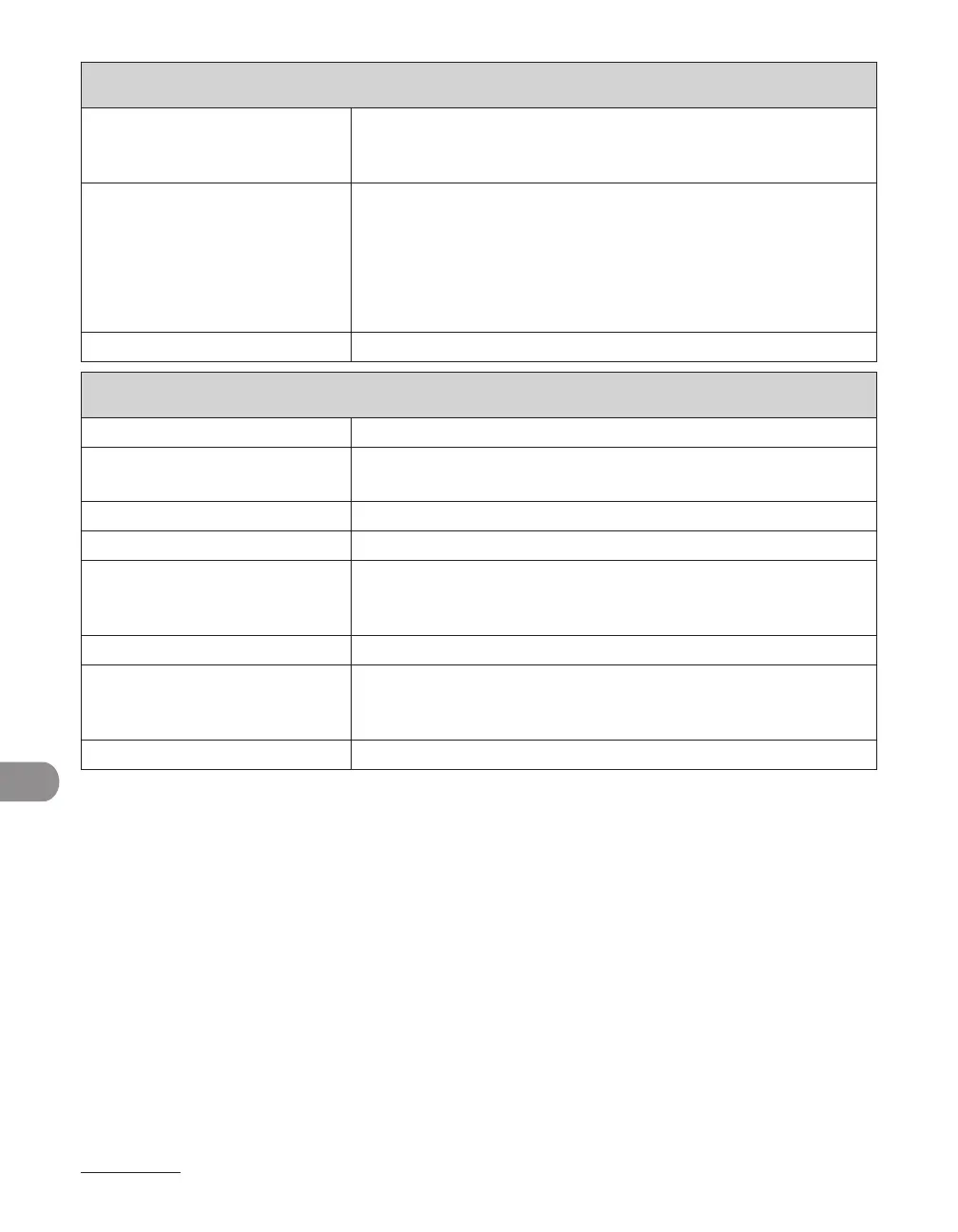
13. LARGE PAPER MODE Sets whether to improve toner fix on large-sized paper.
OFF
ON
–
–
14. AUTO ADF DRTY ADJ Sets whether to activate smudge (due to dust or dirt) reduction
during printing.
When the ADF is dirty, copies may contain unwanted dots or
lines.
ON
OFF
–
–
15. MAINTENANCE CODE This setting is not functional in this model.
REPORT SETTINGS
Setting Item Description
1. SETTINGS* Sets the report functions. (See Chapter 11, “Appendix,” in the
Reference Guide.)
1. TX REPORT Sets whether the fax transmission report prints out.
PRINT ERROR ONLY Prints a report only when a transmission error occurs.
REPORT WITH TX
IMAGE
Sets whether to print the first page of the fax under the report.
OFF
ON
–
–
OUTPUT YES Prints a report every time you send a document.
REPORT WITH TX
IMAGE
Sets whether to print the first page of the fax under the report.
OFF
ON
–
–
OUTPUT NO No report is printed.










 To Next Page