10-27
Maintenance
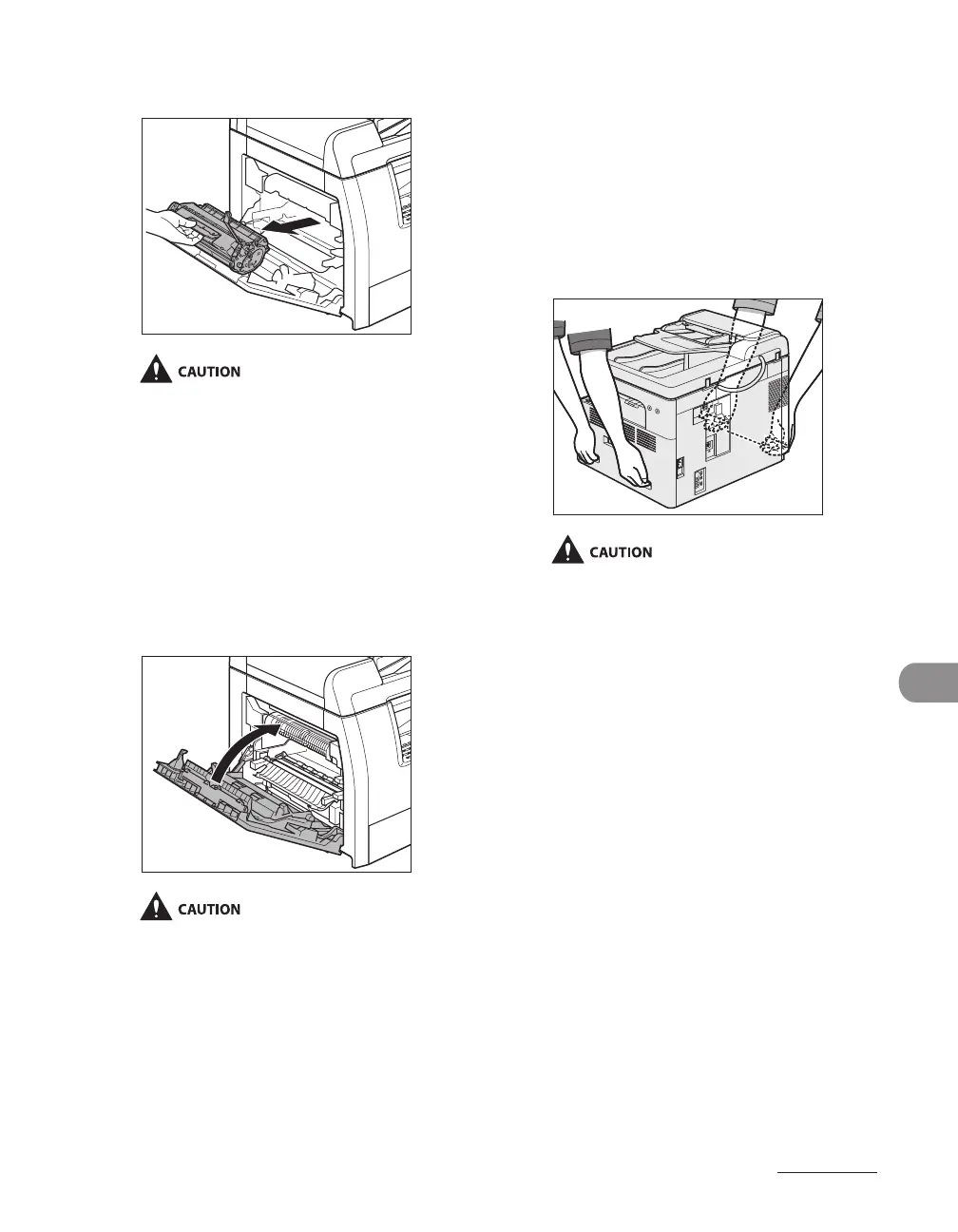
6 Remove the toner cartridge.
Always hold the toner cartridge by its
handle.
To avoid exposing the toner cartridge to
light, place it in its protective bag or wrap it
in a thick cloth.
Do not open the drum protective shutter
on the toner cartridge. Print quality may
deteriorate if the drum surface is exposed
to light or is damaged.
7 Close the left cover.
Be careful not to get your fingers caught.
–
–
–
8 Make sure the multi-purpose tray
and the paper stopper are back in
their original position.
9 Use the handles (on the left side)
and the hand grips (on the right
side) to lift the machine.
Be sure at least two people carry the
machine.
Do not lift the machine by any of its
attachments. Dropping the machine can
cause personal injury.
If you have a back problem, make sure to
check the weight of this machine before
carrying. (See “Specifications,” on p. 13-2.)
–
–
–










 To Next Page