Document and Paper
2-12
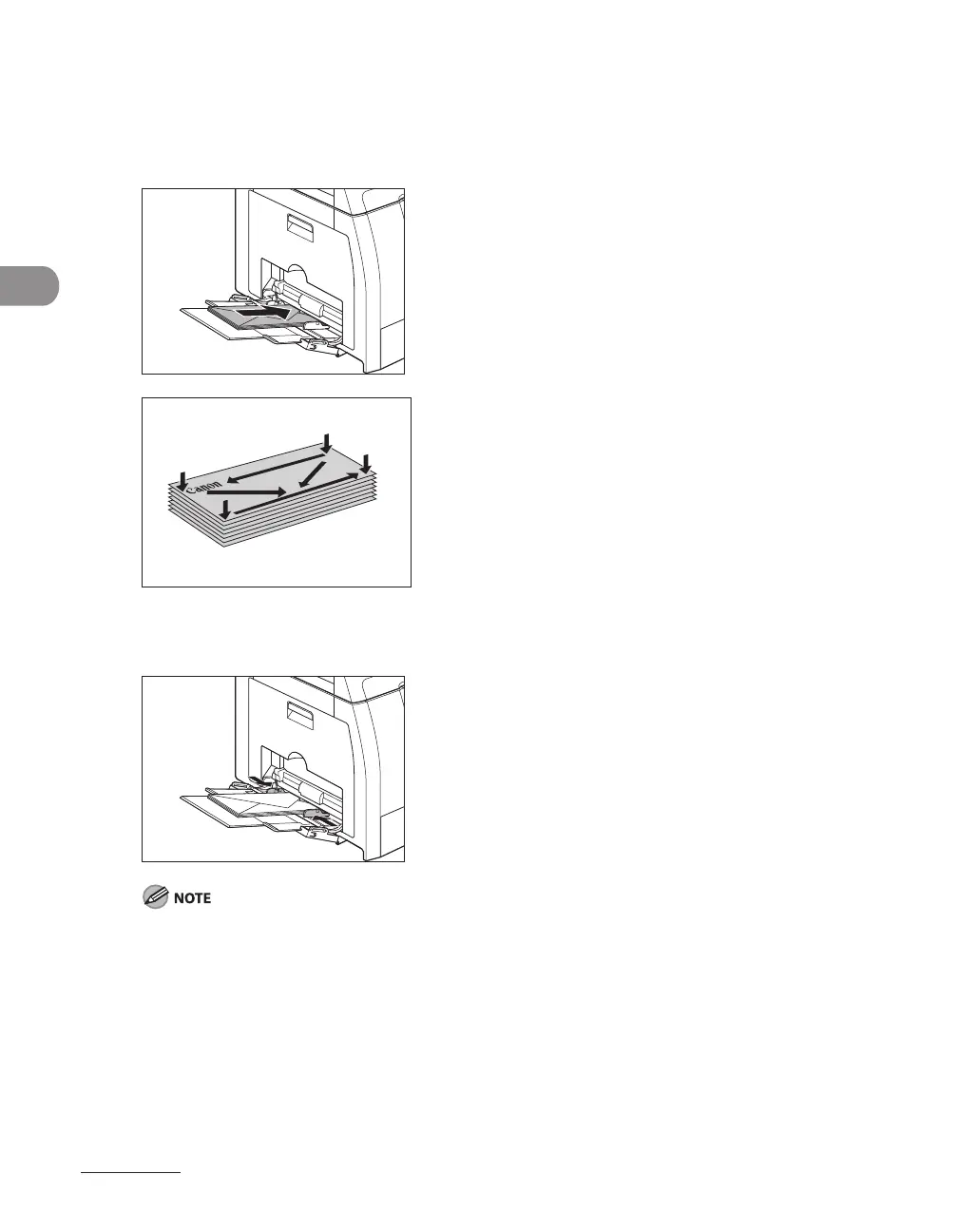
3 Gently load the stack of envelopes with the address side facing down and the
flap side to the left. Be sure to insert the envelopes as far as they will go.
When you load the envelopes, arrange the stack of envelopes on a firm, clean surface first, then press
down firmly on the edges to make the folds crisp.
4 Adjust the slide guides to the width of the paper stack.
Make sure that the paper stack does not exceed the paper limit guide.
Some types of paper may not feed properly into the multi-purpose tray. For high quality copies, be
sure to use the paper and transparencies recommended by Canon.
When making copies of a small document or thick paper, etc., the copy speed may be slightly slower
than usual.
–
–
–










 To Next Page