Copying
3-18
1 to 2-Sided
You can make two-sided copies from one-sided documents.
1 Set documents.
Place the first page on the platen glass if you are not using the ADF.
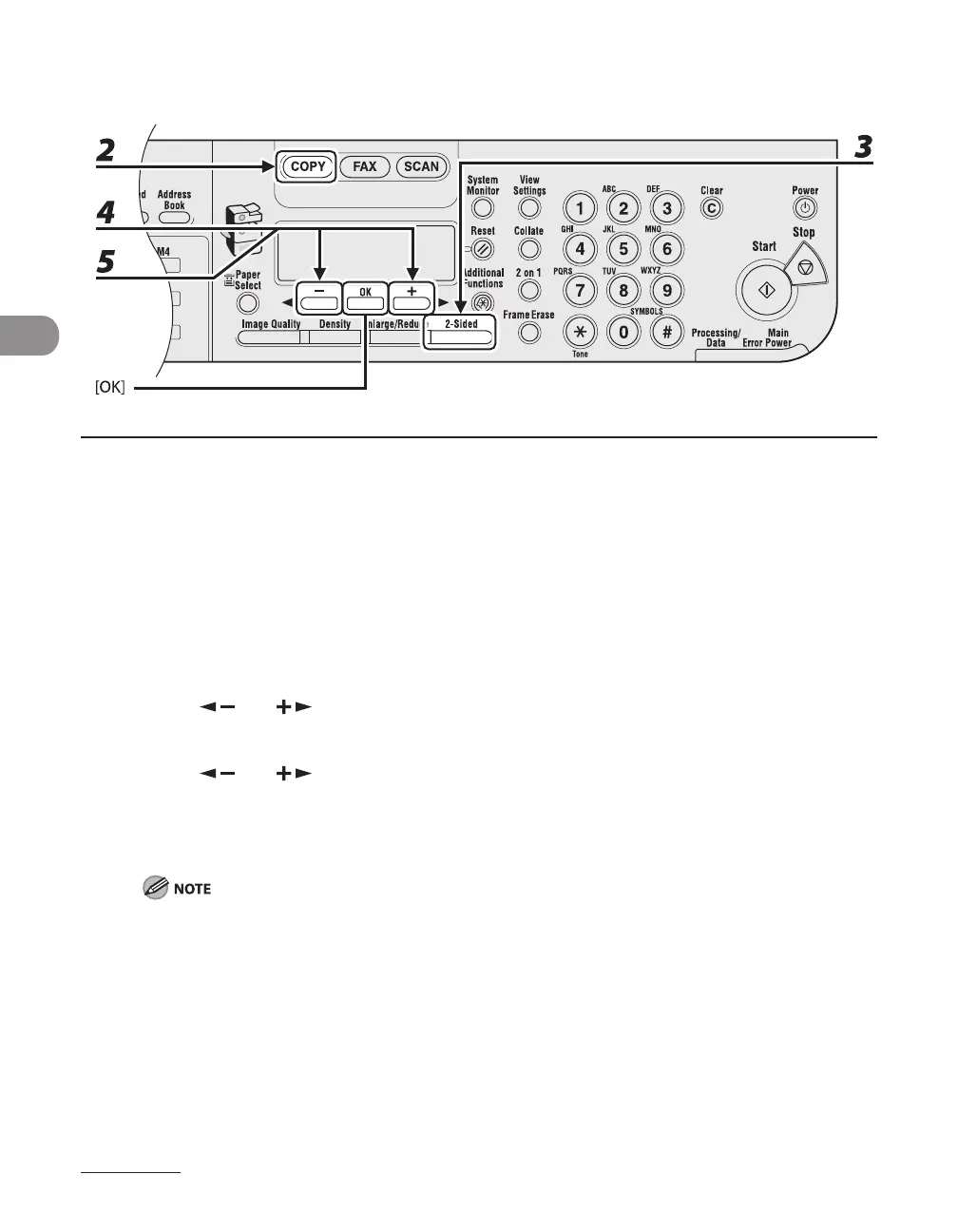
2 Press [COPY].
3 Press [2-Sided].
4 Press [ ] or [ ] to select <1 > 2-SIDED>, then press [OK].
5 Press [ ] or [ ] to select <BOOK TYPE> or <CALENDAR TYPE>, then press
[OK].
<BOOK TYPE>: The front and back sides of the copy will have the same top-bottom orientation.
<CALENDAR TYPE>: The front and back sides of the copy will have opposite top-bottom orientations.
For the landscape oriented documents, the front and back sides of the copy will have the opposite top-
bottom orientation when <BOOK TYPE> is selected.
When <CALENDAR TYPE> is selected, the front and back sides of the copy will have the same top-
bottom orientation
●










 To Next Page