9
3.
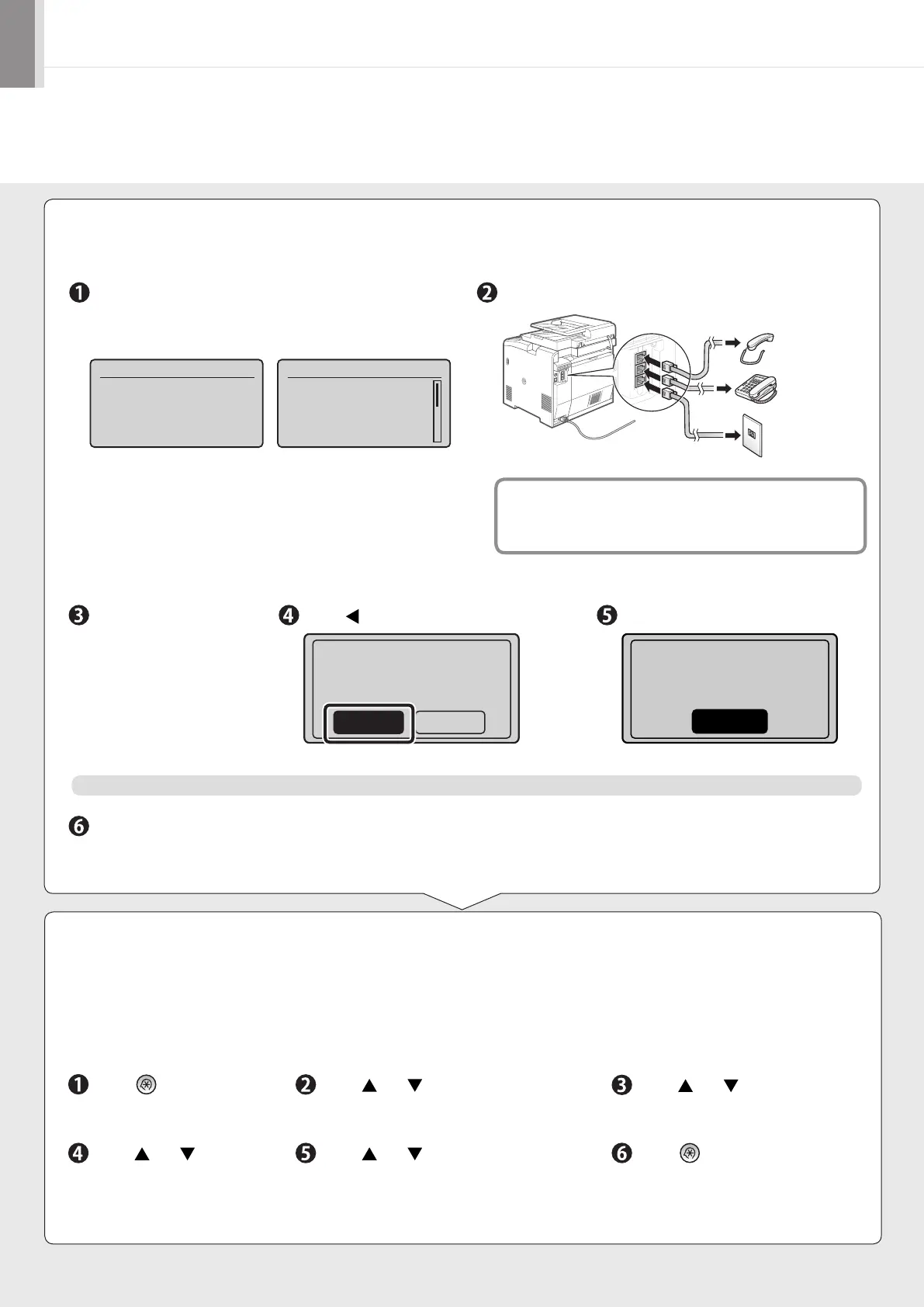
Connect the telephone line.
Press [OK].
The displayed screen varies depending on the specified
receive mode.
Connect the telephone line to the machine as needed.
Press [ ] to select, and then press [OK].When connecting is
finished, press [OK].
Fax settings and connections have been completed.
End Fax Setup
Guide?
NoYes
Restart the machine to activate the settings.
Turn OFF the machine and wait for at least 10 seconds before turning it ON again.
* <Select Line Type> may be unavailable depending on the country where you are using the machine.
Press [OK].
Turn the main power
OFF and ON to apply
settings.
OK
If you want to connect an external telephone with fax functions
Configure the external telephone so that it does not receive faxes
automatically (receives faxes manually) to invalidate the automatic
fax receiving function.
4.
Change the line type.
By default, the telephone line type on the machine is set to tone dialing. If you use tone dialing, skip the following procedure.
If you use pulse dialing, follow the procedure below and change the telephone line type setting on the machine to pulse
dialing.
If you do not know the type of telephone line you use, contact your local telephone company.
Press [
] (Menu).
Press [ ] or [ ] to select <Fax
Settings>, and then press [OK].
Press [ ] or [ ] to select <Basic
Settings>, and then press [OK].
Press [ ] or [ ] to select
<Select Line Type>, and
then press [OK].
Press [ ] or [ ] to select the line type
you are using, and then press [OK].
<Pulse>: Pulse dialing
<Tone>: Tone dialing (Default)
Press [
] (Menu) to close the
menu screen.
Connect phone line.
Follow illustrations
on the next screen:
Connect line to A.
*Next : Press OK
Connect phone line.
Follow illustrations
on the next screen
to make connections:
1. Phone line to A
Telephone line
connector
Telephone
(C)
(B)
(A)
Handset
(optional)













 To Next Page