32
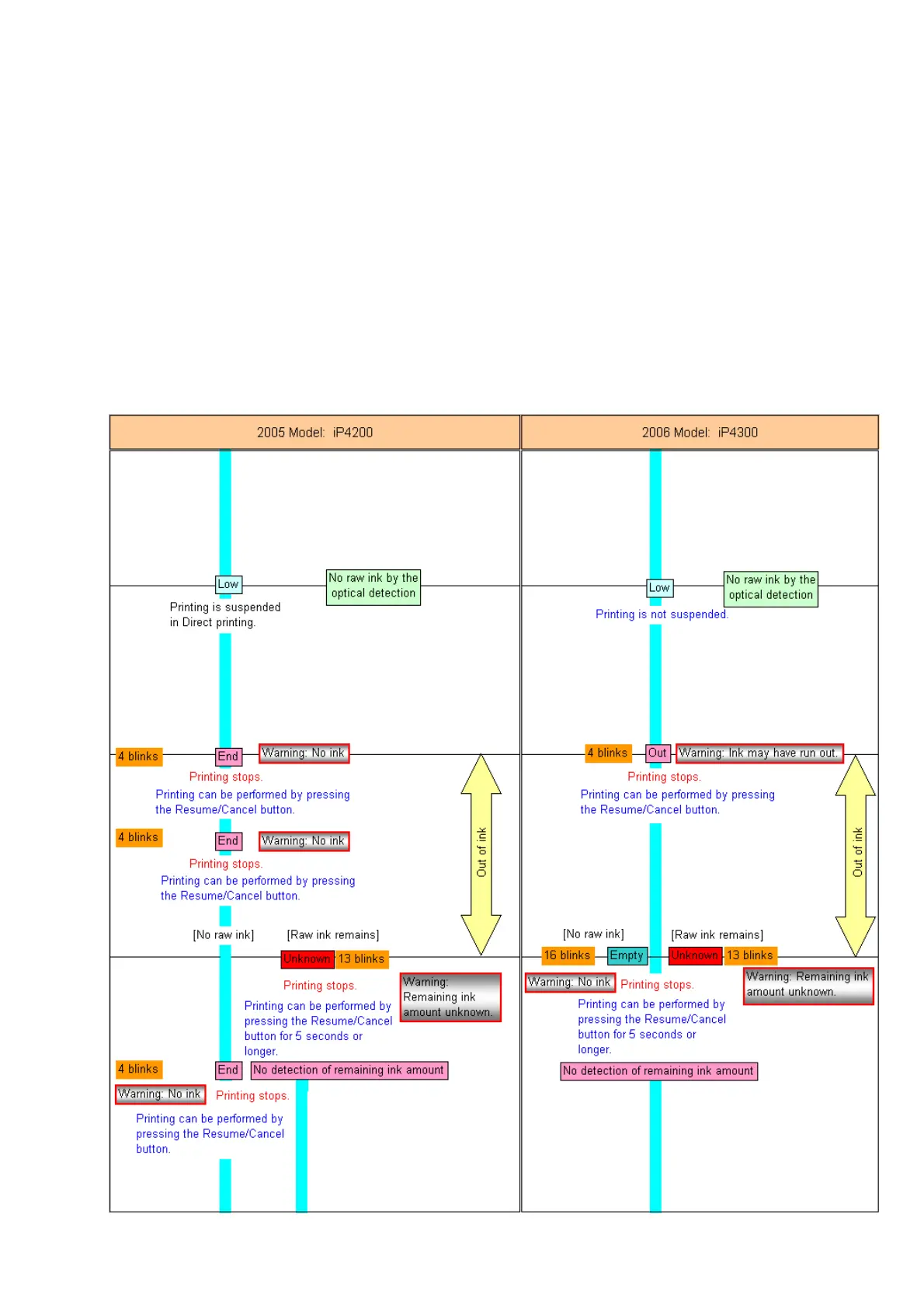
By pressing and holding the Resume/Cancel button for 5 seconds or longer, the
function to detect the remaining ink amount can be disabled.
Unknown: Raw ink remains, but the dot count value exceeds the threshold of complete
exhaustion of ink.
By pressing and holding the Resume/Cancel button for 5 seconds or longer, the
function to detect the remaining ink amount can be disabled.
The remaining ink amount will be checked at any of the following timings:
- At the end of paper ejection
*1
- At the end of print head cleaning
- At the end of initialization
- At the end of the following operation:
Cover open => Ink tank removal and installation => Cover close
- In duplex printing, at the end of paper ejection after printing on the back side of paper
*1
*1: Not every paper ejection. Only after the dot count exceeds the specified value.









 To Next Page