3
Install the Toner Cartridge
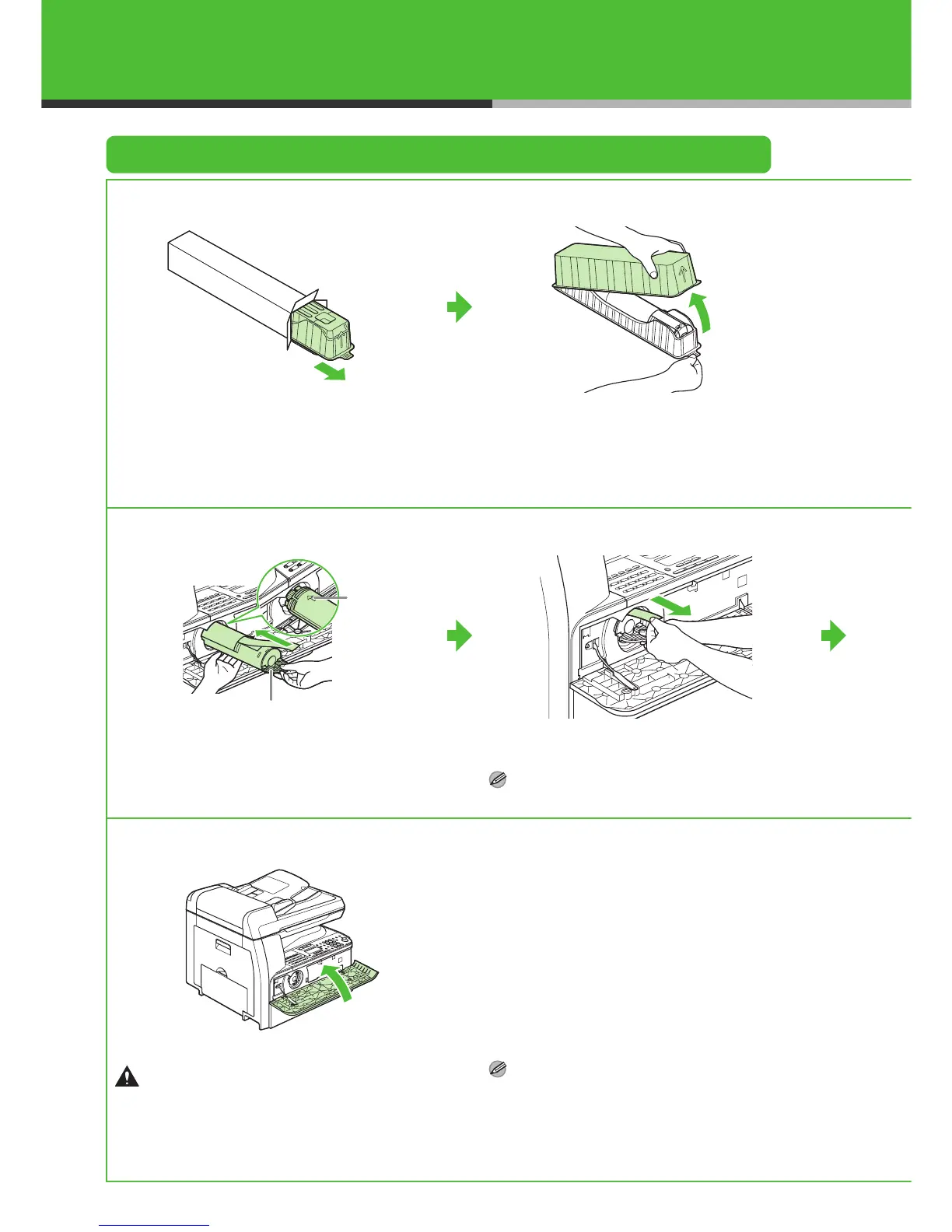
1
Remove the plastic case from the box.
2
Open the case and remove the toner cartridge.
Keep the box and case for future use.
4
Pull the toner cartridge lever (A) towards you and
insert the cartridge into the machine with the
arrow (B) pointing towards the machine.
5
Holding the cartridge steady with one hand, pull
out the seal completely with the other hand.
NOTE
Do not pull out the seal at an angle.
8
Close the front cover.
CAUTION
– Be careful not to get your fingers caught.
– If you cannot close the front cover, do not force it to
close. Open the front cover and pull out the toner
cartridge, then reinsert the cartridge into the
machine.
NOTE
A toner cartridge is not included with this machine.
A
B



 To Next Page