Replacing the Toner Cartridge
2-9
Routine Maintenance
2
3
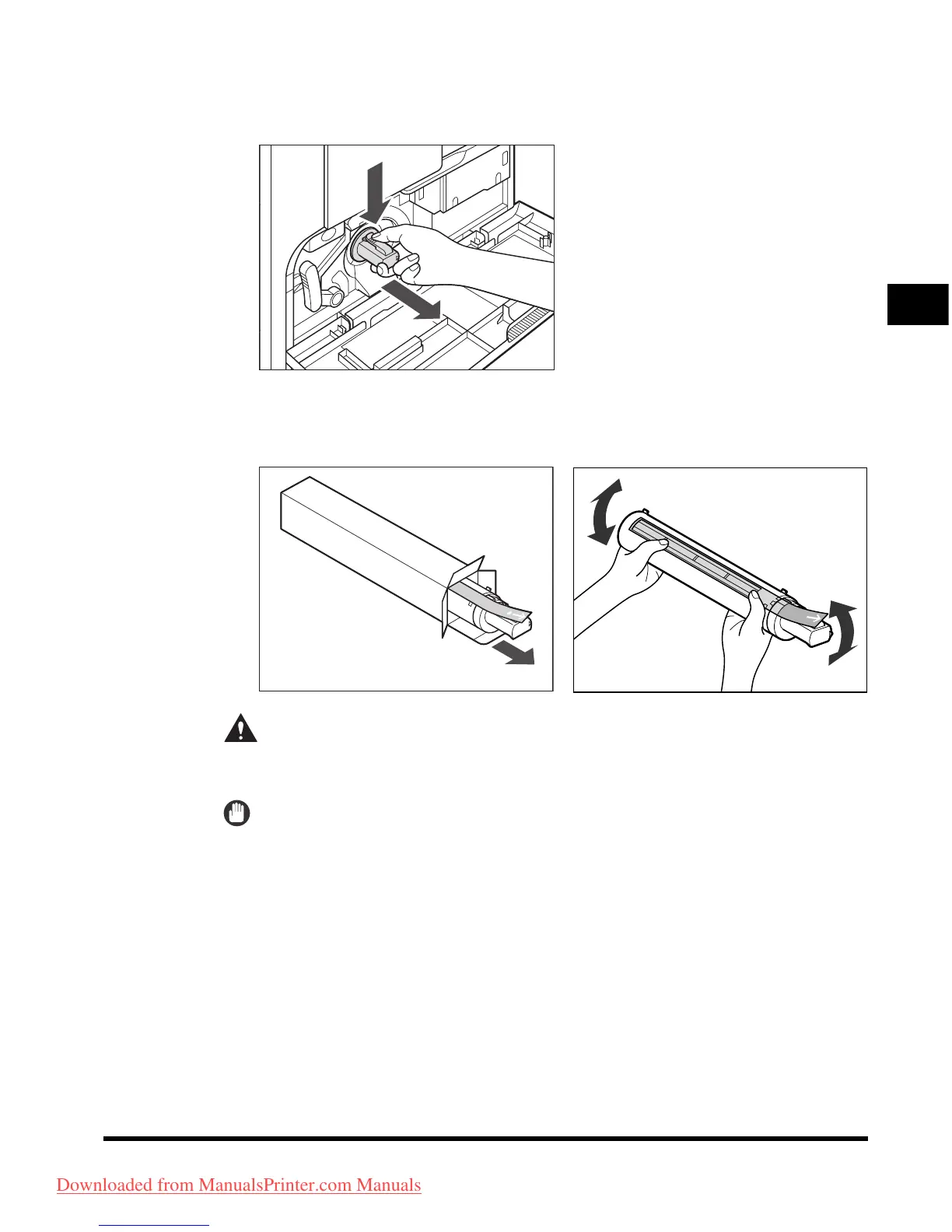
While pushing down the release tab, pull the toner cartridge
out in the direction of the arrow in the illustration below.
4
Rock the new toner cartridge five or six times to distribute the
toner evenly inside the cartridge.
WARNING
Do not throw used toner cartridges into open flames, as they may ignite
the toner remaining inside the cartridge, and result in burns or a fire.
IMPORTANT
If the toner is not distributed evenly inside the cartridge, the printing quality
deteriorates.
Downloaded from ManualsPrinter.com Manuals












 To Next Page