EasyManua.ls Logo

Canon LBP-10 - Power Cord

Canon LBP-10
26 pages
Print Icon
To Next Page IconTo Next Page
To Previous Page IconTo Previous Page
Loading...
Revision-1,
MAR.
1980
CONNECTION
OF
CABLES
INTERFACE
CABLE
Connect
the
interface
cable
to
the
receptacle
on
the
back
wall
of
the
LBP-10.
GROUNDING
CABLE
Connect
the
grounding
cable
to
the ground-
ing
terminal
on the back
of the
LBP-10.
NOTE:
The following
manners
are recom-
mended.
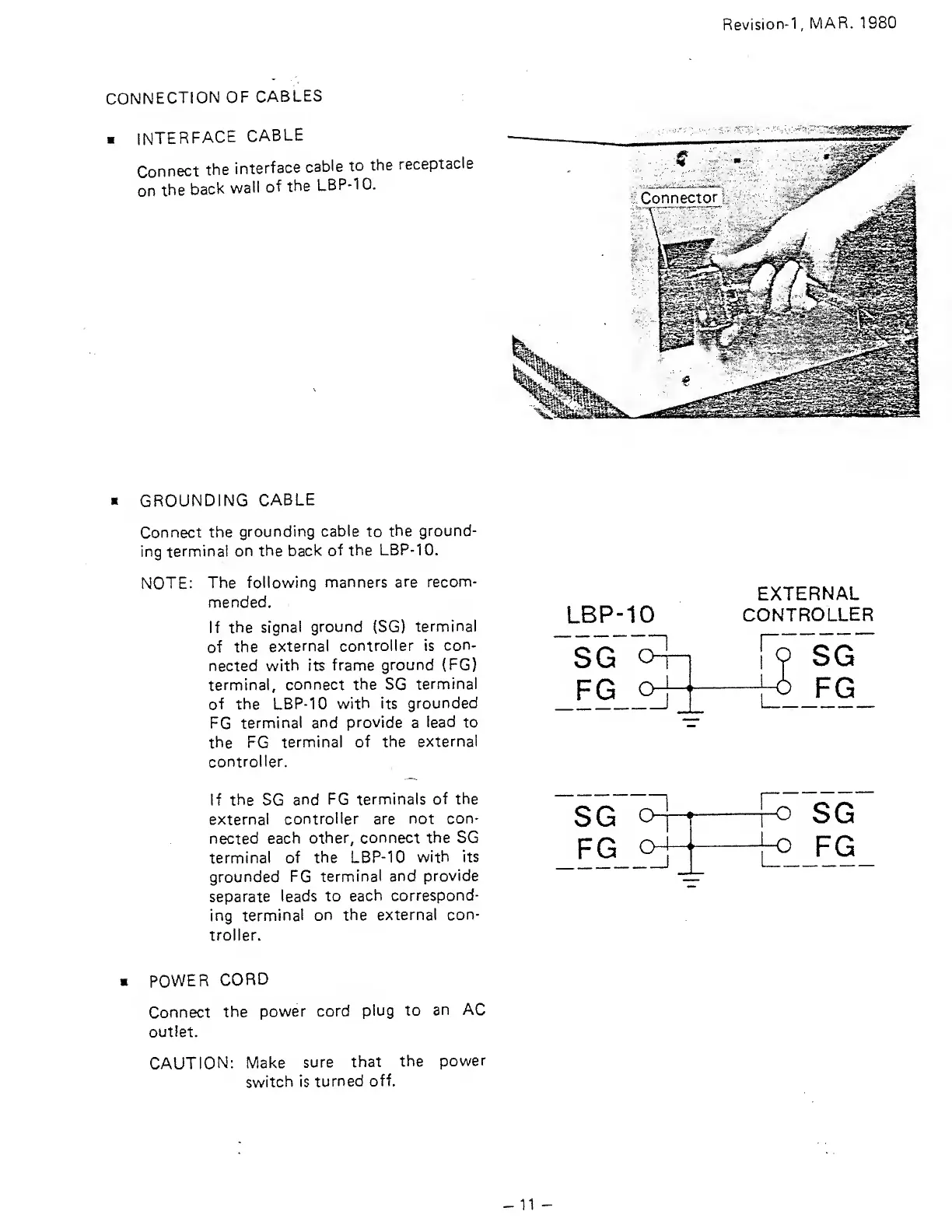
If
the
signal
ground
(SG)
terminal
of
the
external
controller is
con-
nected
with its
frame
ground (FG)
terminal,
connect the SG
terminal
of the
LBP-10
with
its
grounded
FG
terminal and
provide
a
lead
to
the
FG
terminal
of the
externa!
controller.
If the
SG
and
FG terminals
of the
externa!
controller are
not con-
nected
each
other, connect the SG
terminal
of the LBP-10
with its
grounded
FG
terminal and
provide
separate leads
to
each
correspond-
ing
terminal on the
external con-
troller.
LBP-10
SG
o
n
FG
c^^^
_j
EXTERNAL
CONTROLLER
r;
SG
o
FG
o-
n
n
L
o
SG
o
FG
POWER
CORD
Connect
the
power
cord
plug to
an
AC
outlet.
CAUTION:
IVlake
sure
that
the
power
switch
is
turned
off.
11

Related product manuals