EasyManua.ls Logo

Canon LBP-10 - Cleaning Blade

Canon LBP-10
26 pages
Print Icon
To Next Page IconTo Next Page
To Previous Page IconTo Previous Page
Loading...
Revision-1,MAR.
1980
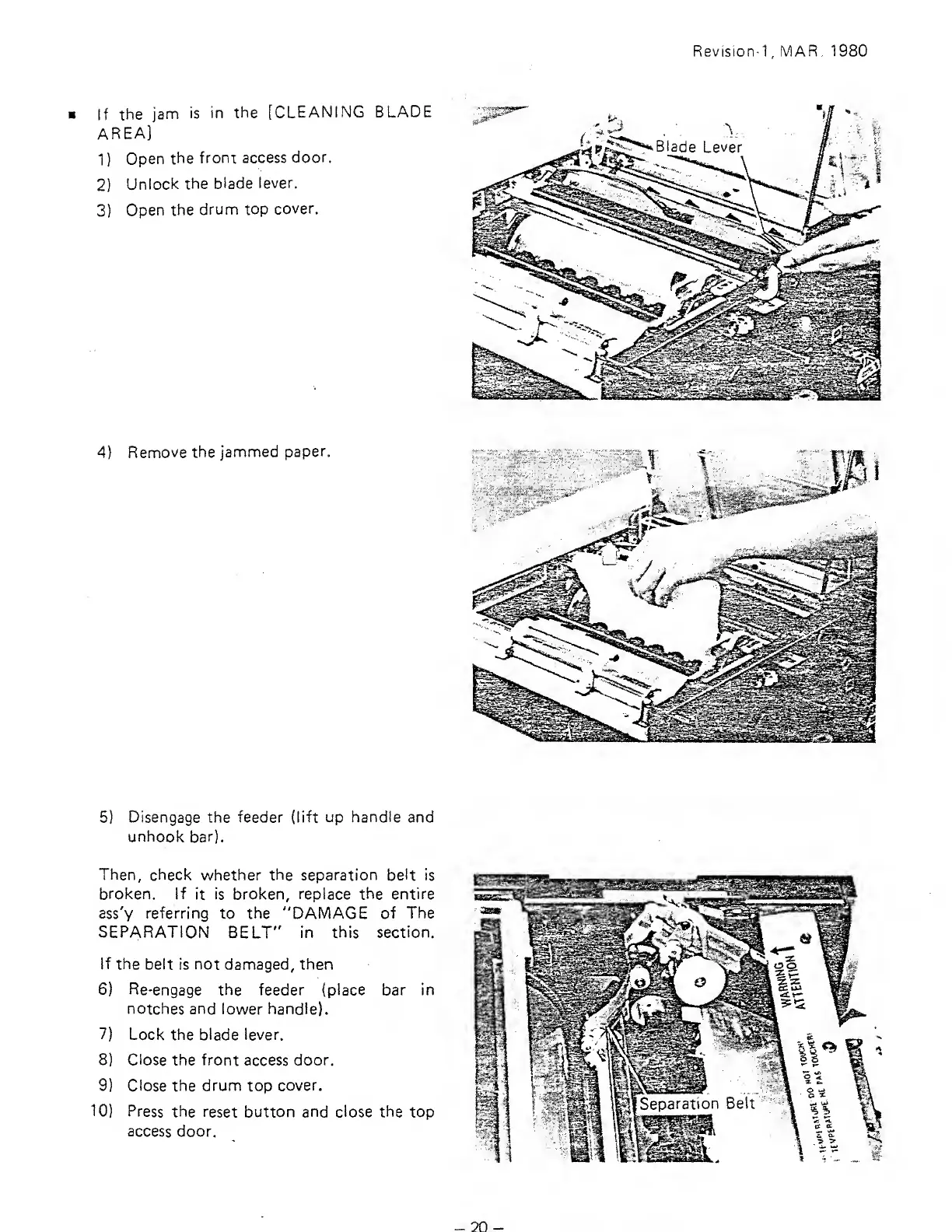
If
the
jam
is in
the
[CLEANING
BLADE
AREA]
1
)
Open
the
front access
door.
2)
Unlock
the
blade
lever.
3)
Open
the
drum top
cover.
4)
Remove the
jammed
paper.
5)
Disengage the feeder (lift
up handle
and
unhook
bar).
Then, check
v^hether
the
separation belt is
broken. If
it
is broken, replace the
entire
ass'y referring
to
the
"DAMAGE
of The
SEPARATION
BELT"
in this
section.
If
the
belt is not damaged, then
6)
Re-engage
the
feeder (place bar in
notches and lower handle).
7) Lock
the
blade
lever.
8)
Close
the front access
door.
9)
Close the
drum
top
cover.
10) Press
the reset button and close the top
access door.
20-

Related product manuals