EasyManua.ls Logo

Canon LBP-10 - Page 23

Canon LBP-10
26 pages
Print Icon
To Next Page IconTo Next Page
To Previous Page IconTo Previous Page
Loading...
Revision-1,
MAR.
1980"
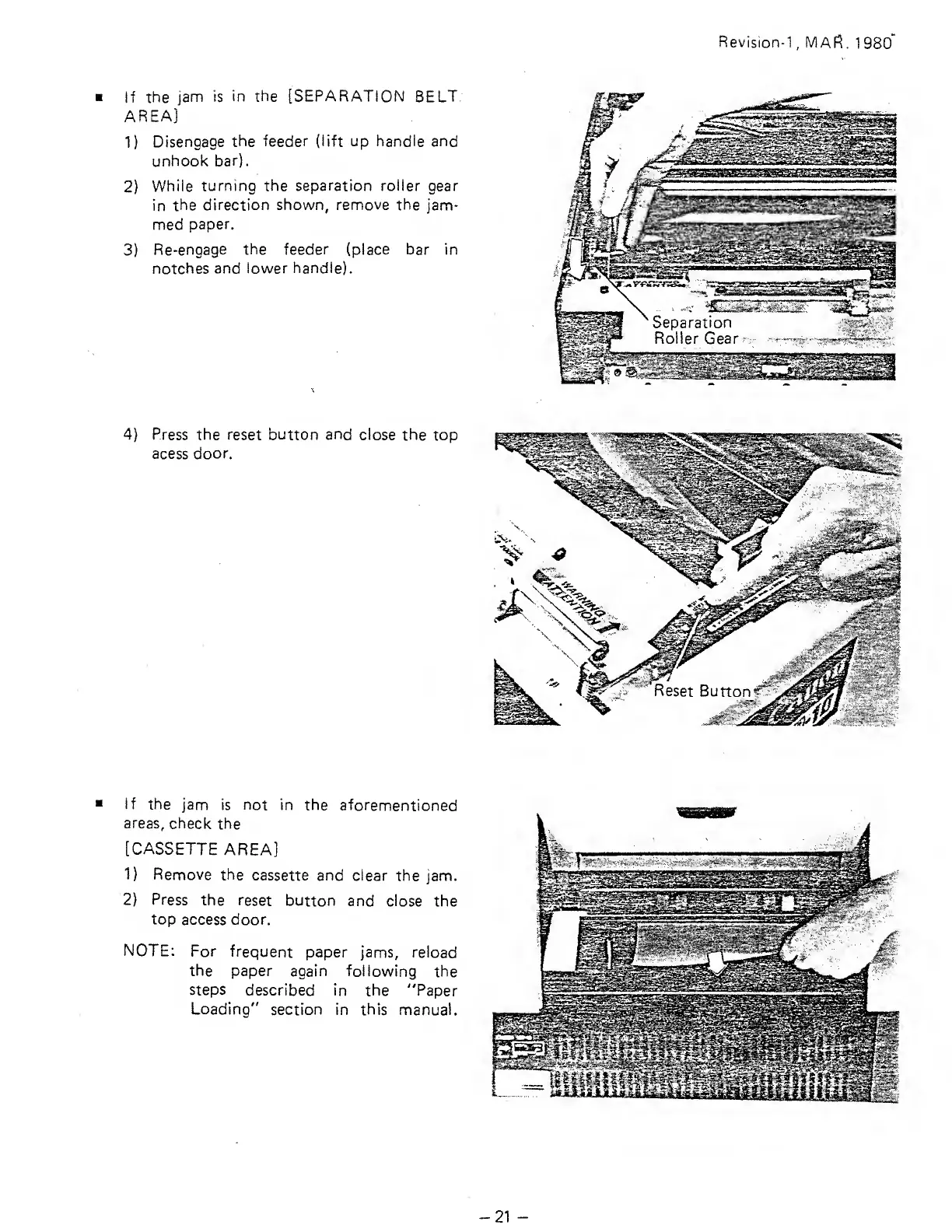
If the
jam is
in
the [SEPARATION
BELT.
AREA]
1)
Disengage
the feeder (lift
up
handle and
unhook
bar).
2)
While
turning the separation roller gear
in
the
direction shown, remove the
jam-
med
paper.
3)
Re-engage
the feeder
(place bar in
notches
and lower
handle).
4)
Press the reset button
and
close
the top
acess door.
if
the
jam
is not in
the aforementioned
areas,
check
the
[CASSETTE
AREA]
1)
Remove
the
cassette and
clear the jam.
2)
Press
the
reset
button and close the
top
access door.
NOTE:
For
frequent
paper jams,
reload
the paper
again following
the
steps
described
in
the
"Paper
Loading"
section in this manual.
21

Related product manuals