EasyManua.ls Logo

Canon LBP-10 - Troubleshooting; Poor Copy Quality

Canon LBP-10
26 pages
Print Icon
To Next Page IconTo Next Page
To Previous Page IconTo Previous Page
Loading...
TROUBLESHOOTING
Revision-1,
MAR. 1980
POOR
COPY
QUALITY
For
poor
copy
quality,
perform
the following:
Light
copies
Clean
corona
wires
of
the
corona
ass'y-A,
-B
and
-D,
(using
Canon
wire
cleaner
pro-
vided).
Contaminated
copies
Clean
corona
wires
of
the
corona
ass'y-A,
and
-B.
Straight
blank
lines
in the
copy
Clean
corona
wire
of
the
corona ass'y-D,
and-B.
Small
blank
areas
in
the copy
The
paper in
the
cassette
has
been
exposed
to
excess
humidity.
Replace
them With
well
conditioned
paper
(newly
unpacked
paper
or
paper
which
has
been
kept
in
a
cassette
with top
cover
closed).
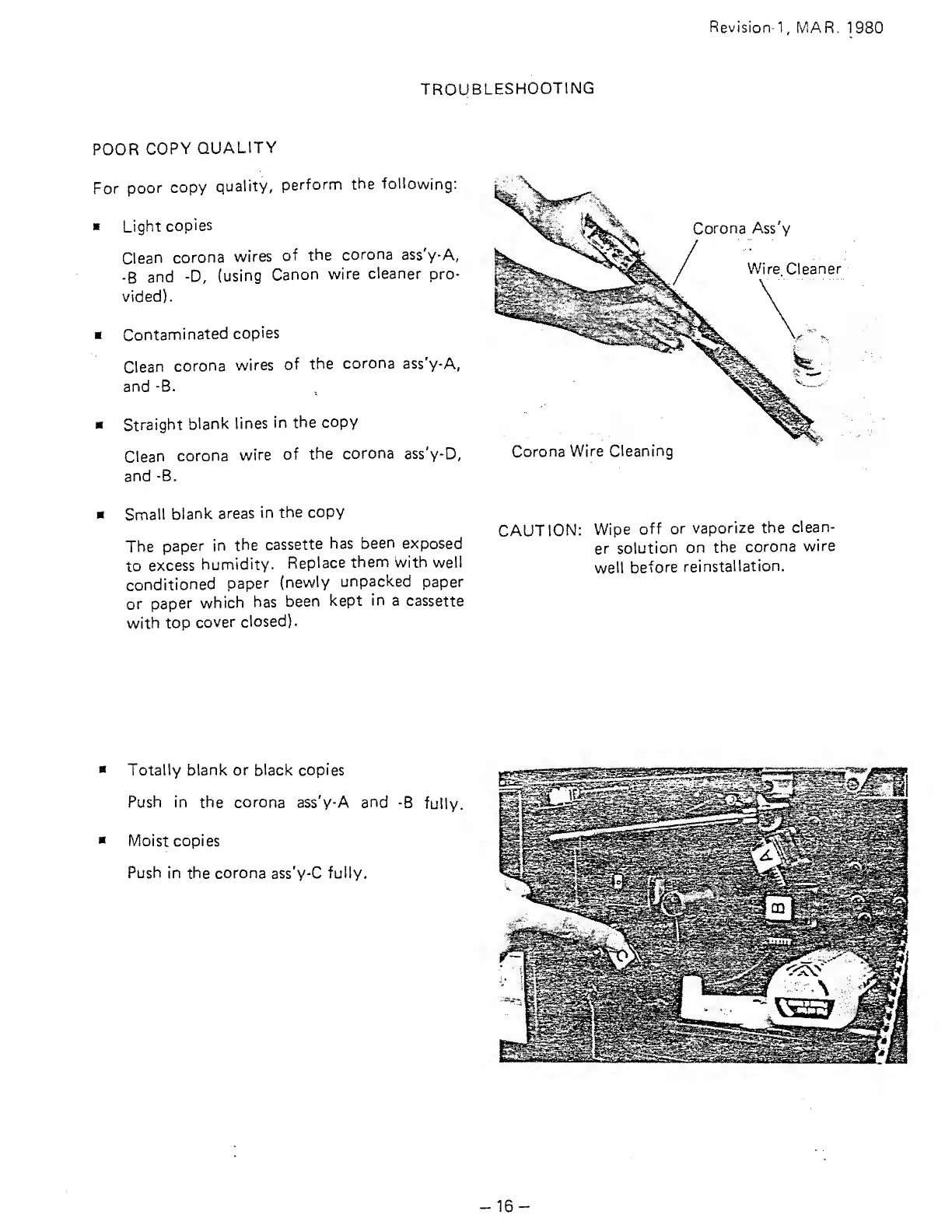
Corona Ass'y
Wire Cleaner
Corona
Wire Cleaning
CAUTION:
Wipe
off or
vaporize
the
clean-
er
solution
on
the
corona
wire
well
before
reinstallation.
Totally blank
or black copies
Push in
the corona ass'y-A and
-B
fully.
Moist copies
Push
in the corona ass'y-C
fully.
-16-

Related product manuals