EasyManua.ls Logo

Canon LBP-10 - Page 17

Canon LBP-10
26 pages
Print Icon
To Next Page IconTo Next Page
To Previous Page IconTo Previous Page
Loading...
Revision-1,
MAR-.
1980'
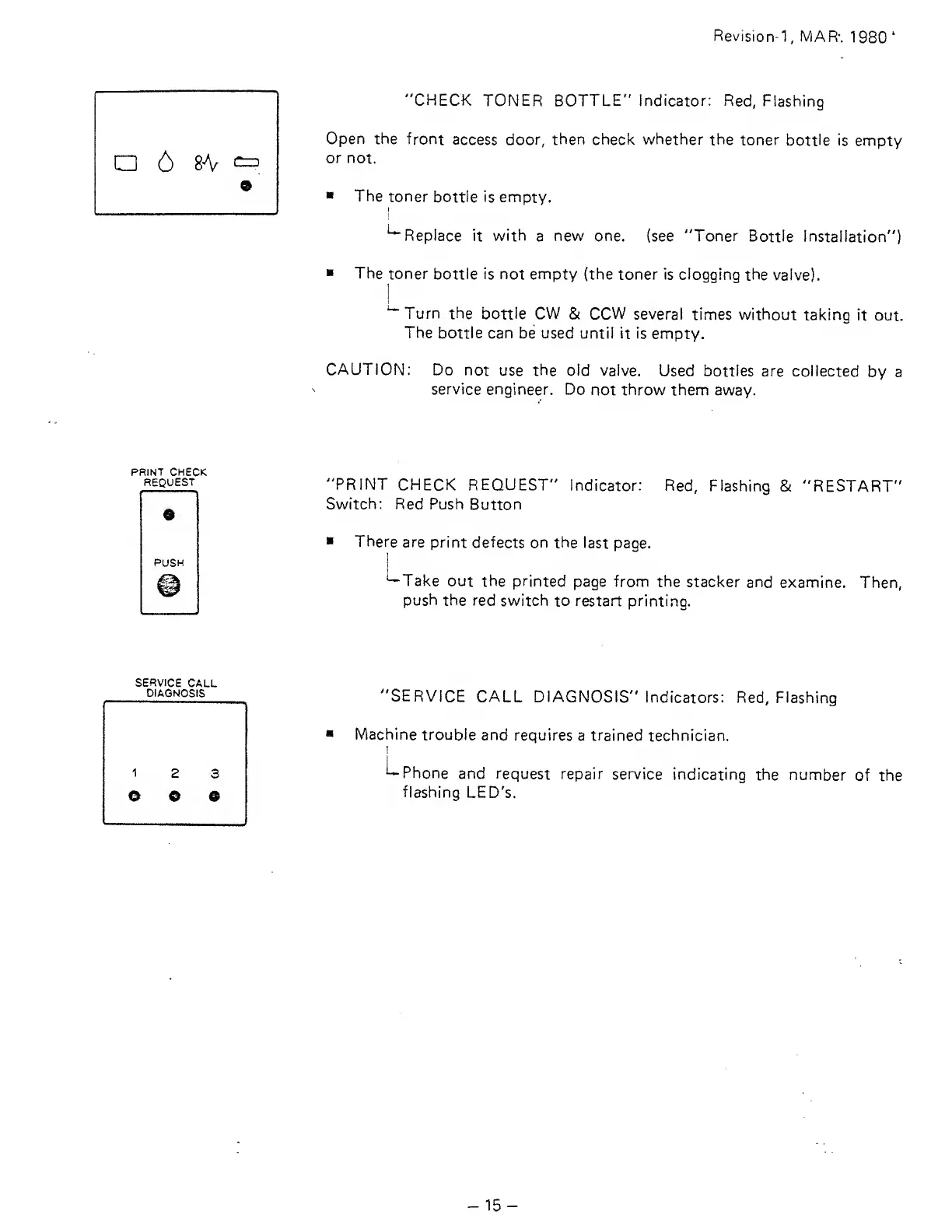
"CHECK
TONER BOTTLE" Indicator: Red,
Flashing
Open the
front
access
door, then check whether
the toner
bottle
is empty
or
not.
The
toner
bottle is empty.
^Replace it
with
a
new one.
(see "Toner
Bottle Installation")
The
toner bottle is not empty
(the toner is clogging
the
valve).
1
"^Turn
the bottle CW
&
CCW
several
times without
taking
it
out.
The
bottle can
be
used
until
it
is
empty.
CAUTION:
Do
not
use
the old
valve.
Used bottles
are collected
by a
service
engineer. Do
not
throw
them away.
PRINT
CHECK
REQUEST
"PRINT
CHECK REQUEST"
Indicator: Red,
Flashing &
"RESTART"
Switch: Red
Push
Button
There
are
print
defects on the
last page.
'—Take
out the printed
page from the
stacker
and examine.
Then,
push the red
switch
to
restart
printing.
SERVICE
CALL
DIAGNOSIS
"SERVICE
CALL
DIAGNOSIS"
indicators: Red,
Flashing
Machine
trouble
and requires
a trained technician.
I—
Phone
and request repair
service
indicating
the
number
of the
flashing
LED's.
15-

Related product manuals