EasyManua.ls Logo

Canon LBP-10 - Page 16

Canon LBP-10
26 pages
Print Icon
To Next Page IconTo Next Page
To Previous Page IconTo Previous Page
Loading...
Revision-1,
MAR. 1980
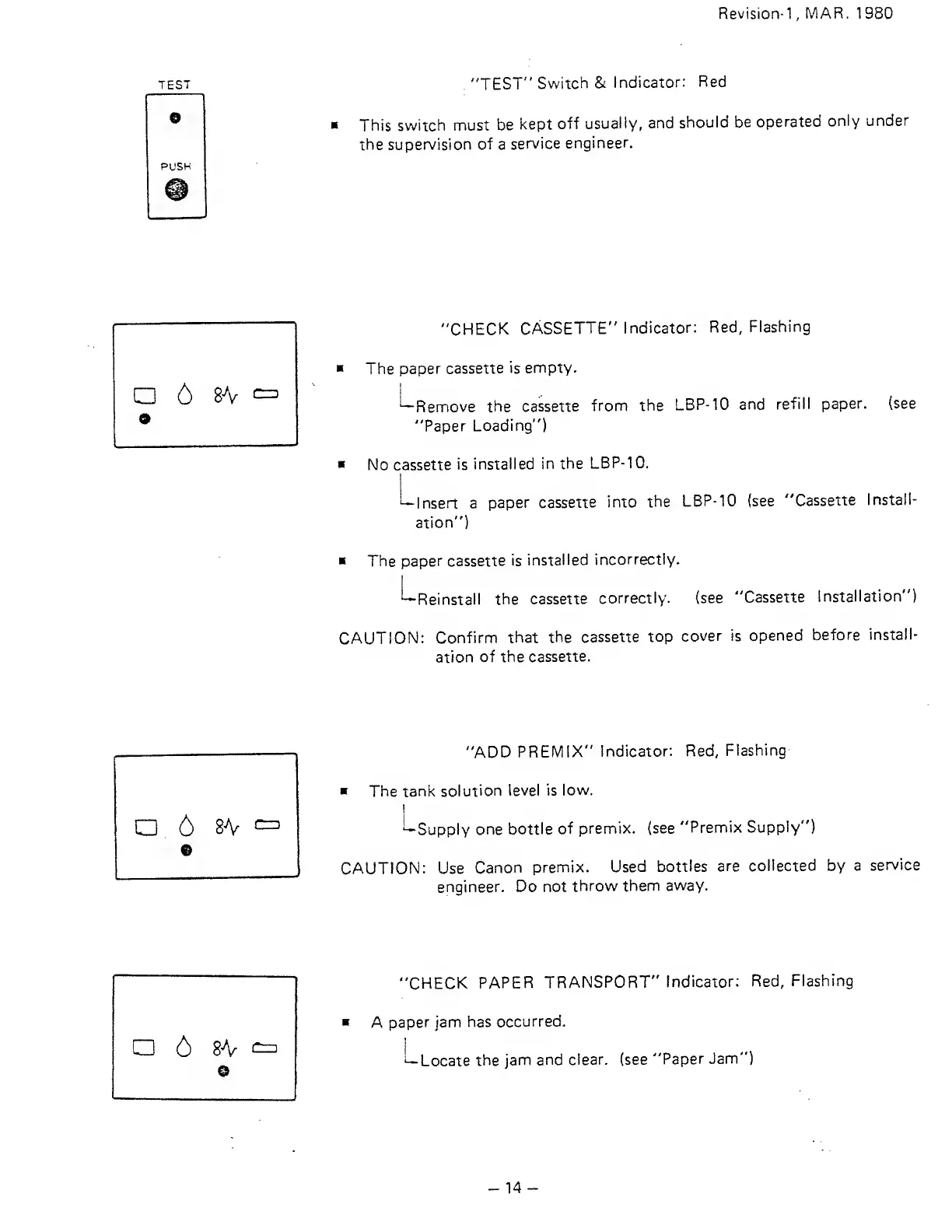
TEST
"TEST"
Switch
&
Indicator:
Red
This
switch must
be
kept
off
usually,
and
should be
operated
only under
the
supervision
of
a
service
engineer.
u
6
s\
"CHECK
CASSETTE"
Indicator:
Red,
Flashing
The
paper cassette
is
empty.
'—Remove
the
cassette
from
the
LBP-10
and
refill
paper, (see
"Paper
Loading")
No cassette
is
installed
in the
LBP-10.
Insert a
paper
cassette
into
the
LBP-10 (see
"Cassette
Install-
ation")
The
paper cassette
is
installed
incorrectly.
'--Reinstall
the
cassette
correctly. (see
"Cassette
Installation")
CAUTION:
Confirm
that
the
cassette top
cover
is opened
before
install-
ation
of
the cassette.
a
6 8A^
9
"ADD
PREMIX"
Indicator:
Red,
Flashing
The
tank
solution
level is
low.
^Supply
one bottle
of
premix. (see
"Premix
Supply")
CAUTION: Use
Canon
premix.
Used bottles
are
collected by
a
service
engineer. Do not
throw
them
away.
"CHECK
PAPER
TRANSPORT"
Indicator:
Red,
Flashing
A
paper jam
has
occurred.
i—
Locate
the
jam and
clear, (see
"Paper
Jam")
-14

Related product manuals