EasyManua.ls Logo

Canon LBP-10 - Page 19

Canon LBP-10
26 pages
Print Icon
To Next Page IconTo Next Page
To Previous Page IconTo Previous Page
Loading...
Revision-1,
MAR,
1*980
Contamination
along
the
left
edge
Replace
the
belt
cleaner
in the
separation
belt
ass'y
according
to
the
following pro-
cedure.
1)
Open
the top
access
door.
2)
Disengage
the
feeder
(lift up
handle
and
unhook
bar).
3)
Turn
the
cleaner
holder
in
the
separa-
tion belt
ass'y
in the
direction
of
the
arrow
"1"
until
it
stops,
then
pull
off
the
belt
cleaner
upward
(arrow
"2").
4)
Turn
the
cleaner
holder
in
The
direction
of
the
arrow
"1"
until
it stops,
and
in-
sert
a new
belt
cleaner.
5)
Re-engage
the
feeder
(place bar
in
notches
and
lower
handle).
6)
Press
the
reset
button
and
close
the
top
access
door.
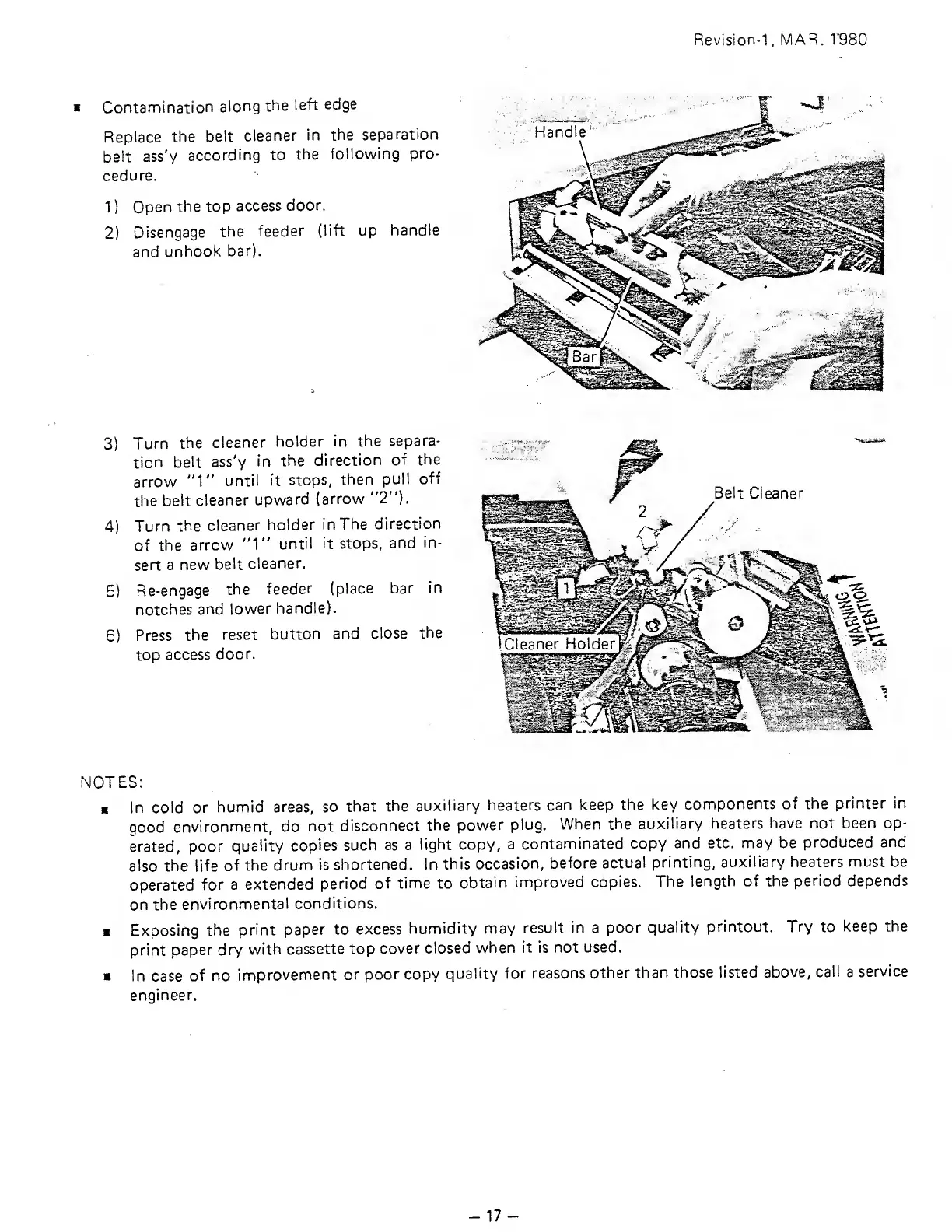
Belt Cleaner
NOTES:
I
In cold or
humid
areas, so
that
the
auxiliary
heaters can
keep
the key
components
of the
printer in
good
environment,
do
not
disconnect
the
power
plug.
When the
auxiliary heaters
have not
been op-
erated,
poor
quality
copies
such as a
tight copy,
a
contaminated
copy
and etc.
may
be
produced
and
also
the
life
of the
drum
is shortened.
In
this
occasion,
before
actual
printing,
auxiliary
heaters must be
operated
for
a
extended
period
of
time
to
obtain
improved
copies.
The
length of the
period depends
on
the
environmental
conditions.
Exposing
the
print paper to
excess
humidity may
result
in
a
poor
quality
printout. Try
to
keep the
print
paper dry
with
cassette
top
cover
closed
when it is
not used.
In case
of no
improvement
or
poor
copy
quality
for
reasons
other than
those listed
above,
call
a
service
engineer.
-17-

Related product manuals