8-3
Maintenance
8
When to Replace the Cartridge
The cartridge is a consumable item and should be replaced when the toner runs out.
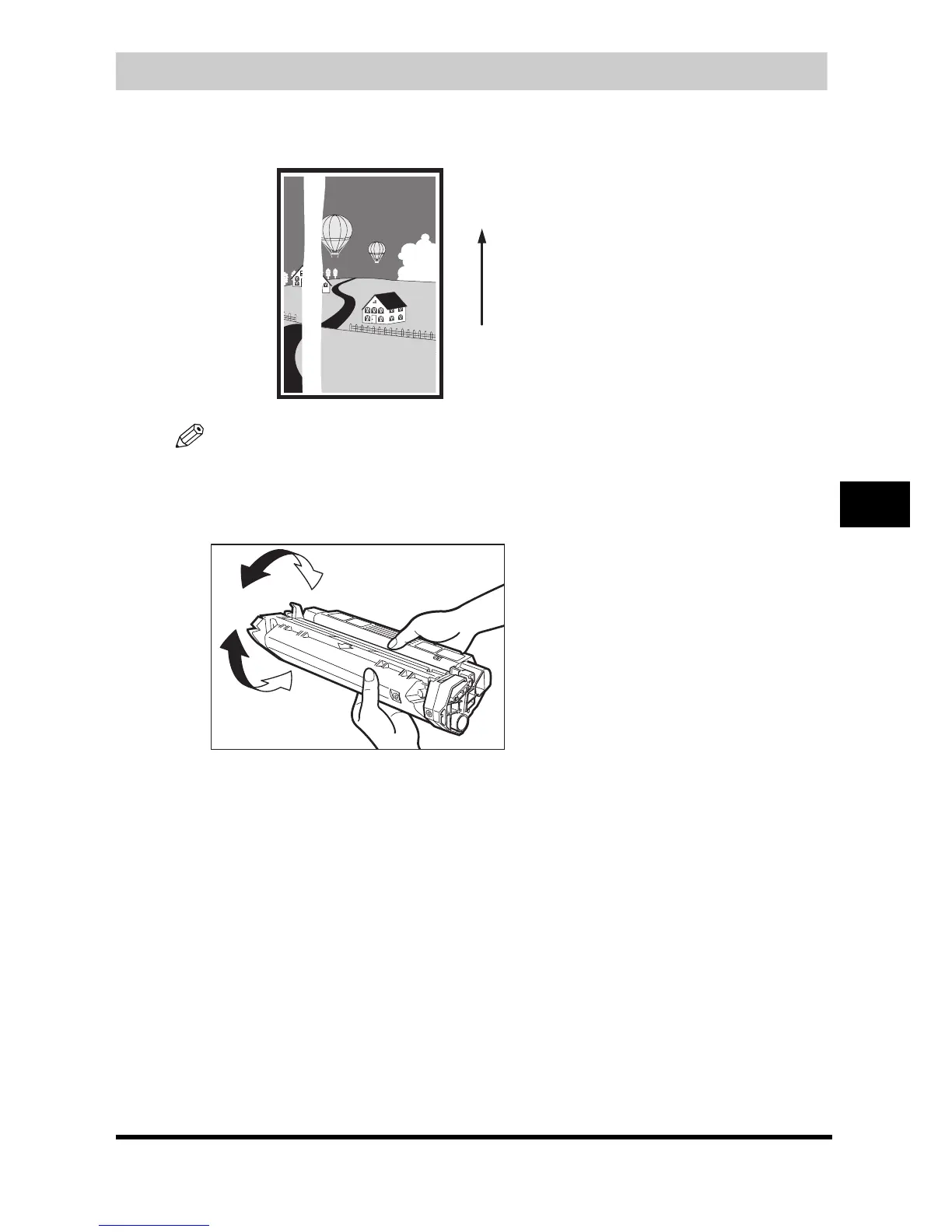
If white streaks or light bands appear on the printouts, the toner is running low.
NOTE
Before handling the cartridge, see the precautions in "Handling and Storing the Cartridge," on p. 8-4.
1
Remove the cartridge from the machine.
2
Rock the cartridge 5 or 6 times to distribute the toner evenly.
3
Reinstall the cartridge in the machine.
4
Make a few test copies.
● If the copies appear normal:
You can keep using the cartridge. However, a new one will be needed soon.
● If white streaks or light bands are still present:
❑
Replace the cartridge with a new one.
For details on how to replace the cartridge, see "Replacing the Cartridge," on p. 8-6.
Paper feeding
direction






 To Next Page