13
Multi Function Professional Puncher – B1
Crease Die Cleaning
Media being creased may become smeared by toner deposits
accumulating in the groove of the crease die. If this is observed follow
the procedure below to clean the die.
To clean a crease die:
1. Complete steps 1-4 from Section 4-A of this manual to remove
the crease die from the machine.
There is a chipset located in the die set which should not be
touched during die set handling.
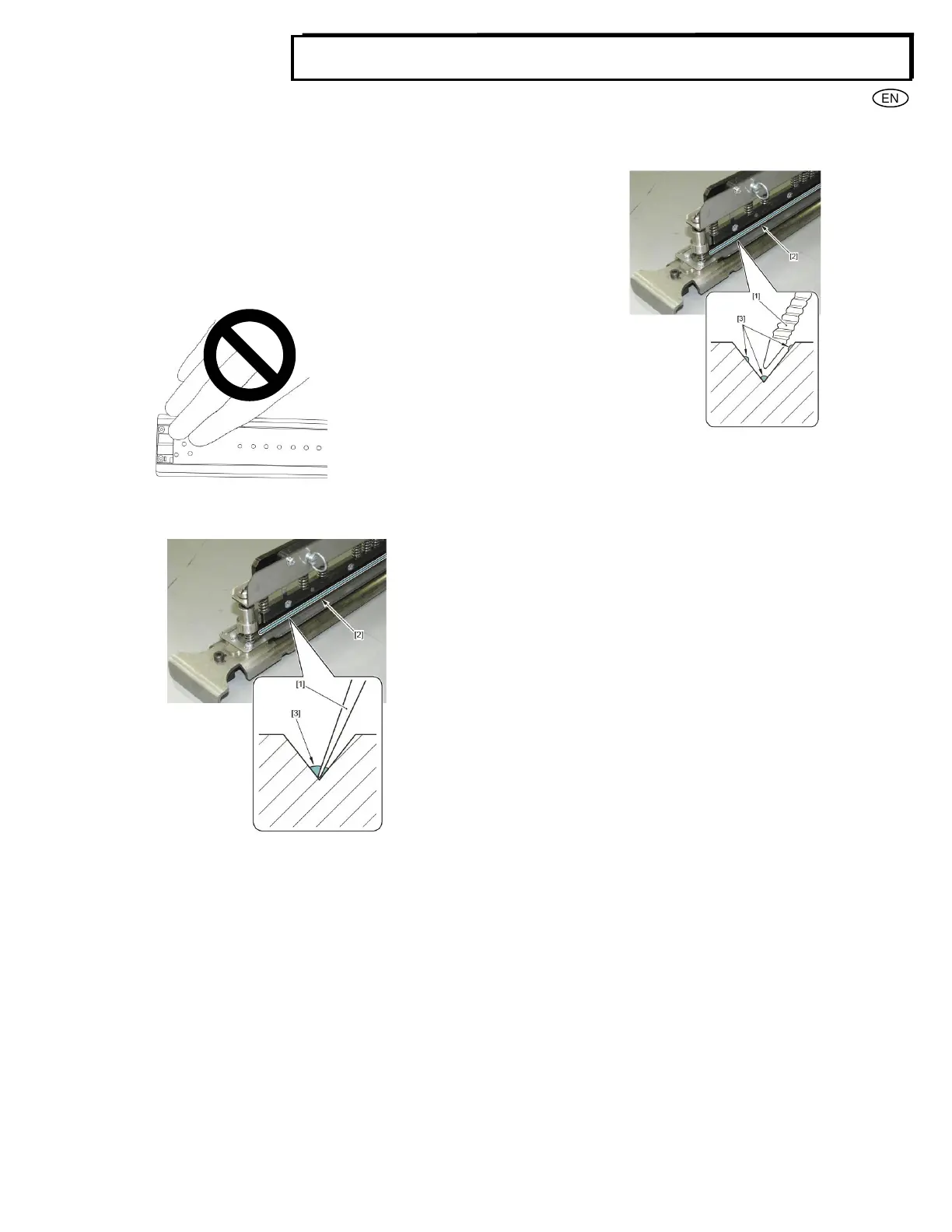
2. Scrape toner residue [3] from the crease die groove [2] using
a plastic pointed swab [1] or similar.
Be careful not to damage the groove of the crease die. Do not
use a metal pointed tip to remove the toner.
3. Clean excess toner particles [3] from the crease die groove [2]
using a foam or cotton swab [1].
4. Complete steps 6-9 from Section 4-A of this manual to insert
the crease die into the machine.
5. Once the die has been inserted, feed some sheets to confirm
that there is no toner marking on the sheet. If toner marking is
still observed complete the crease die cleaning procedure
again.



 To Next Page