OMNERA® 1000-095-071-EN Rev. 1.1
Operator´s Manual
Page 66 2020-09-14
User settings – Settings
3589-01
Audio
Key Click
Brightness
LCD
Image
Preview on
Unit
Localization
cm
On
Logotype
System Sound
Sound 1 on
Beep when aligned,
tracking.
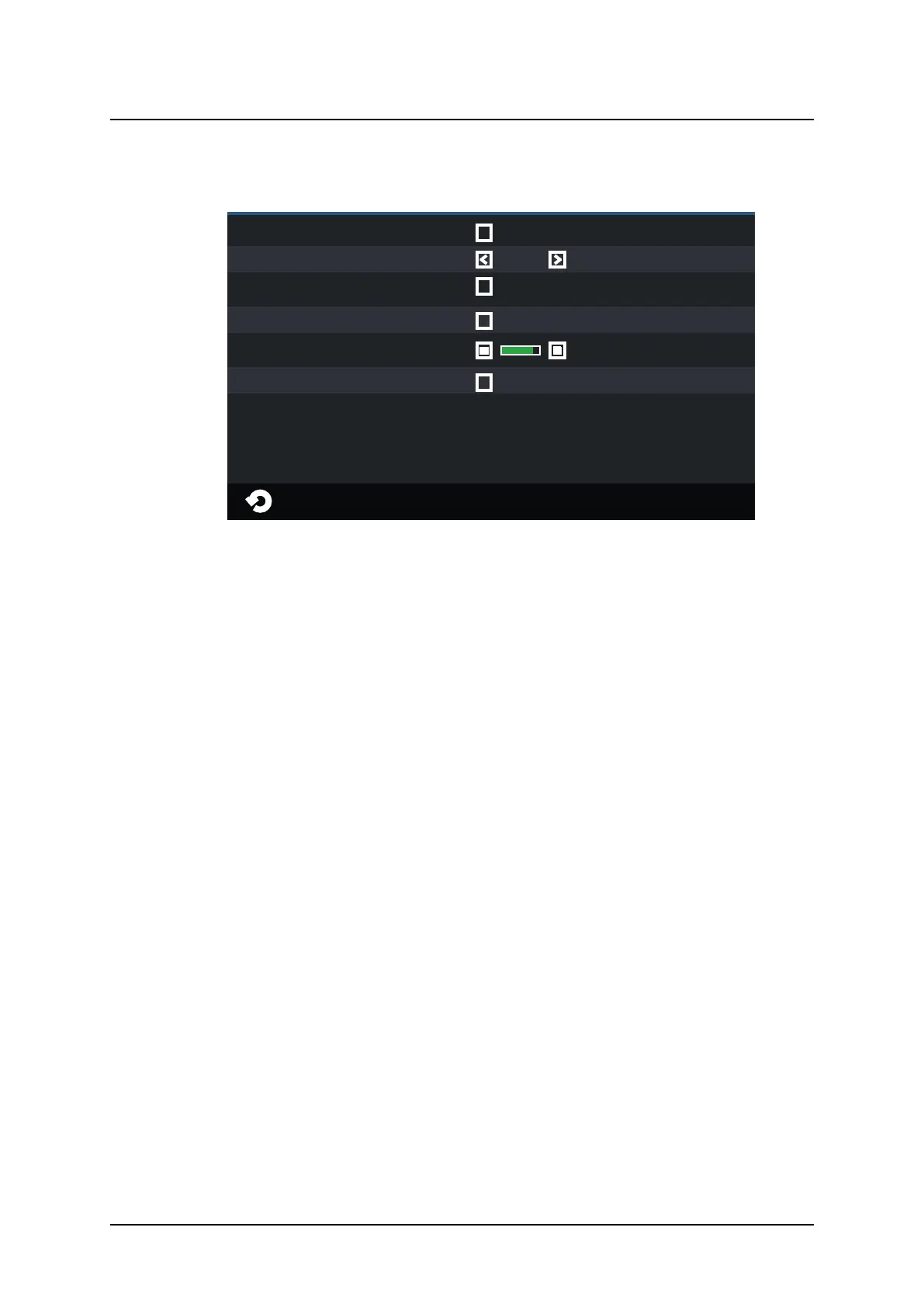
Fig. 3-13 User settings – Settings
In the Settings tab, it is possible to adjust the following:
• Preview Image (not applicable for CR systems)
• Localization unit selection
• Audio key click, On/Off
• System sound, On/Off
• LCD brightness, Plus/Minus
• Arcoma logotype in display, On/Off
– Image preview on
By selecting this, a small preview image will
be shown next to the Active Protocol name
(see figure on page).
– Localization
Changes between cm and inch,
for collimator light width and height values
and SID/H.
– Audio Key Click
By selecting this, a key click will be heard
when touching the System display.
– Sound on
By selecting this, a beep will be heard when
OTC is aligned with the detector, at
tracking.
LCD
The display brightness can be adjusted. There is also a setting if the logo shall be shown or
not.
User Interface
Automatic Collimator Control



 To Next Page