EasyManua.ls Logo

Canon PC300 - Page 17

Canon PC300
129 pages
Print Icon
To Next Page IconTo Next Page
To Previous Page IconTo Previous Page
Loading...
ENERAL
DESCRIPTIO
2)
Set
the
cartridge
back
in
the
copier,
and
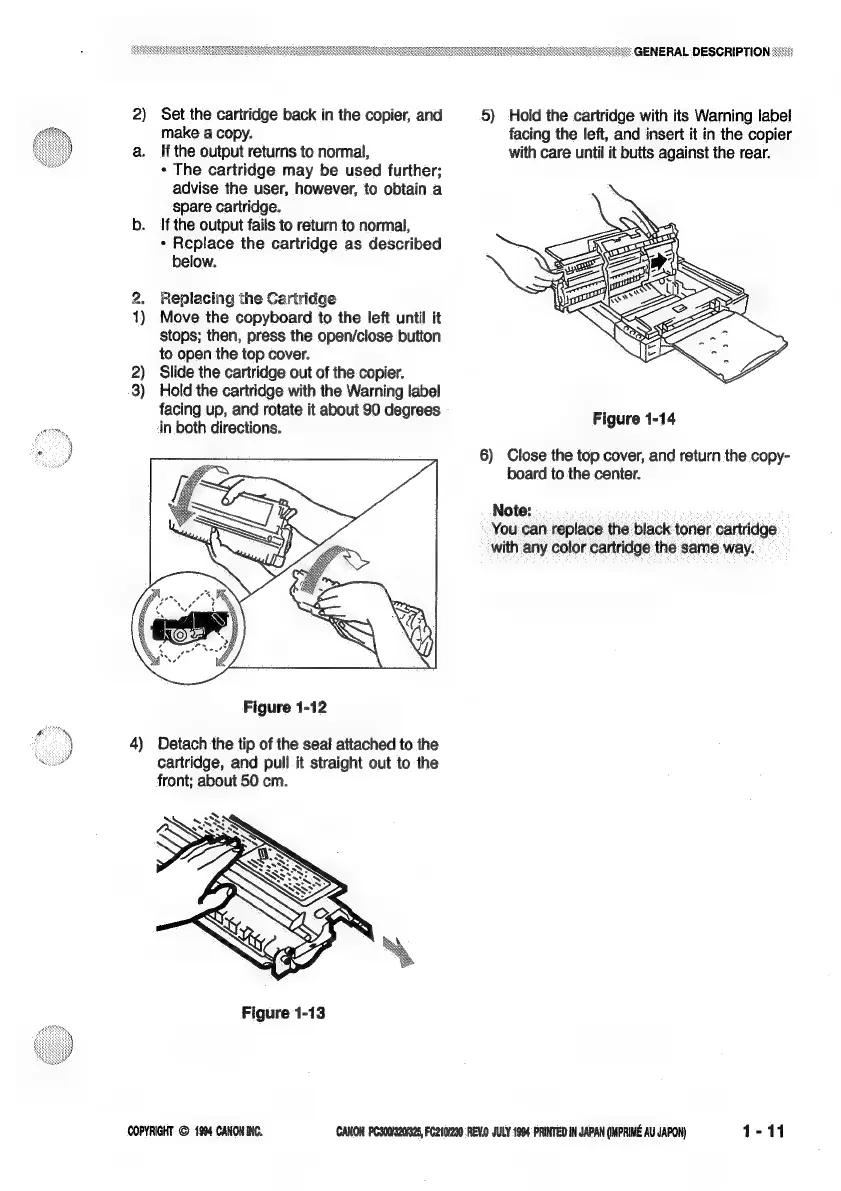
5)
Hold
the
cartridge
with
its
Warning
label
make
a
copy.
facing
the
left,
and
insert
it
in
the
copier
a.
If
the
output
returns
to
normal,
with
care
until
it
butts
against
the
rear.
*
The
cartridge
may
be
used
further;
advise
the
user,
however,
to
obtain
a
Spare
cartridge.
b.
If
the
output
fails
to
return
to
normal,
°
Replace
the
cartridge
as
described
below.
2.
Replacing
the
Cartridge
1)
Move
the
copyboard
to
the
left
until
it
stops;
then,
press
the
open/close
button
to
open
the
top
cover.
2)
Slide
the
cartridge
out
of
the
copier.
3)
Hold
the
cartridge
with
the
Warning
label
facing
up,
and
rotate
it
about
90
degrees
Figure
1-14
efit
in
both
directions.
|
6)
Close
the
top
cover,
and
return
the
copy-
“~
board
to
the
center.
Note:
You
can
replace
the
black
toner
cartridge
with
any
color
cartridge
the
same
way.
Figure
1-12
-)
4)
Detach
the
tip
of
the
seal
attached
to
the
4
cartridge,
and
pull
it
straight
out
to
the
front;
about 50
cm.
Figure
1-13
COPYRIGHT
©
1904
CANON
INC.
CANON
PC300/3200%25,
FC210/290.REV.0
JULY
1904
‘PRINTED
IN
JAPAN
(IMPRIME
AU
JAPON)
1-11

Related product manuals