Table of
Contents
Chapter 1
What is
ZoomBrowser EX?
Chapter 2
Downloading and
Printing Images
Chapter 3
What You Can Do with
a Camera Connected
Chapter 4
Viewing Images
Chapter 5
Organizing Images
Chapter 6
Using Supplementary
Features
Appendices Index
ZoomBrowser EX Software User Guide 103
Back Next
Editing Images (7/10)
Adjusting Sharpness
Use this to emphasize and clarify the outlines of people and
objects.
1.
Click (Edit) in the Viewer Window and select
[Sharpness].
The Sharpness window will open.
2.
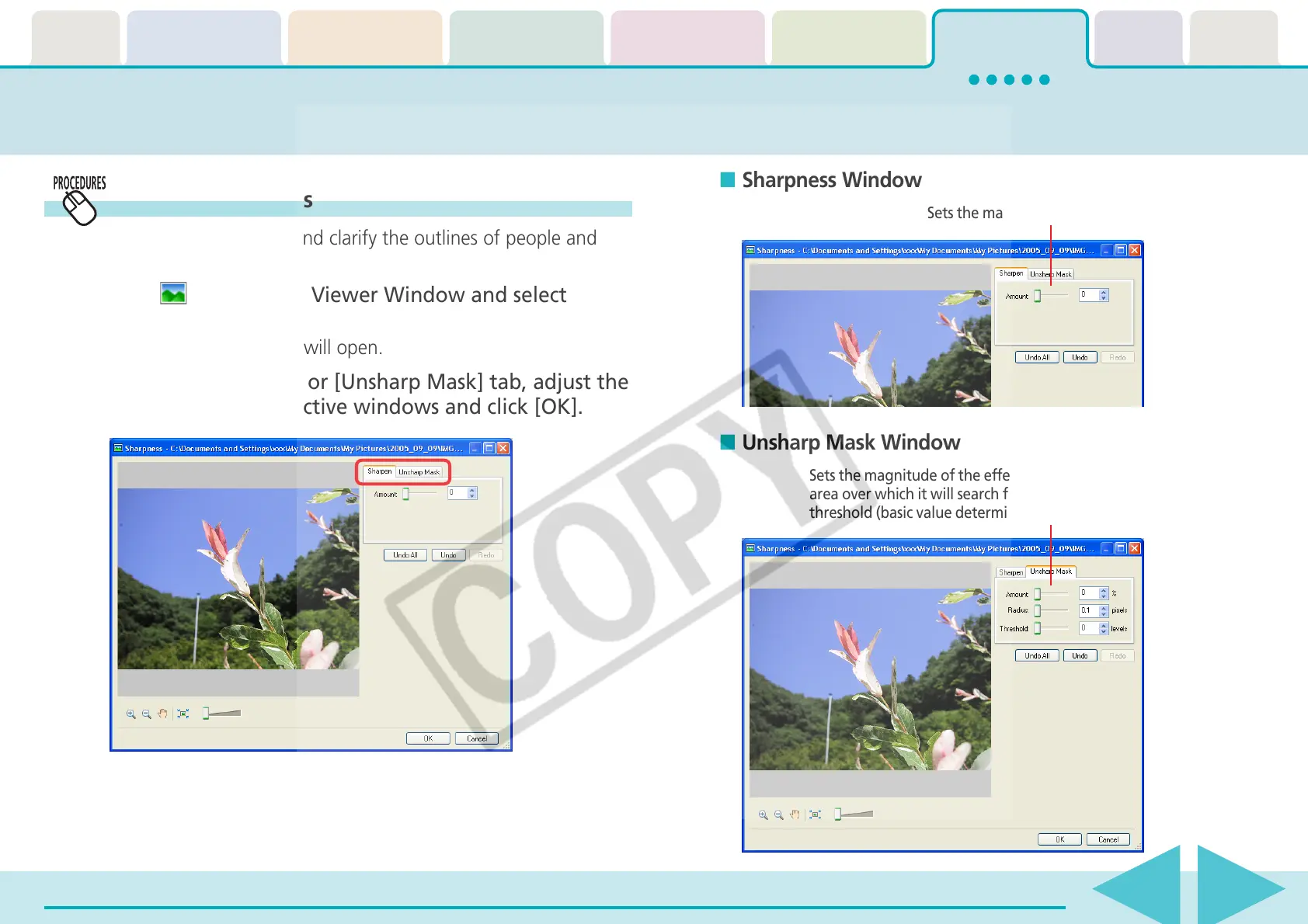
Select the [Sharpen] or [Unsharp Mask] tab, adjust the
settings in the respective windows and click [OK].
Sets the magnitude of the effect.
Sets the magnitude of the effect, its radius (the
area over which it will search for contours) and
threshold (basic value determined to be a contour).
■ Sharpness Window
■ Unsharp Mask Window














 To Next Page