Table of
Contents
Chapter 1
What is
ZoomBrowser EX?
Chapter 2
Downloading and
Printing Images
Chapter 3
What You Can Do with
a Camera Connected
Chapter 4
Viewing Images
Chapter 5
Organizing Images
Chapter 6
Using Supplementary
Features
Appendices Index
ZoomBrowser EX Software User Guide 19
Back Next
Downloading Images to a Computer (8/8)
Starting by Clicking an Icon or Menu
Use the following methods to start ZoomBrowser EX using its
desktop icon or a menu.
■ The Icon Method
1.
Double-click the [ZoomBrowser EX] icon on the desktop.
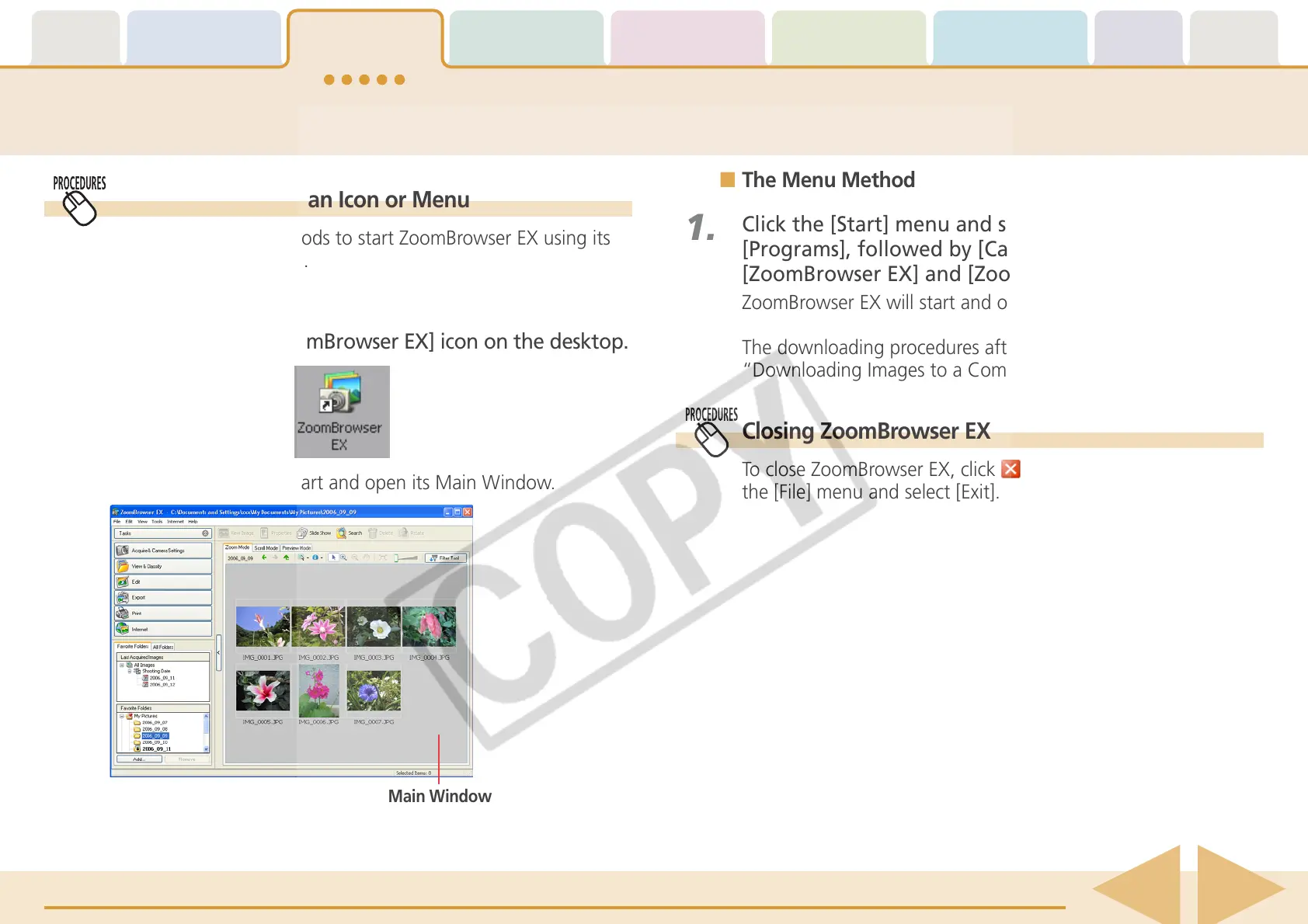
ZoomBrowser EX will start and open its Main Window.
■ The Menu Method
1.
Click the [Start] menu and select [All Programs] or
[Programs], followed by [Canon Utilities],
[ZoomBrowser EX] and [ZoomBrowser EX].
ZoomBrowser EX will start and open its Main Window.
The downloading procedures after this are described in
“Downloading Images to a Computer (6/8).”
Closing ZoomBrowser EX
To close ZoomBrowser EX, click in the Main Window or click
the [File] menu and select [Exit].
Main Window
The downloading procedures after this are described in
“Downloading Images to a Computer (6/8).”














 To Next Page