5
ENGLISH
9
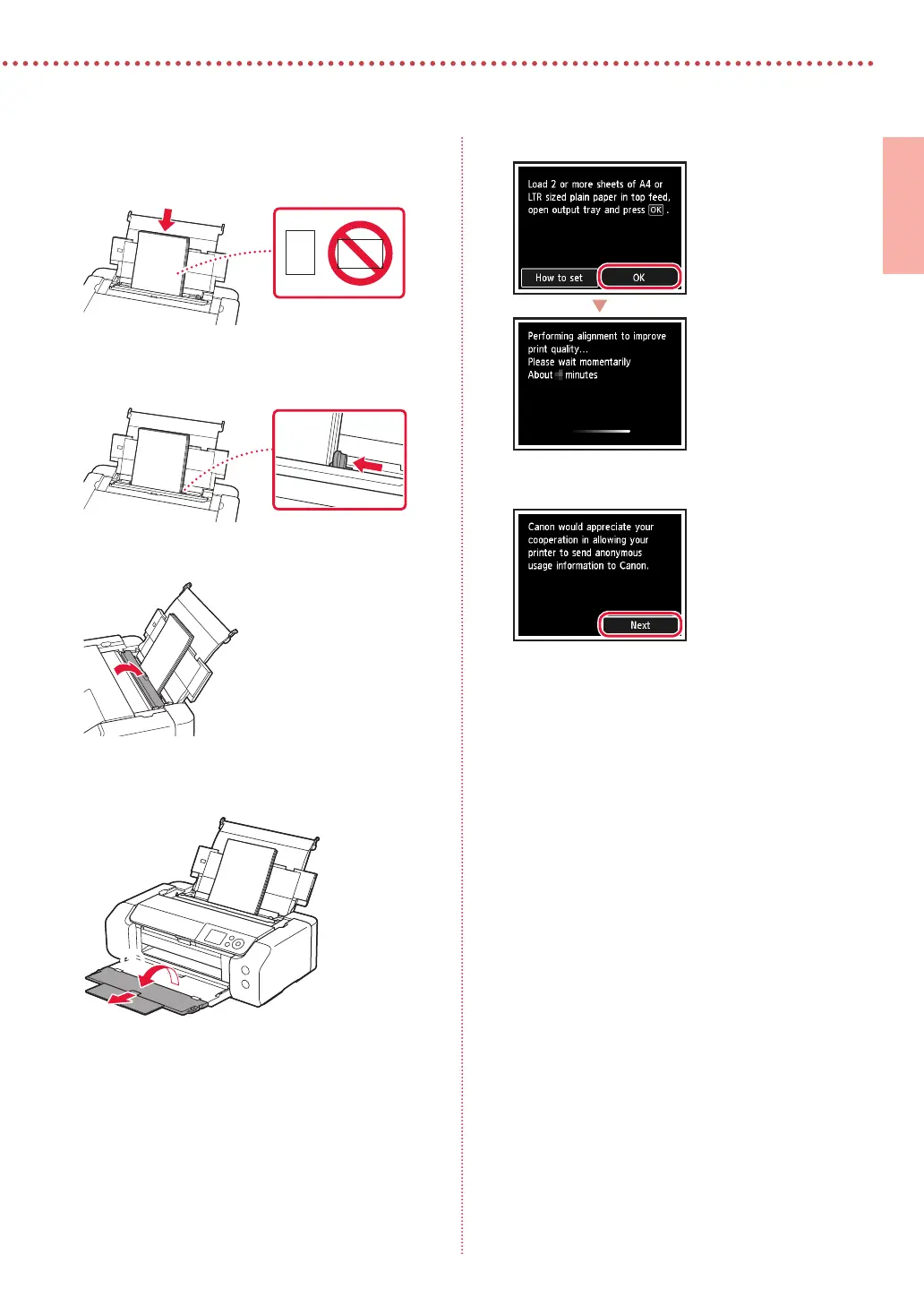
Press the OK button.
10
Press the OK button.
•
Follow the on-screen instructions to continue setup.
This includes making selections related to sending
information.
Refer to "Sending Information To Canon" in Safety
and Important Information.
•
When Select the connection method. appears on
the printer's screen, proceed to "7. Selecting a Printer
Connection Method" on page 6.
5
Load 2 or more sheets of Letter or A4 sized plain
paper.
•
Load paper with the print side facing up.
6
Slide the side paper guide against the edge of
the paper stack.
7
Close the feed slot cover.
8
Open the output tray extension and extend the
paper output support.
a
b









 To Next Page