EasyManua.ls Logo

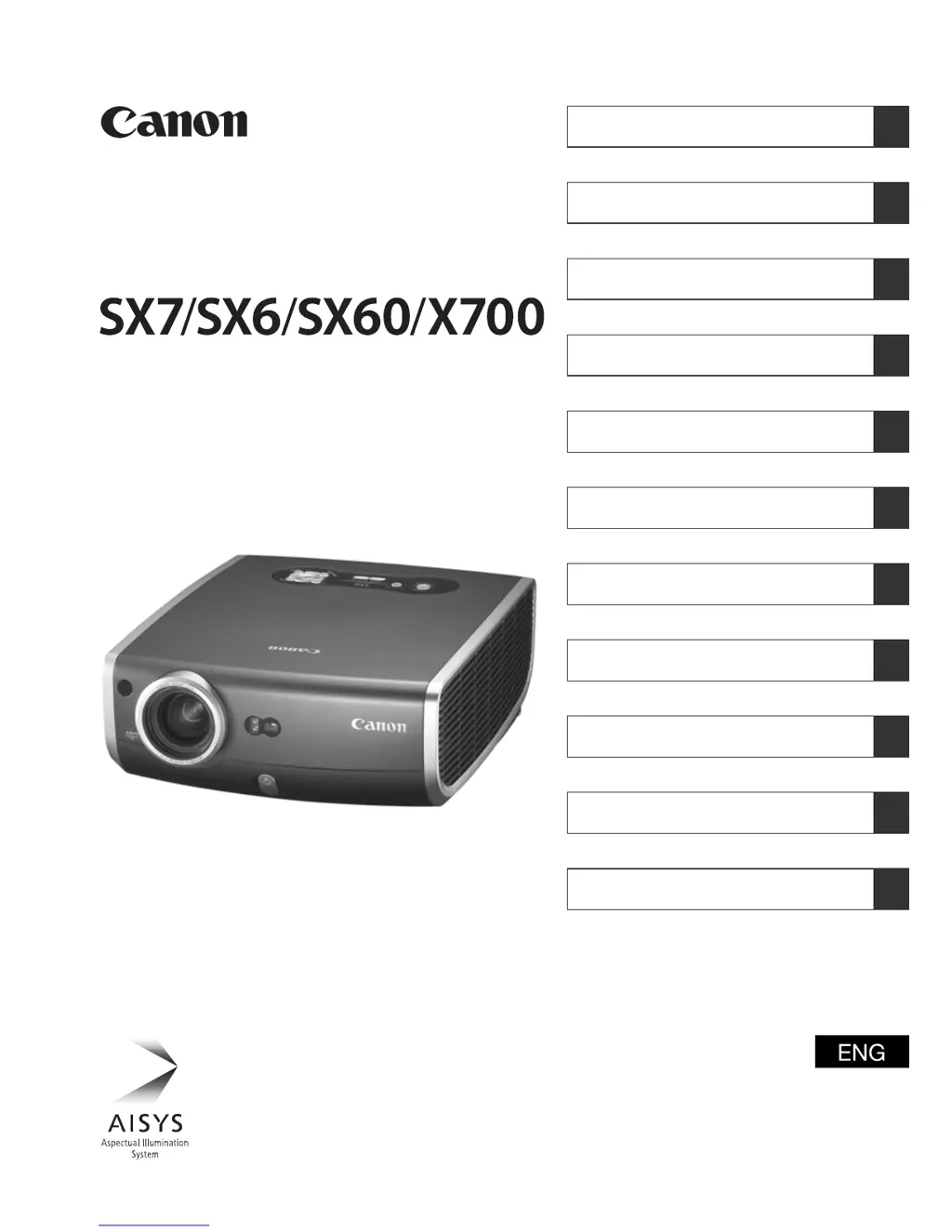
Canon SX6 - User Manual

Canon SX6
141 pages
Print Icon
To Next Page IconTo Next Page
Loading...
MULTIMEDIA PROJECTOR
Table of contents/Safety Instructions
Before Use
Setting Up the Projector
Projecting an Image from the Computer
Projecting an Image from AV Equipment
Useful Functions Available During a Presentation
Setting Up Functions from Menus
Maintenance
Troubleshooting
Appendix
Index
User’s Manual

Table of Contents

Questions and Answers

Summary

Safety Instructions

Safety Precautions

General warnings to reduce the risk of fire or electric shock, and guidelines for projector installation and operation.

AC Power Cord Requirement

Information regarding the AC power cord, socket-outlet accessibility, and notes for US customers.

FCC and Canadian Interference Notices

Details on Federal Communication Commission compliance and Canadian Radio Interference Regulations.

Lamp and Projector Handling Precautions

Guidance on handling the high-pressure mercury lamp and precautions for carrying or transporting the projector.

Installation and Environmental Precautions

Precautions for projector installation, ventilation, and usage in different environments.

Features of the Multimedia Projector

Major Features Overview

Highlights key capabilities like imaging quality, brightness, silent operation, resolution, and special functions.

Supplied Manuals and Symbols

Supplied Manuals

Lists the User's Manual and Quick Start Guide provided with the projector.

Button Operation Symbols

Illustrates symbols for button operations on the remote control and top unit.

Symbols Used in Manual

Explains the meaning of symbols used throughout the manual for warnings and tips.

Before Use

Supplied Accessories

Lists and illustrates all accessories included with the projector for setup and operation.

Setting Up the Projector

Determining Projection Distance

Provides a table and diagram for selecting the correct distance for desired screen sizes.

Determining Installation Position

Guidance on placing the projector correctly in front of the screen, on a level surface, or for ceiling/rear projection.

Projecting an Image from the Computer

Connecting the Projector to the Computer

Details on connecting the projector to computers using various video and USB terminals.

Connecting to External Monitor and Audio

Instructions for connecting an external monitor and audio devices to the projector.

Preparing the Computer for Projection

Steps to set the computer's output resolution and configure notebook display settings.

Performing Auto Setup and Adjustments

Guides on using auto setup functions, selecting input signals, and adjusting focus/keystone.

Image and Screen Mode Settings

How to select image modes and screen aspect ratios for optimal projection.

Projecting an Image from AV Equipment

Connecting the Projector to AV Equipment

Instructions for connecting various AV devices using component, SCART, HDMI, DVI, S-VIDEO, and Video cables.

Connecting Audio Terminals

Details on connecting audio input and output terminals for AV equipment.

Projecting Video from AV Equipment

Steps for projecting video images from AV equipment, including auto setup and signal selection.

Screen Mode and Aspect Ratio Settings

Guidance on selecting screen modes and aspect ratios for AV input signals.

Useful Functions Available During a Presentation

Image and Sound Control

Functions for temporarily blacking out the image, muting sound, and freezing the picture.

Presentation Timing and Navigation

Features for adjusting volume, showing elapsed time, and navigating through pages.

Image Zooming and Spotlight

How to zoom images, move them on screen, and use the spotlight feature.

Remote Control Mouse and Spotlight

Using the remote control as a mouse and pointing with a spotlight.

Setting Up Functions from Menus

How to Use Menus

Basic operations for navigating and using the projector's menu system.

Setting Display Status

Options for selecting screen modes, input signals, and aspect ratios.

Adjusting Image Alignment and Pixels

Settings for total dots, tracking, horizontal/vertical positions, and pixels.

Logo and Aspect Ratio Management

Settings for screen color, logo projection, and aspect ratio configuration.

Setting the Image Quality

Selecting an Image Mode

Choosing from various image modes like Standard, Presentation, Movie, etc.

Adjusting Brightness and Contrast

Fine-tuning image brightness and contrast for optimal viewing.

Adjusting Sharpness and Gamma

Settings for image sharpness and gamma correction to improve clarity and detail.

Color and Advanced Color Adjustments

Options for adjusting color levels, balance, and advanced color parameters.

Lamp Settings and Reset Options

Reducing lamp brightness and resetting all image settings to defaults.

Setting Various Function

Auto Setup and Power Management

Configuring auto setup functions and power management modes for efficiency.

Input, Beep, and Language Settings

Managing input signal selection, beep sounds, and display language.

Security and Illumination Settings

Setting up key lock, guide messages, and LED illumination.

Remote Control and Lamp Counter

Configuring remote control channels and resetting the lamp counter.

Maintenance

Cleaning the Projector

Instructions for safely cleaning the projector's exterior and lens.

Air Filter Maintenance

Steps for cleaning and replacing the projector's air filter.

Replacing the Lamp

Detailed procedure for replacing the projector lamp and resetting the lamp counter.

Troubleshooting

WARNING Lamp Flash Patterns

Identifies projector issues based on red warning lamp flash patterns and suggests countermeasures.

Symptoms and Solutions

Troubleshooting common problems like inability to turn on, no image, no sound, or blur.

Appendix

Supported Computer Signal Types

Lists compatible computer signal types, resolutions, and frequencies.

Screen Size and Distance Data

Table showing projecting distance based on screen size and aspect ratio.

Glossary of Terms

Definitions of technical terms used in the manual.

Projector Specifications

Technical specifications including display system, light source, resolution, and dimensions.

Summary

Safety Instructions

Safety Precautions

General warnings to reduce the risk of fire or electric shock, and guidelines for projector installation and operation.

AC Power Cord Requirement

Information regarding the AC power cord, socket-outlet accessibility, and notes for US customers.

FCC and Canadian Interference Notices

Details on Federal Communication Commission compliance and Canadian Radio Interference Regulations.

Lamp and Projector Handling Precautions

Guidance on handling the high-pressure mercury lamp and precautions for carrying or transporting the projector.

Installation and Environmental Precautions

Precautions for projector installation, ventilation, and usage in different environments.

Features of the Multimedia Projector

Major Features Overview

Highlights key capabilities like imaging quality, brightness, silent operation, resolution, and special functions.

Supplied Manuals and Symbols

Supplied Manuals

Lists the User's Manual and Quick Start Guide provided with the projector.

Button Operation Symbols

Illustrates symbols for button operations on the remote control and top unit.

Symbols Used in Manual

Explains the meaning of symbols used throughout the manual for warnings and tips.

Before Use

Supplied Accessories

Lists and illustrates all accessories included with the projector for setup and operation.

Setting Up the Projector

Determining Projection Distance

Provides a table and diagram for selecting the correct distance for desired screen sizes.

Determining Installation Position

Guidance on placing the projector correctly in front of the screen, on a level surface, or for ceiling/rear projection.

Projecting an Image from the Computer

Connecting the Projector to the Computer

Details on connecting the projector to computers using various video and USB terminals.

Connecting to External Monitor and Audio

Instructions for connecting an external monitor and audio devices to the projector.

Preparing the Computer for Projection

Steps to set the computer's output resolution and configure notebook display settings.

Performing Auto Setup and Adjustments

Guides on using auto setup functions, selecting input signals, and adjusting focus/keystone.

Image and Screen Mode Settings

How to select image modes and screen aspect ratios for optimal projection.

Projecting an Image from AV Equipment

Connecting the Projector to AV Equipment

Instructions for connecting various AV devices using component, SCART, HDMI, DVI, S-VIDEO, and Video cables.

Connecting Audio Terminals

Details on connecting audio input and output terminals for AV equipment.

Projecting Video from AV Equipment

Steps for projecting video images from AV equipment, including auto setup and signal selection.

Screen Mode and Aspect Ratio Settings

Guidance on selecting screen modes and aspect ratios for AV input signals.

Useful Functions Available During a Presentation

Image and Sound Control

Functions for temporarily blacking out the image, muting sound, and freezing the picture.

Presentation Timing and Navigation

Features for adjusting volume, showing elapsed time, and navigating through pages.

Image Zooming and Spotlight

How to zoom images, move them on screen, and use the spotlight feature.

Remote Control Mouse and Spotlight

Using the remote control as a mouse and pointing with a spotlight.

Setting Up Functions from Menus

How to Use Menus

Basic operations for navigating and using the projector's menu system.

Setting Display Status

Options for selecting screen modes, input signals, and aspect ratios.

Adjusting Image Alignment and Pixels

Settings for total dots, tracking, horizontal/vertical positions, and pixels.

Logo and Aspect Ratio Management

Settings for screen color, logo projection, and aspect ratio configuration.

Setting the Image Quality

Selecting an Image Mode

Choosing from various image modes like Standard, Presentation, Movie, etc.

Adjusting Brightness and Contrast

Fine-tuning image brightness and contrast for optimal viewing.

Adjusting Sharpness and Gamma

Settings for image sharpness and gamma correction to improve clarity and detail.

Color and Advanced Color Adjustments

Options for adjusting color levels, balance, and advanced color parameters.

Lamp Settings and Reset Options

Reducing lamp brightness and resetting all image settings to defaults.

Setting Various Function

Auto Setup and Power Management

Configuring auto setup functions and power management modes for efficiency.

Input, Beep, and Language Settings

Managing input signal selection, beep sounds, and display language.

Security and Illumination Settings

Setting up key lock, guide messages, and LED illumination.

Remote Control and Lamp Counter

Configuring remote control channels and resetting the lamp counter.

Maintenance

Cleaning the Projector

Instructions for safely cleaning the projector's exterior and lens.

Air Filter Maintenance

Steps for cleaning and replacing the projector's air filter.

Replacing the Lamp

Detailed procedure for replacing the projector lamp and resetting the lamp counter.

Troubleshooting

WARNING Lamp Flash Patterns

Identifies projector issues based on red warning lamp flash patterns and suggests countermeasures.

Symptoms and Solutions

Troubleshooting common problems like inability to turn on, no image, no sound, or blur.

Appendix

Supported Computer Signal Types

Lists compatible computer signal types, resolutions, and frequencies.

Screen Size and Distance Data

Table showing projecting distance based on screen size and aspect ratio.

Glossary of Terms

Definitions of technical terms used in the manual.

Projector Specifications

Technical specifications including display system, light source, resolution, and dimensions.

Canon SX6 Specifications

General IconGeneral
BrandCanon
ModelSX6
CategoryProjector
LanguageEnglish

Related product manuals