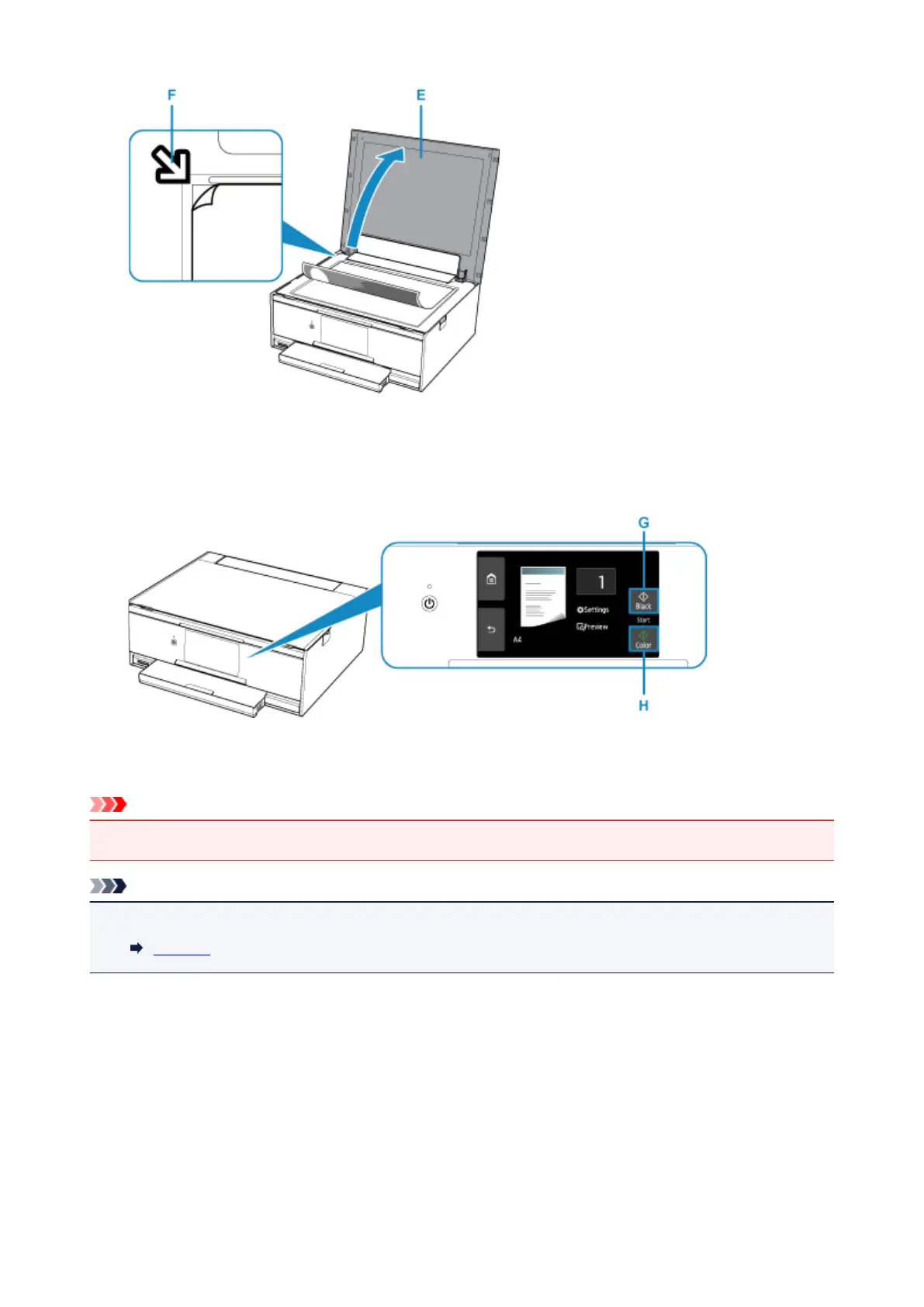
11.
Close the document cover.
12.
Confirm the paper settings, then press the Black button (G) or Color button (H).
The operation panel is opened and the paper output tray is pulled out automatically, then copying will
start.
Important
• Do not open the document cover until copying is complete.
Note
• Your printer is equipped with many other convenient copy features.
Copying
36




 To Next Page