Printing a Disc Label from a Computer
This section describes how to print photos on a printable disc with My Image Garden.
Important
• Do not attach the disc tray until the message asking you to load the printable disc is displayed. Doing
so can damage the printer.
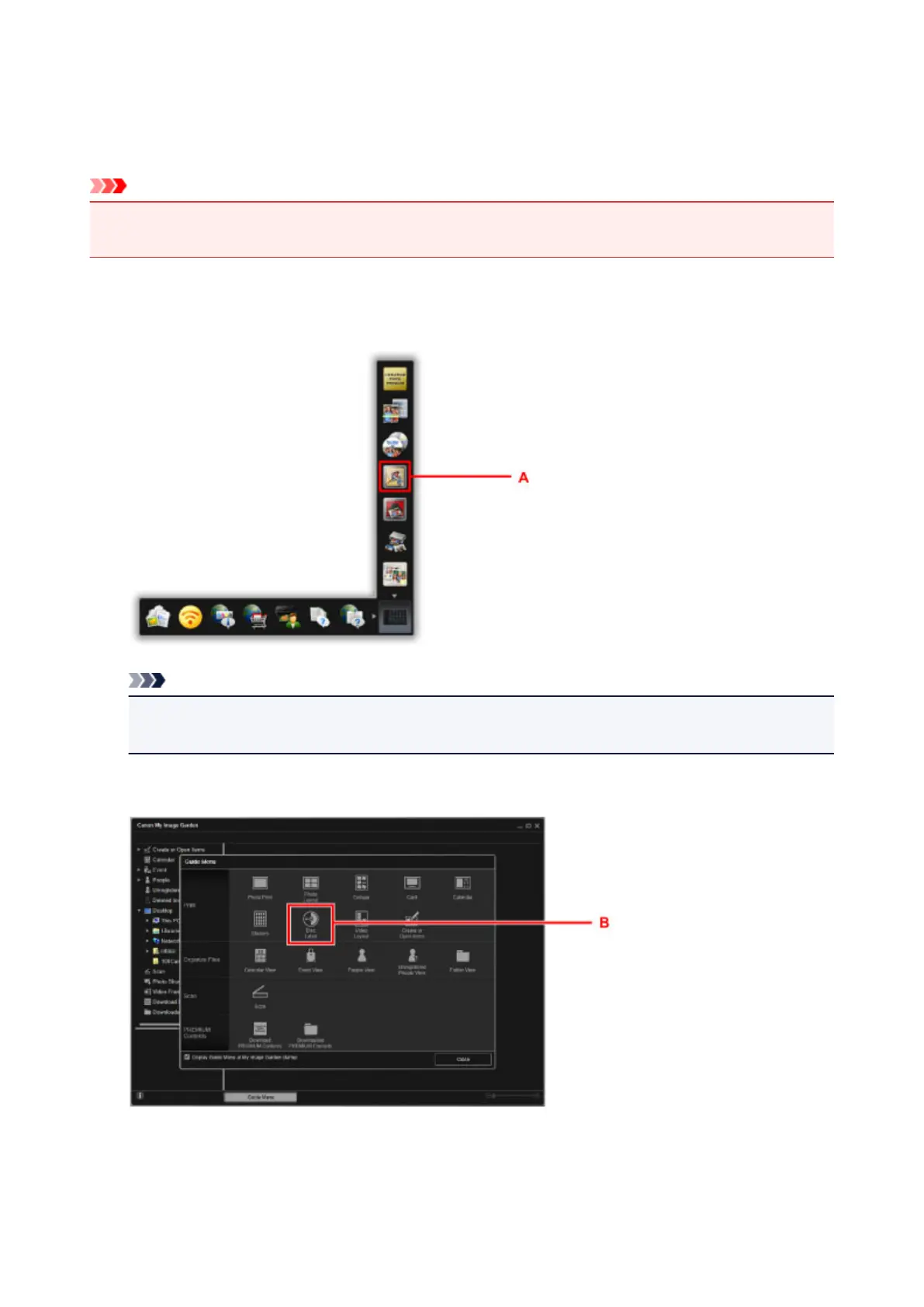
1. Click the My Image Garden icon (A) in Quick Menu.
The Guide Menu screen is displayed.
Note
• The number and types of icons displayed vary depending on your region, the registered printer/
scanner and the installed applications.
2.
Click the Disc Label icon (B).
3. Specify the theme, Paper Size, etc. (C).
41




 To Next Page