Copying a Disc Label
This section describes how to copy the label of an existing disc (BD/DVD/CD, etc.) and print it on a printable
disc.
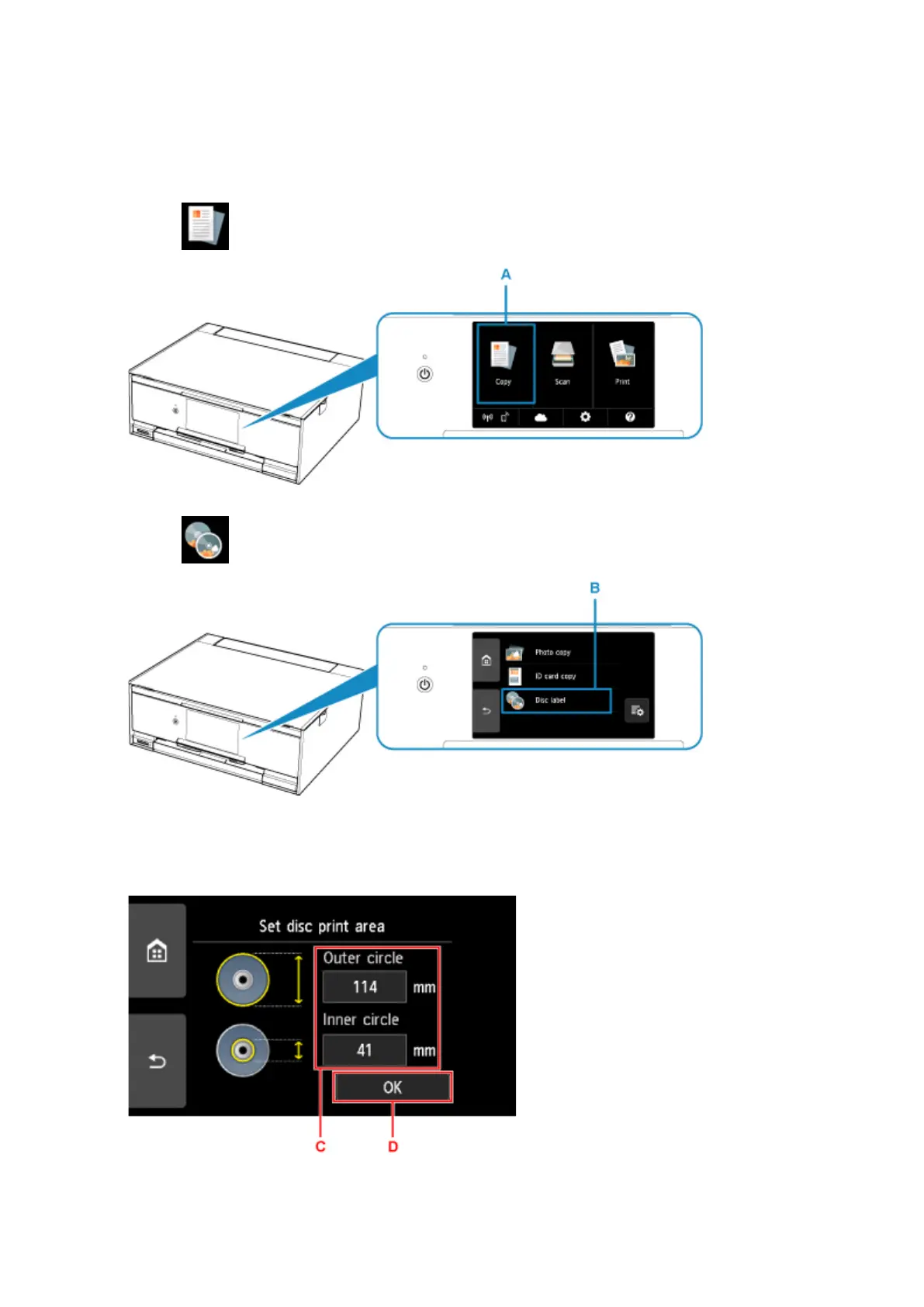
1. Select Copy (A) on the HOME screen.
2.
Select Disc label (B).
3.
Specify the print area of the printable disc as necessary.
Select Outer circle or Inner circle (C), specify the print area, then select OK (D).
45




 To Next Page