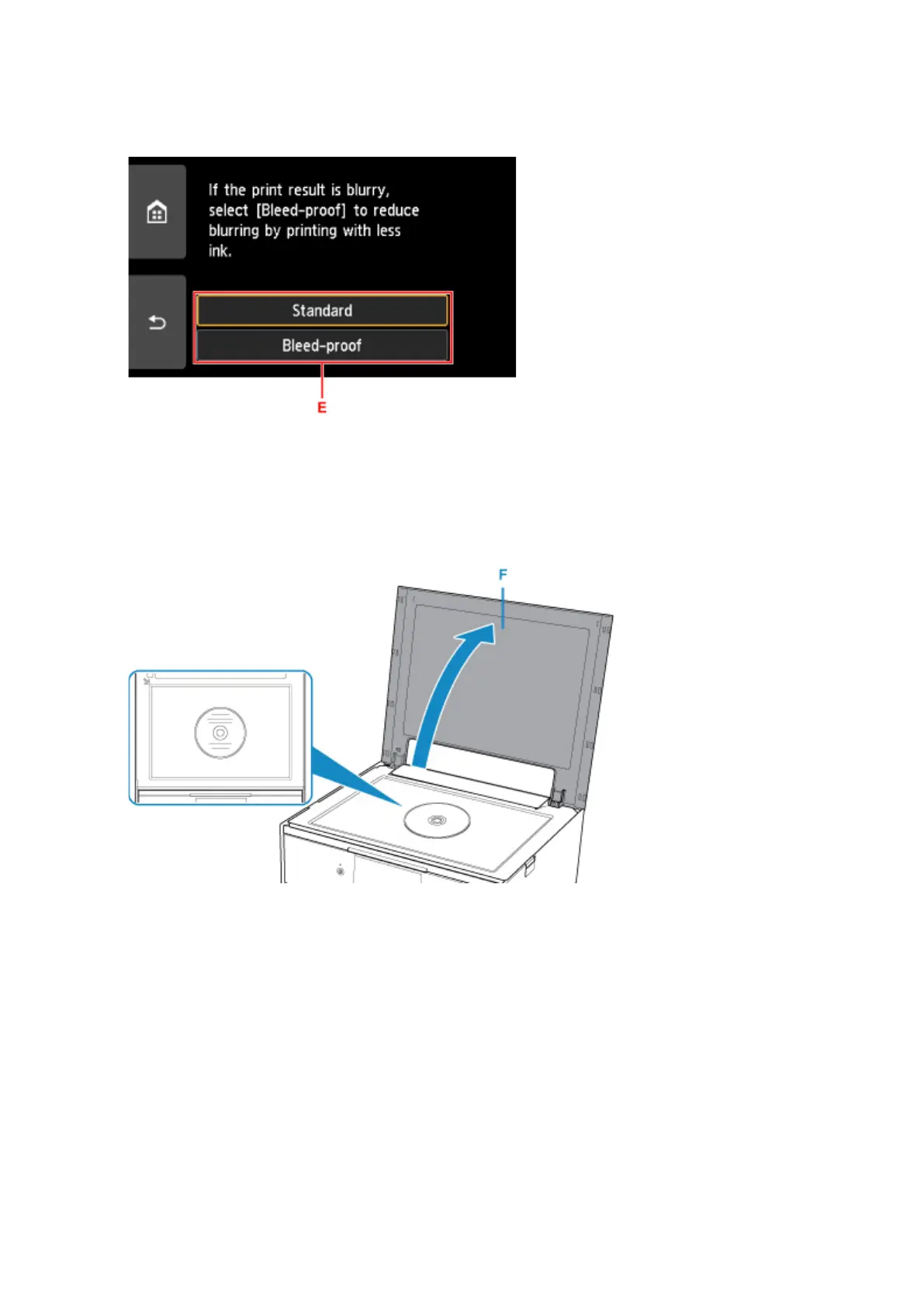
4. Specify the amount of ink (E).
If the print result is blurry, select Bleed-proof. Blurring may be reduced by printing with less ink..
5.
Open the document cover (F).
6.
Load the copy source (BD/DVD/CD, etc.) WITH ITS LABEL SIDE DOWN on the platen
glass.
7. Close the document cover.
8. Select OK on the touch screen.
9. Confirm the print settings, then touch the Black button (G) or Color button (H).
The message asking you to load the printable disc is displayed.
46




 To Next Page