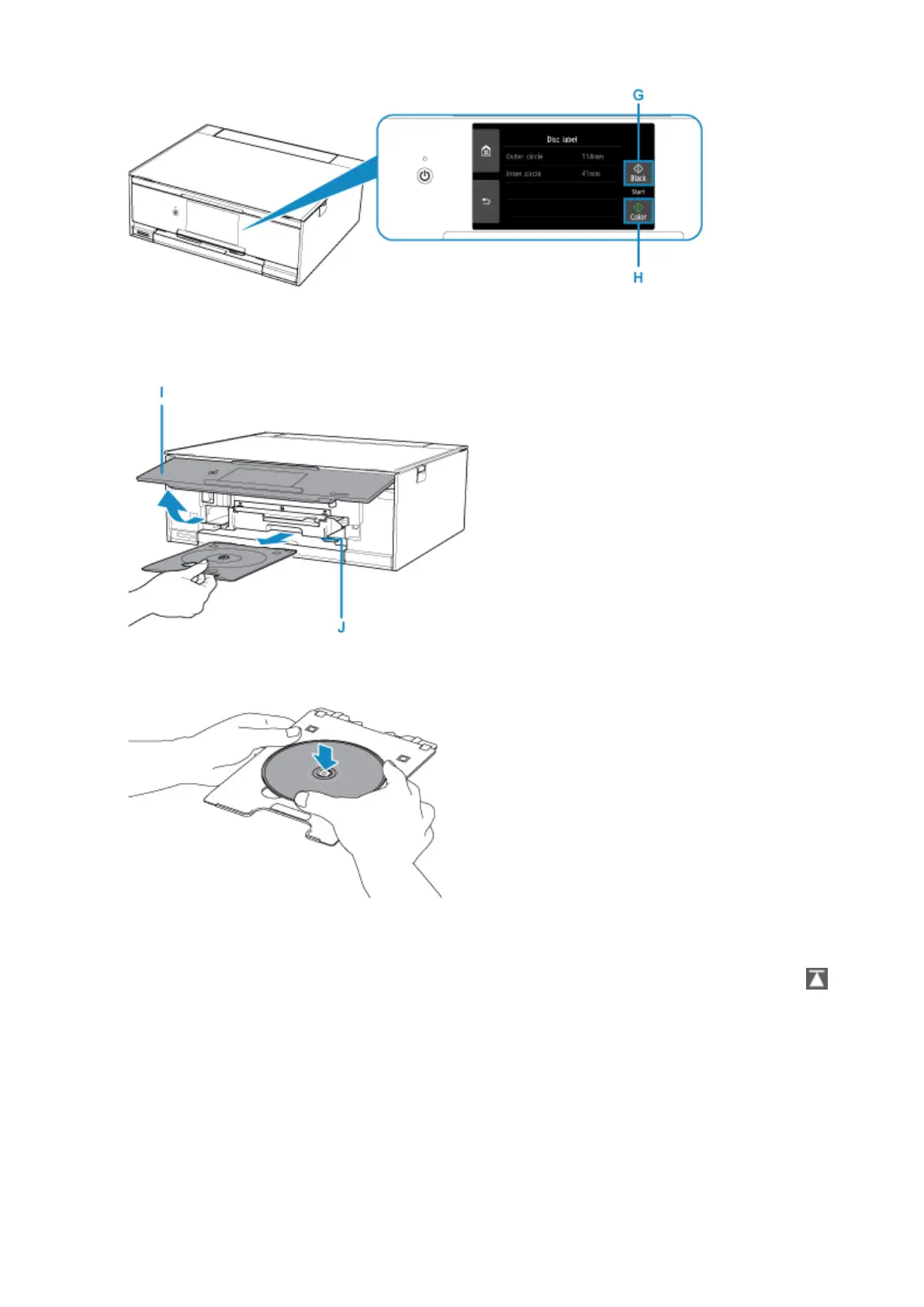
10.
When the message asking you to load the printable disc is displayed, open the operation
panel (I), and then pick out the disc tray from the disc tray storage compartment (J).
11.
Place the printable disc with the printable surface facing up on the disc tray.
12. Insert the disc tray into the disc tray guide.
Insert the disc tray straight until the white line on the disc tray guide is almost aligned with the arrow (
)
on the disc tray.
47




 To Next Page