Printing Photos from Memory Card
This section describes how to print photos on a memory card.
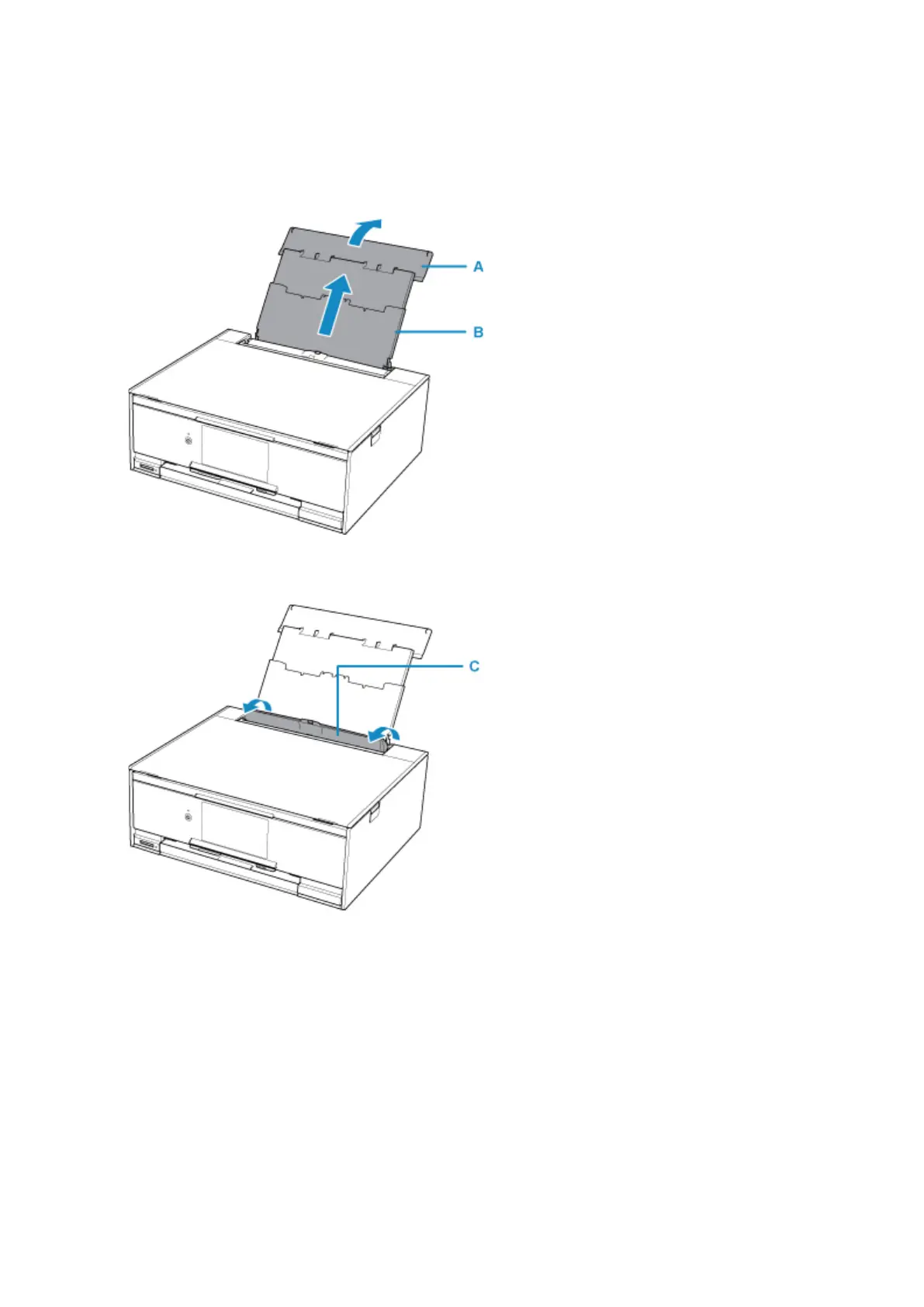
1. Open the rear tray cover (A) and then pull up the paper support (B).
2.
Open the feed slot cover (C).
3. Load paper vertically WITH THE PRINT SIDE FACING UP.
4. Align the paper guides (D) with the paper width.
37




 To Next Page