What to Do
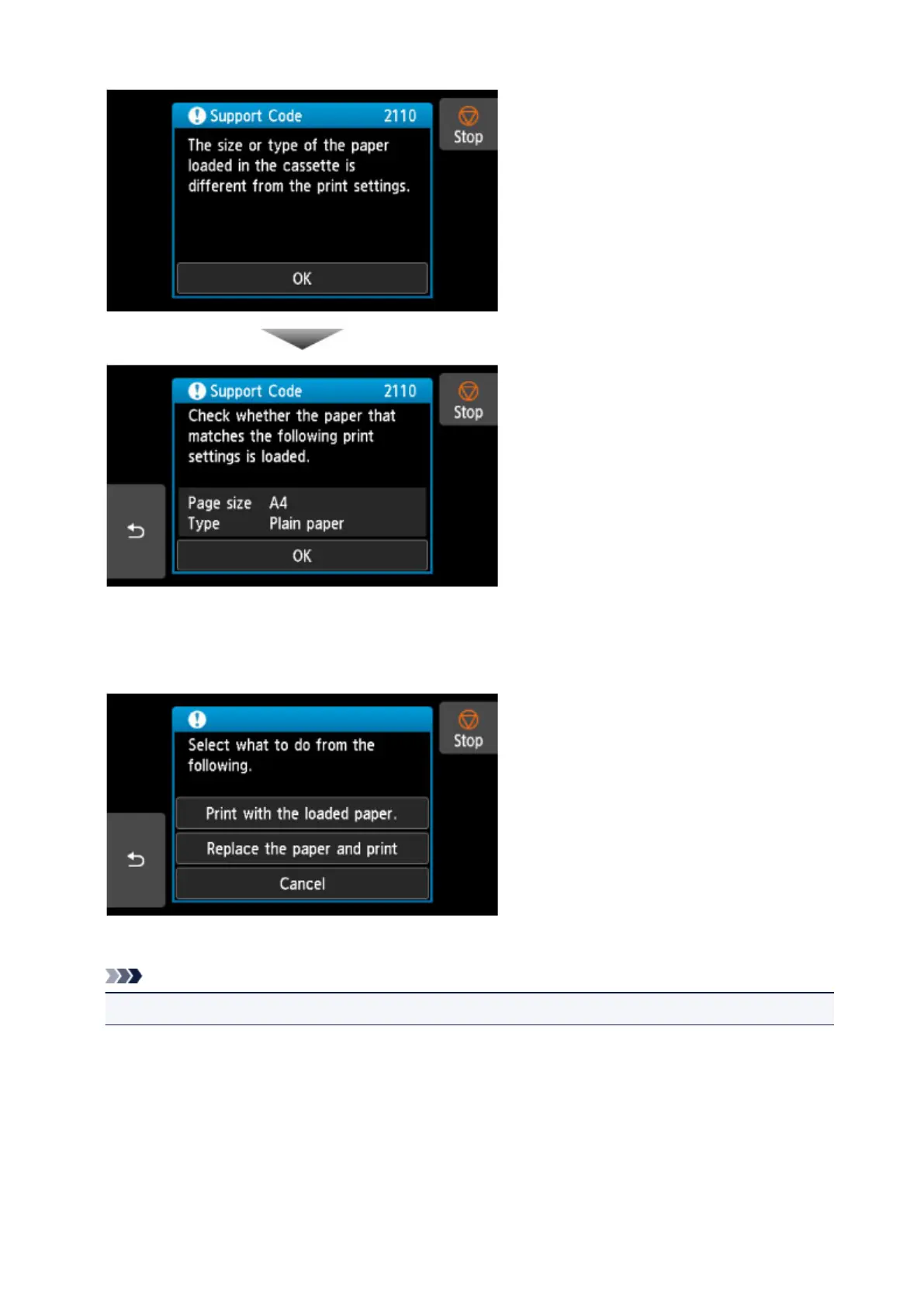
Select OK on the touch screen again to display the screen below.
Select the appropriate action.
Note
• Depending on settings, some of the options below may not appear.
Print with the loaded paper.
Select this option to print or copy onto the paper in the cassette without changing the paper settings.
For example, if the print or copy paper setting is A5, and cassette paper information is set to A4, the
A5 size setting is used to print or copy onto the paper in the cassette.
Replace the paper and print
Select this option to print after changing the paper in the cassette.
487


 To Next Page
 Loading...