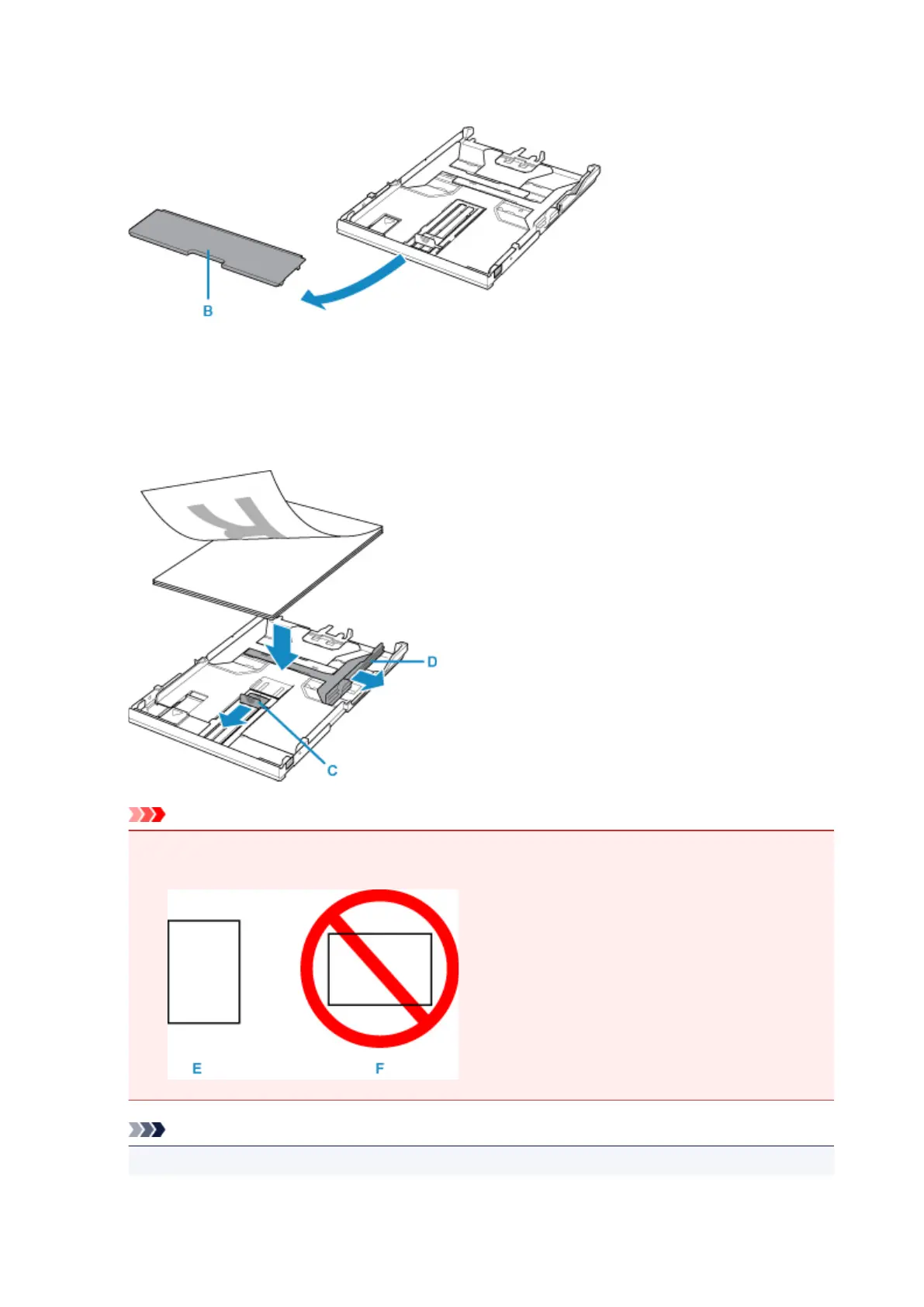
3. Remove the cassette cover (B).
4.
Slide the paper guide (C) in front and (D) on the right to open the guides.
5.
Load the paper stack WITH THE PRINT SIDE FACING DOWN, and place it in the center of
the cassette.
Important
•
Always load paper in the portrait orientation (E). Loading paper in the landscape orientation (F)
can cause paper jams.
Note
•
Align the paper stack with the edge of the cassette as shown in the figure below.
75




 To Next Page