Note
• The disc tray may be ejected after a specified period of time has elapsed. In this case, follow the
on-screen instructions to attach the disc tray.
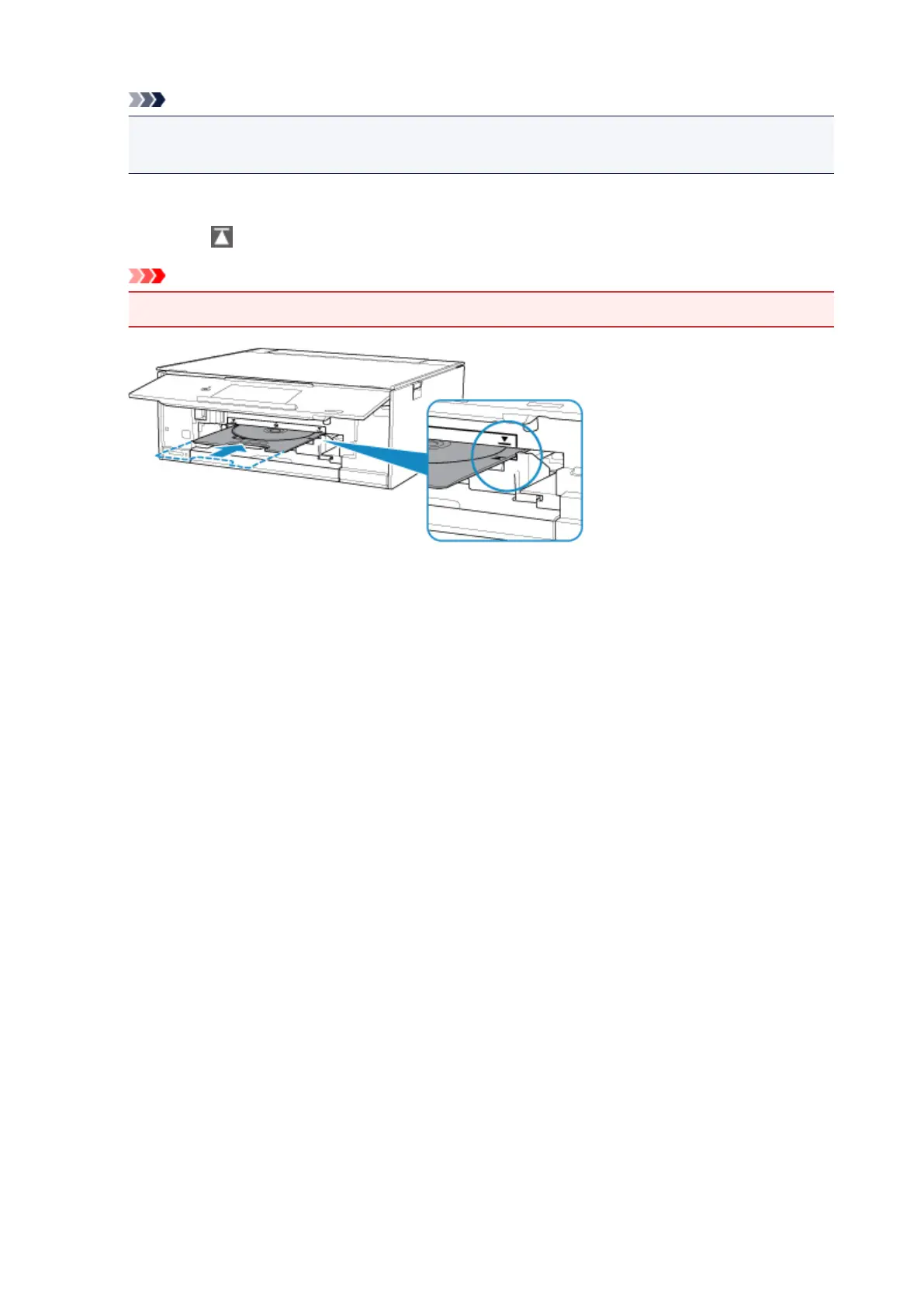
4. Insert the disc tray straight until the white line on the disc tray guide is almost aligned with
the arrow ( ) on the disc tray.
Important
•
Do not insert the disc tray beyond the white line on the disc tray guide.
86




 To Next Page